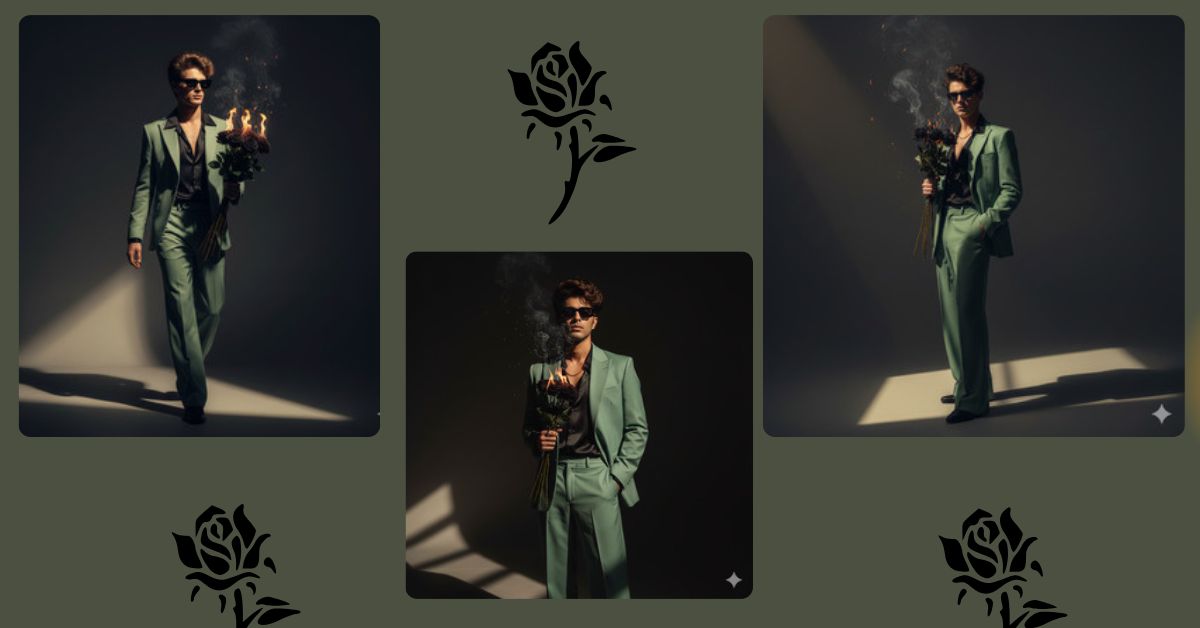
Cinematic dark luxury portraits are trending fast on Instagram Reels and AI art pages.
This style looks powerful, stylish, and professional, just like a movie poster or fashion magazine cover.
The best part?
You can create this Viral AI Image for free using Google Gemini, without a camera, studio, or editing skills.
In this blog, Techy Gabru will show you one perfect Google Gemini prompt to create a trending cinematic stylish man AI image in 9:16 Instagram Reel size.
The Viral Google Gemini Prompt
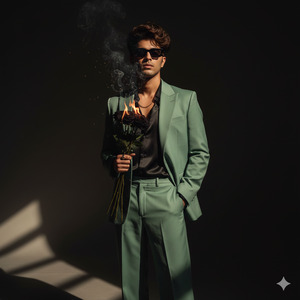
Create a high-quality, ultra-realistic 8K cinematic portrait of a stylish young man standing confidently against a dark minimal background. A soft golden sunlight beam enters from one side, casting dramatic cinematic shadows and adding depth to the scene.
The man is wearing a crisp, elegant sage green suit with a structured blazer and wide-leg trousers, paired with an open-button black silk shirt underneath. One hand is casually placed inside his pocket, while the other hand is holding a bouquet of black burning roses with subtle smoke, ashes, and light fire effects glowing gently near his chest.
He is wearing black sunglasses, giving a mysterious and powerful look. His hair is voluminous, slightly tousled, and naturally textured. Facial details are sharp with realistic skin texture, natural shadows, and professional fashion photography quality.
The background remains dark, clean, and minimal to keep full focus on the subject. Lighting is cinematic, moody, and dramatic with shallow depth of field. No text, no watermark, no blur.
Create the image in 9:16 aspect ratio (Instagram Reel size).
Pose Variant 1 – Slight Turn with Intense Look
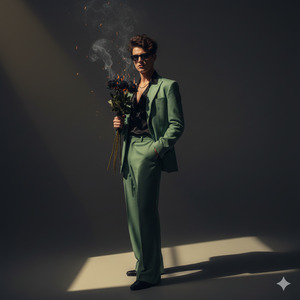
Create a high-quality, ultra-realistic 8K cinematic portrait of a stylish young man standing at a slight angle, body turned slightly sideways while his face is directed toward the camera. The background is dark and minimal, with a soft golden sunlight beam creating dramatic shadows.
He is dressed in a sage green suit with a blazer and wide-leg trousers, wearing an open black silk shirt underneath. One hand is inside his pocket, and the other hand holds a bouquet of black burning roses near his chest, with gentle smoke and glowing fire details.
He wears black sunglasses, hair naturally textured and slightly messy. Cinematic lighting, realistic skin texture, shallow depth of field, luxury fashion photography quality. No text, no watermark.
Create the image in 9:16 aspect ratio.
Pose Variant 2 – Walking Forward Cinematic Motion
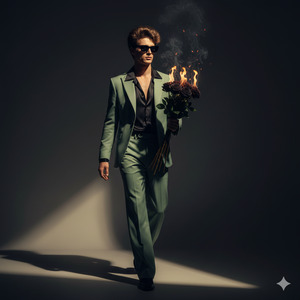
Create a high-quality, ultra-realistic 8K cinematic portrait of a stylish young man captured mid-step as he walks slowly forward, creating a cinematic motion effect. The background is dark and minimal, with a soft golden sunlight beam casting long dramatic shadows.
He is wearing a sage green suit with a tailored blazer and wide-leg trousers, paired with an open-button black silk shirt. One hand swings naturally by his side while the other hand holds a bouquet of black burning roses close to his chest, surrounded by subtle smoke, ashes, and light fire glow.
He wears black sunglasses, with voluminous, slightly tousled hair. Ultra-realistic skin texture, cinematic lighting, shallow depth of field, professional fashion editorial style. No text, no watermark.
Create the image in 9:16 aspect ratio.
How to Customize This Prompt
You can easily personalize this prompt by changing a few words:
- Replace sage green suit with black, white, beige, or any color
- Change burning black roses to red roses or flowers of your choice
- Modify expression to serious, confident, calm, or intense
- Add or remove fire or smoke for a cleaner or dramatic look
Just keep the cinematic lighting and realism for the viral effect.
How to Create This Image Using Google Gemini
Follow these simple steps carefully:
- Open Google Gemini on your device
- Paste the Viral Prompt given above
- Type “Create an image in 9:16 ratio” along with the prompt
- Generate and download your AI image
That’s it. Your trending AI image is ready.
Conclusion
This cinematic stylish man AI image is perfect for Instagram Reels, profile photos, fashion content, and AI art pages.
The dark background, golden light, luxury outfit, and dramatic mood make it highly viral and eye-catching.
Create your image using Google Gemini, post it on Instagram, and don’t forget to tag @TechyGabru to get featured.
Start creating and let your AI art stand out from the crowd.







