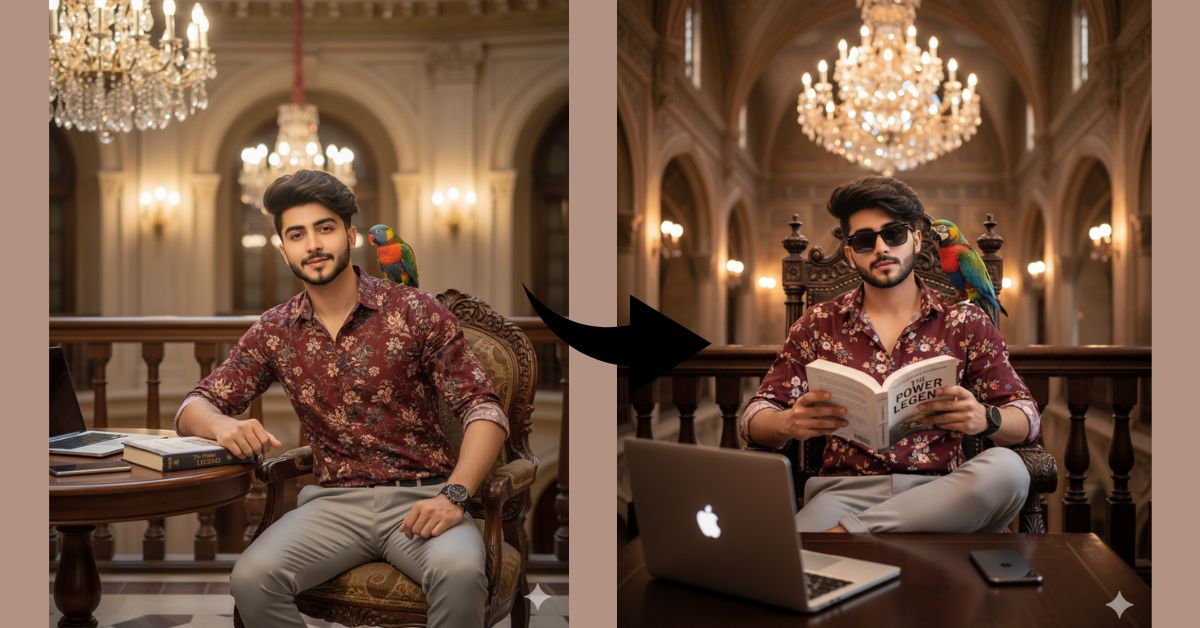
Royal and luxury lifestyle images are trending massively on Instagram and social media.
People love images that show confidence, class, books, vintage buildings, and rich vibes.
This style looks powerful, aesthetic, and perfect for reels and profile posts.
The good news is—you can create this Viral AI Image for FREE using Google Gemini, without any editing or design skills.
Just use the perfect prompt shared below.
The Viral Prompt (Google Gemini Prompt)
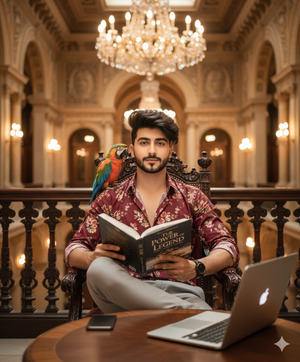
Create a high-quality, ultra-realistic image of a well-dressed young man whose face and hairstyle exactly match the uploaded reference photo. He is sitting confidently on an ornate wooden chair inside a grand historic building with luxurious architecture
In front of him is a classic wooden table with a modern iPhone and an open laptop placed neatly on it. He is holding and reading a book while facing the camera. The book cover clearly reads “The Power of Legend.” A colorful parrot is calmly perched on his shoulder, adding a unique and artistic touch.
He is wearing a maroon floral-patterned shirt, light grey slim-fit trousers, and a black-strap wristwatch, giving a classy and confident royal lifestyle look. Warm golden light glows from elegant wall lamps in the background, and a magnificent chandelier hangs above him. The building features intricate railings, arches, and rich historic details.
Luxury royal lifestyle photography style, cinematic warm lighting, realistic skin and fabric texture, ultra-detailed environment, depth of field, professional DSLR look, high quality, 8K resolution.
Create the image in 9:16 aspect ratio.
Pose Variant 1 – Confident Reading Pose (Facing Camera)
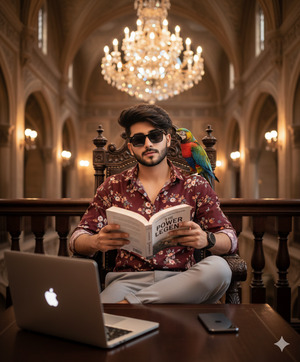
Create a high-quality, ultra-realistic image of a well-dressed young man whose face and hairstyle exactly match the uploaded reference photo. He is sitting confidently on an ornate wooden chair inside a grand historic building with luxurious architecture.
In front of him is a classic wooden table with a modern iPhone and an open laptop placed neatly on it. He is holding and reading a book while facing the camera. The book cover clearly reads “The Power of Legend.” A colorful parrot is calmly perched on his shoulder, adding a unique and artistic touch.
He is wearing a maroon floral-patterned shirt, light grey slim-fit trousers, and a black-strap wristwatch, giving a classy and confident royal lifestyle look. Warm golden light glows from elegant wall lamps in the background, and a magnificent chandelier hangs above him. The building features intricate railings, arches, and rich historic details.
Luxury royal lifestyle photography style, cinematic warm lighting, realistic skin and fabric texture, ultra-detailed environment, depth of field, professional DSLR look, high quality, 8K resolution.
Create the image in 9:16 aspect ratio.
Pose Variant 2 – Thoughtful Side-Look Pose
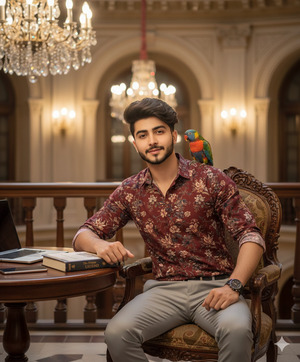
Create a high-quality, ultra-realistic image of a well-dressed young man whose face and hairstyle exactly match the uploaded reference photo. He is sitting on an ornate wooden chair inside a grand historic building. He is holding an open book on the table with one hand while the other hand rests lightly on the chair arm. His head is slightly turned to the side, giving a thoughtful and intellectual expression.
In front of him is a classic wooden table with a modern iPhone and an open laptop placed neatly on it. The book cover clearly reads “The Power of Legend.” A colorful parrot is calmly perched on his shoulder.
He is wearing a maroon floral-patterned shirt, light grey slim-fit trousers, and a black-strap wristwatch. Warm golden lighting from wall lamps fills the background, with a large chandelier glowing above. The building shows luxurious arches and detailed railings.
Luxury royal lifestyle photography style, cinematic lighting, realistic textures, soft depth of field, ultra-realistic details, professional DSLR look, high quality, 8K resolution.
Create the image in 9:16 aspect ratio.
How to Customize This Prompt
You can easily personalize this viral AI image:
- Replace age or outfit colors if you want a different look
- Change the book title to your favorite name
- Modify shirt color or pattern
- Use your own face image when Google Gemini asks for reference
- Add or remove accessories like rings or glasses
Just edit the text inside the prompt—simple and beginner-friendly.
How to Create This Image Using Google Gemini
Follow these easy steps
Step 1
Open Google Gemini on your mobile or laptop.
Step 2
Paste the Google Gemini Prompt given above.
Step 3
Type this line with the prompt:
Create an image in 9:16 aspect ratio (Instagram Reel size)
Step 4
Click generate, wait a few seconds, and download your AI image.
That’s it! Your Trending Viral AI Image is ready.
Conclusion
This royal library lifestyle AI image style is perfect for Instagram Reels, profile photos, and motivational posts.
It shows intelligence, confidence, luxury, and calm power—all in one image.
Create your image using Google Gemini, upload it on Instagram, and surprise your followers with a premium AI look.
If you want more Trending Google Gemini Prompts from Techy Gabru, keep visiting and keep creating







