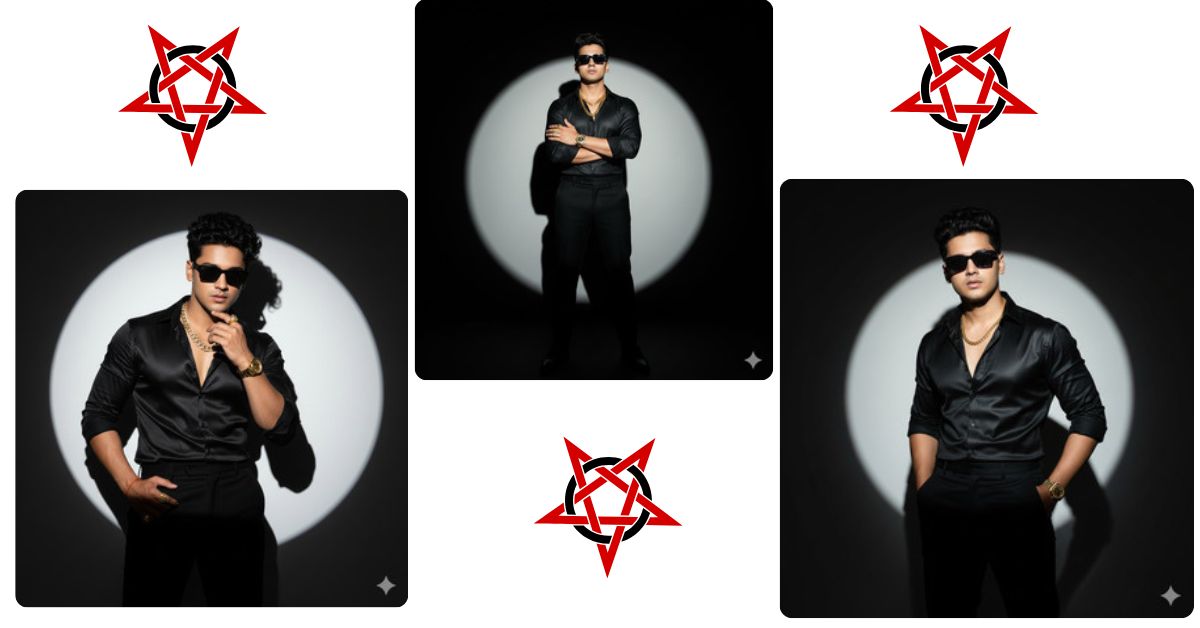
Bollywood-style fashion portraits are trending massively on Instagram and social media. Fans love dramatic lighting, stylish poses, and cinematic vibes. If you want a professional, eye-catching portrait like this, you don’t need a photoshoot. Using Google Gemini, you can create this for free in minutes. Just follow this guide and bring your stylish avatar to life!
The Viral Prompt
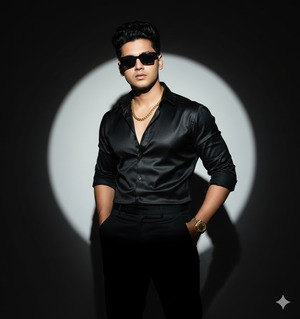
Create an ultra-realistic, 8K cinematic portrait of a stylish man (exact face from uploaded reference, no alteration). He stands confidently in a black silk shirt with sleeves rolled up and black trousers, wearing a gold chain, diamond and gold rings, and a gold wristwatch. His curly hair is perfectly styled, and he wears black rectangle sunglasses. One hand is casually in his pocket, chin slightly raised, looking directly at the camera in a dramatic Bollywood-style pose. Background: circular spotlight with deep shadows creating a timeless, vintage fashion editorial look. Lighting: cinematic with realistic texture, high contrast, sharp details, and 9:16 aspect ratio.
Pose Variant 1 – Leaning Against Spotlight
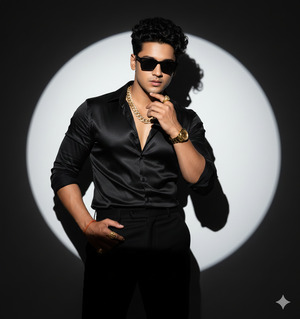
Create an ultra-realistic, 8K cinematic portrait of a stylish man (exact face from uploaded reference, no alteration). He leans casually against the edge of a circular spotlight, wearing a black silk shirt with sleeves rolled up and black trousers, gold chain, diamond and gold rings, and a gold wristwatch. Curly hair styled perfectly, wearing black rectangle sunglasses. One hand rests on his thigh, the other lightly touching his chin, looking directly at the camera. Background: circular spotlight with deep shadows creating a timeless, vintage Bollywood fashion editorial vibe. Cinematic lighting, realistic textures, high contrast, sharp details, 9:16 aspect ratio.
Pose Variant 2 – Crossed Arms Power Pose
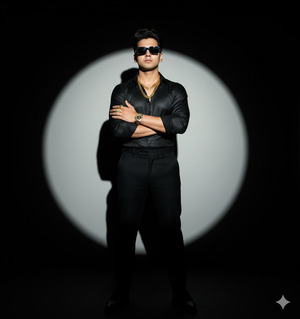
Create an ultra-realistic, 8K cinematic portrait of a stylish man (exact face from uploaded reference, no alteration). He stands with arms crossed over his chest, wearing a black silk shirt with sleeves rolled up and black trousers, gold chain, diamond and gold rings, and a gold wristwatch. Curly hair styled perfectly, wearing black rectangle sunglasses. Chin slightly raised, exuding confidence and power, looking directly at the camera. Background: circular spotlight with deep shadows creating a timeless, vintage Bollywood fashion editorial vibe. Cinematic lighting, realistic textures, high contrast, sharp details, 9:16 aspect ratio.
How to Customize This Prompt
You can easily tweak the prompt to make it personal:
- Replace “man” with your own gender or age if needed.
- Change “black silk shirt and trousers” to any outfit you like.
- Swap “gold chain, rings, and watch” with your preferred accessories.
- Adjust lighting or background for different moods (e.g., sunset, urban, studio).
How to Create This Image Using Google Gemini
Follow these 4 simple steps:
- Open Google Gemini in your browser.
- Paste the refined prompt from above into the input box.
- Add “Create an image in 9:16 ratio” before or after the prompt to ensure Instagram Reel size.
- Click Generate and download your final cinematic image.
Conclusion
Creating viral, Bollywood-style portraits has never been easier. With Google Gemini, you can transform a simple idea into a professional-looking, cinematic image in minutes. Experiment with lighting, accessories, and poses, and make your Instagram feed stand out. Don’t forget to share your masterpiece on Instagram and tag your friends—you might start the next fashion trend online!







