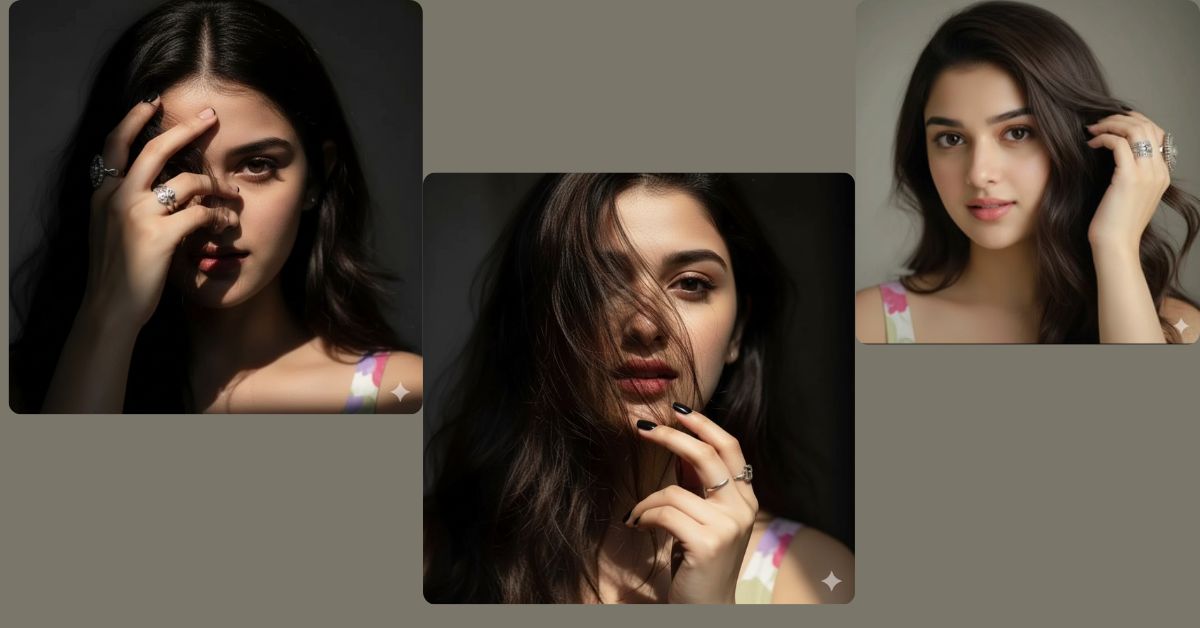
Ultra-realistic close-up portrait images are trending heavily on Instagram and Reels right now.
People love this style because it feels raw, emotional, and cinematic, just like a DSLR photoshoot.
The best part is that you can create this Viral AI Image for free using Google Gemini.
With the right prompt and 9:16 Instagram Reel size, your image can easily stand out.
The Viral Prompt
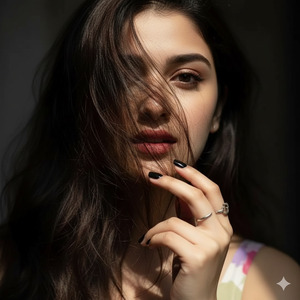
Create an ultra-realistic 8K close-up portrait of a woman using the uploaded reference image.
Preserve the original face and hair exactly with zero alterations.
The composition shows only one eye visible, peeking through slightly messy brown hair strands falling naturally across her face.
Her right hand gently holds part of her hair, adorned with elegant silver rings.
Her skin looks natural, smooth, and realistic with visible texture and soft highlights.
Black nail polish on her fingers.
Cinematic moody lighting with a soft beam of light touching her face.
High quality, 8K resolution, DSLR look, realistic skin texture, shallow depth of field,
dramatic shadows, cinematic lighting, editorial portrait photography style.
Create the image in vertical 9:16 aspect ratio (Instagram Reel size).
Pose Variant 1 – Eye Peeking Through Hair (Intense & Mysterious)
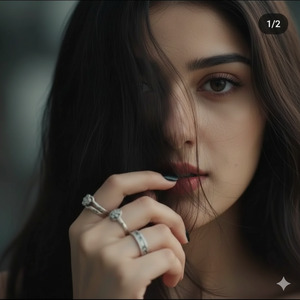
Create a raw, ultra-realistic 8K cinematic close-up portrait of a woman, ensuring the face is 100% identical to the uploaded reference image with no alteration at all. The frame shows only one eye peeking through slightly disheveled brown hair strands falling across her face. Her right hand, adorned with silver rings and black nail polish, gently pulls a section of hair aside near her cheek. Her expression is intense, feminine, and mysterious.
Natural skin texture, realistic pores, soft cinematic lighting, shallow depth of field, moody shadows, hyper-detailed eye focus, ultra-sharp realism, high quality, 8k resolution. Create an image in 9:16 aspect ratio.
Pose Variant 2 – Hand Covering Half Face (Bold & Editorial)
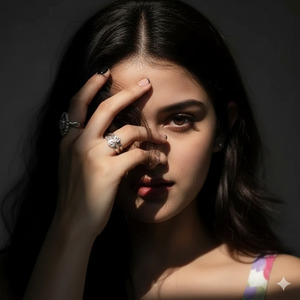
Create a raw, ultra-realistic 8K cinematic close-up portrait of a woman, ensuring the face is 100% identical to the uploaded reference image with no alteration at all. Her hand with silver rings and black nail polish partially covers one side of her face, with brown hair falling naturally between her fingers. Only one eye remains fully visible, looking straight toward the camera with a bold, confident gaze.
Natural skin tones, visible fine details, cinematic moody lighting, shallow depth of field, editorial fashion portrait style, ultra-sharp focus, realistic texture, high quality, 8k resolution. Create an image in 9:16 aspect ratio.
Pose Variant 3 – Hair Pulled Back Slightly (Soft & Sensual)
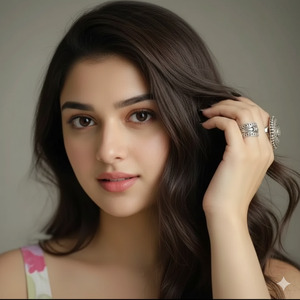
Create a raw, ultra-realistic 8K cinematic close-up portrait of a woman, ensuring the face is 100% identical to the uploaded reference image with no alteration at all. Her right hand gently pulls her brown hair back from her face, revealing one eye clearly while the rest of her hair flows loosely across her cheek. Silver rings and black nail polish are clearly visible. Her expression is soft, sensual, and calm.
Ultra-realistic skin texture, cinematic soft lighting, subtle shadows, shallow depth of field, hyper-detailed facial features, premium portrait photography style, high quality, 8k resolution. Create an image in 9:16 aspect ratio.
How to Customize This Prompt
You can easily adjust this prompt without changing the style.
Here is what you can change safely:
- Hair color (brown, black, blonde)
- Ring style (silver, gold, minimal)
- Lighting mood (soft, dramatic, low-key)
Do not change:
- Face reference
- Close-up framing
- Ultra-realistic and cinematic keywords
This keeps the image viral and realistic.
How to Create This Image Using Google Gemin
Follow these simple steps:
- Open Google Gemini on your phone or computer
- Upload your reference image
- Paste the prompt given above and add
“Create an image in 9:16 ratio” - Generate and download your AI image
That’s it. No paid tools needed.
Conclusion
This ultra-realistic close-up portrait style is perfect for Instagram Reels, profile photos, and aesthetic posts.
Because it looks raw, emotional, and cinematic, people instantly stop scrolling.
Use this Google Gemini Prompt, keep the 9:16 aspect ratio, and stay consistent with lighting and realism.
Once your image is ready, post it on Instagram and watch the engagement grow.
If you love creating viral AI images, keep following Techy Gabru for more trending prompts.







