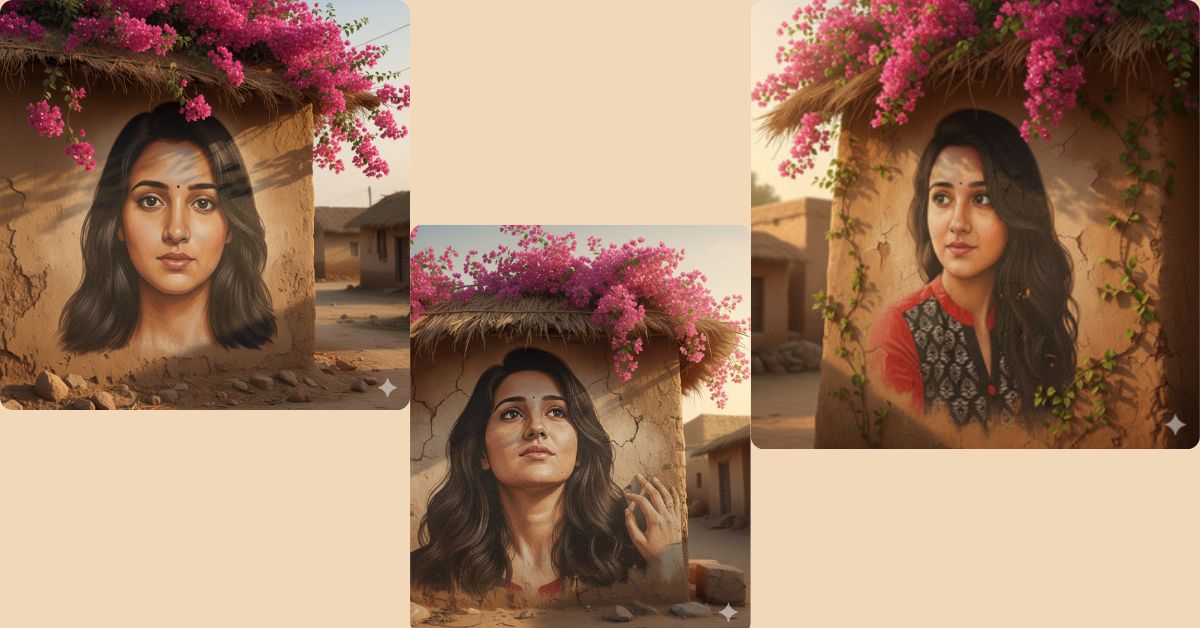
Hand-painted mural–style AI images are going viral on Instagram and Reels right now.
People love this artistic village-wall look because it feels real, emotional, and cultural.
The best part? You can create this stunning mural-style portrait for free using Google Gemini, without any design skills. Just one powerful prompt is enough.
The Viral Prompt
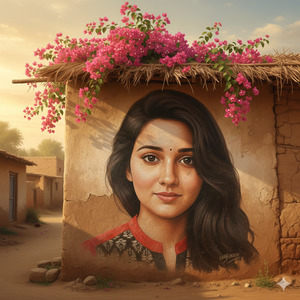
Turn the uploaded photo into a large, hand-painted mural on a rustic Indian village wall.
Preserve the exact original face, facial structure, skin tone, and expression with no changes at all.
The portrait should look like it is painted directly on the wall using realistic brush painting strokes,
with slight artistic mural texture visible on the surface.
Add vibrant pink bougainvillea flowers cascading naturally from the roof above the mural,
wrapping softly around the painted portrait.
Use warm golden sunlight with soft shadows to enhance realism.
The background should include earthy-toned mud houses, giving a peaceful rural village atmosphere.
Ultra-high quality, 8K resolution, hyper-realistic details, realistic wall texture,
cinematic lighting, natural color grading, soft depth of field,
photorealistic yet artistic mural effect.
Create the image in 9:16 aspect ratio (Instagram Reel size).
Pose Variant 1 (Front-Facing Calm Look)
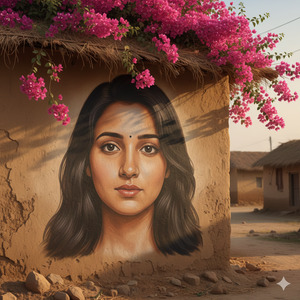
Turn the uploaded photo into a large, hand-painted mural on a rustic village wall with brush painting effect. Preserve the exact face and expression from the uploaded photo (no face change). Add vibrant pink bougainvillea flowers cascading from the roof, wrapping naturally around the mural. Use warm sunlight, soft shadows, and earthy tones of mud houses in the background. Maintain high realism with a slight artistic mural texture on the wall. Blend the portrait seamlessly into the surface as if painted on it.
POSE: front-facing portrait, shoulders squared to camera, gentle calm expression, eyes looking straight at viewer.
High quality, ultra-realistic, 8K, realistic skin texture, cinematic warm lighting, HDR details, sharp focus, mural paint texture visible on wall.
Create an image in 9:16 aspect ratio.
Pose Variant 2 (3/4 Angle Side Look)
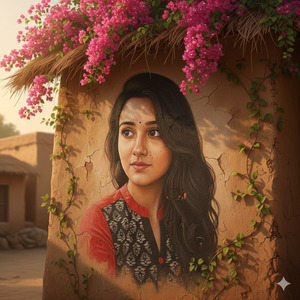
Turn the uploaded photo into a large, hand-painted mural on a rustic village wall with brush painting effect. Preserve the exact face and expression from the uploaded photo (no face change). Add vibrant pink bougainvillea flowers cascading from the roof, wrapping naturally around the mural. Use warm sunlight, soft shadows, and earthy tones of mud houses in the background. Maintain high realism with a slight artistic mural texture on the wall. Blend the portrait seamlessly into the surface as if painted on it.
POSE: three-quarter angle (body slightly turned), head turned gently to the right, eyes looking slightly off-camera, soft confident expression.
High quality, ultra-realistic, 8K, realistic skin texture, cinematic warm lighting, HDR details, sharp focus, mural paint texture visible on wall.
Create an image in 9:16 aspect ratio.
Pose Variant 3 (Looking Up + Hand Touching Wall)
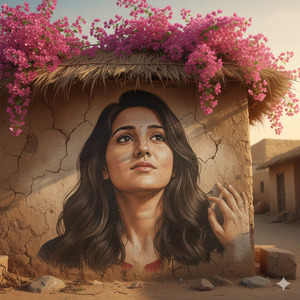
Turn the uploaded photo into a large, hand-painted mural on a rustic village wall with brush painting effect. Preserve the exact face and expression from the uploaded photo (no face change). Add vibrant pink bougainvillea flowers cascading from the roof, wrapping naturally around the mural. Use warm sunlight, soft shadows, and earthy tones of mud houses in the background. Maintain high realism with a slight artistic mural texture on the wall. Blend the portrait seamlessly into the surface as if painted on it.
POSE: slight upward gaze, chin slightly raised, one hand (painted in mural) lightly touching the wall surface near the shoulder line, peaceful dreamy expression.
High quality, ultra-realistic, 8K, realistic skin texture, cinematic warm lighting, HDR details, sharp focus, mural paint texture visible on wall.
Create an image in 9:16 aspect ratio.
How to Customize This Prompt
You can easily personalize this prompt:
- Replace “uploaded photo” with your own image
- Change flower color (pink → yellow, white, or red)
- Adjust the village mood (morning light, sunset glow, or cloudy ambience)
- Modify wall style (brick wall, old cement wall, or clay wall)
Do not change the “preserve exact face” line if you want accurate results.
How to Create This Image Using Google Gemini
Follow these simple steps:
- Open Google Gemini
- Upload your photo and paste the prompt above
- Add this line at the end:
“Create an image in 9:16 ratio” - Generate and download your AI image
That’s it! Your viral mural-style image is ready.
Conclusion
This village wall mural AI image style is perfect for Instagram Reels, profile photos, and storytelling posts.
It looks artistic, emotional, and premium—exactly what social media loves right now.
Create your version using Google Gemini, post it on Instagram, and don’t forget to use trending hashtags.
If you want more viral AI prompts like this, keep following Techy Gabru







