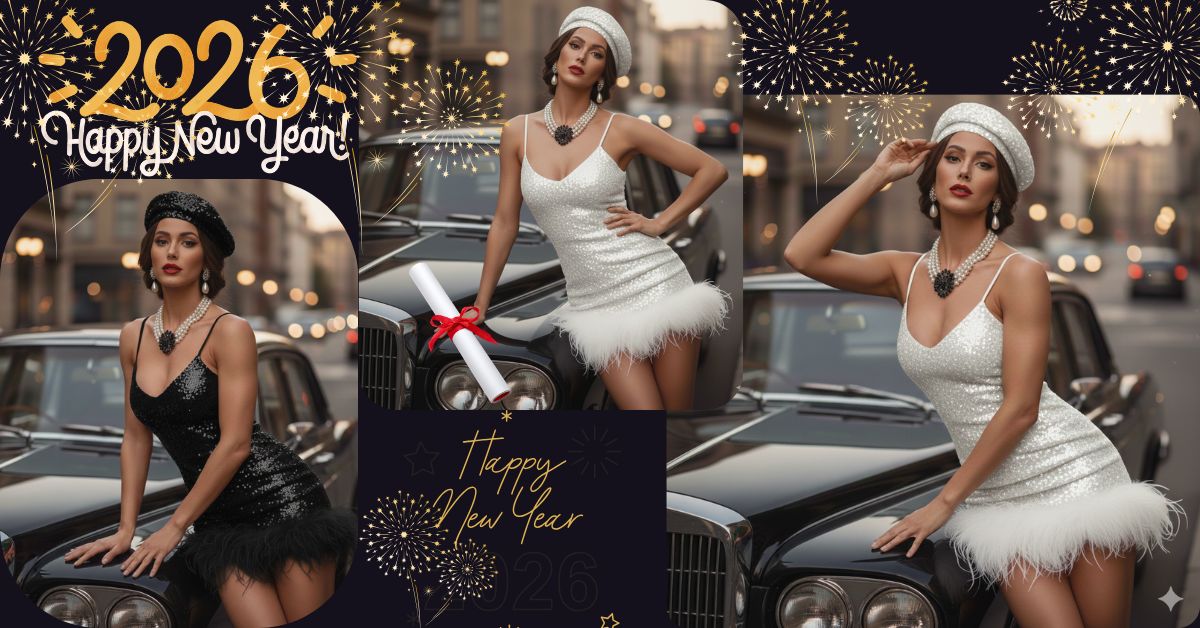
Vintage luxury photoshoots are trending fast on Instagram Reels right now.
Elegant women, classic cars, and cinematic city backgrounds create a timeless and classy vibe that people love to share.
The best part?
You can create this viral AI image for free using Google Gemini, without any editing skills. Just one perfect prompt is enough.
The Viral Prompt (Copy–Paste Ready)
<!– wp:code –>
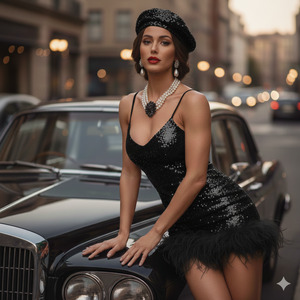
<pre class=”wp-block-code”><code>Ultra-realistic, high-fashion editorial image of a stunning elegant woman leaning against the hood of a vintage black luxury car on an upscale city street.
Do not change the facial features – use the exact same face from the uploaded reference image.
She is wearing the same dress and hat as the reference image. Her makeup is classic and glamorous with bold red lipstick, winged eyeliner, and flawless natural skin texture. She is wearing pearl drop earrings and a layered pearl necklace with a large black decorative brooch.
Her hair is styled in a soft vintage updo with smooth strands and natural shine.
The background shows a blurred premium city street with warm tones and soft bokeh lights, creating a cinematic luxury atmosphere.
Lighting is warm, soft, and diffused, highlighting fabric texture, skin details, and elegant contours.
Shot on a DSLR camera, 50mm lens, f/1.4 aperture, shallow depth of field, focus on the face, high contrast yet soft lighting.
Ultra-detailed, realistic textures, cinematic lighting, high-fashion magazine style, professional photoshoot look, 8K resolution, hyper-realistic photography.
</code></pre>
<!– /wp:code –>
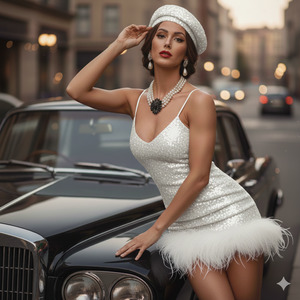
Pose Variant 1 – Leaning Elegantly (Classic Editorial Pose)
<!– wp:quote –>
<blockquote class=”wp-block-quote”><!– wp:paragraph –>
<p><br>A stunning, elegant woman <strong>leaning gracefully against the hood of a vintage black car</strong>, one hip slightly tilted, one hand resting on the car hood and the other gently holding the edge of her hat. She wears the same reference image dress and hat. Her posture is confident yet relaxed, with shoulders slightly back and chin lifted. Her makeup is classic with bold red lipstick, winged eyeliner, and flawless skin. She wears pearl drop earrings and a layered pearl necklace with a large black decorative brooch. Her hair is styled in a soft vintage updo. The background shows a blurred upscale city street with warm tones. High-fashion editorial style, ultra-detailed, cinematic lighting, realistic textures, DSLR look, 8K resolution, <strong>vertical 9:16 aspect ratio</strong>.</p>
<!– /wp:paragraph –></blockquote>
<!– /wp:quote –>
Pose Variant 2 – Standing Beside the Car (Power Pose)
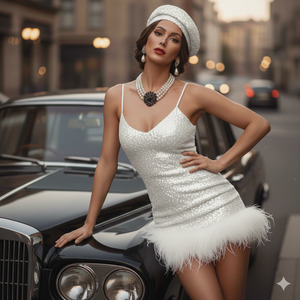
A stunning, elegant woman standing beside a vintage black car, body slightly angled toward the camera, one hand placed confidently on her waist and the other resting on the car door. She wears the same reference image dress and hat. Her posture is strong and statuesque, conveying confidence and luxury. Her makeup is classic with bold red lipstick, winged eyeliner, and flawless skin. She wears pearl drop earrings and a layered pearl necklace with a large black decorative brooch. Her hair is styled in a soft vintage updo. The background shows a blurred upscale city street with warm tones. High-fashion editorial style, ultra-detailed, cinematic lighting, realistic textures, DSLR look, 8K resolution, vertical 9:16 aspect ratio.
How to Customize This Prompt
You can easily personalize this prompt:
- Replace dress color if you want a different outfit shade
- Change jewelry type (pearls → diamonds or gold)
- Adjust city vibe (Paris, New York, Milan)
- Modify makeup tone (classic red → nude or wine)
Never change the face details if you want accurate results.
How to Create This Image Using Google Gemini
Follow these simple steps:
- Open Google Gemini
- Upload your reference image
- Paste the prompt above and add:
“Create an image in 9:16 aspect ratio” - Generate and download your image
That’s it. Your viral image is ready.
Conclusion
This elegant vintage car photoshoot style is perfect for Instagram Reels, fashion pages, luxury branding, and personal profiles.
The mix of classic fashion, cinematic lighting, and ultra-realistic detail grabs attention instantly.
Create your image using Google Gemini, post it confidently, and watch the engagement grow.
Don’t forget to tag your creation and share it proudly — this style is made to go viral.







