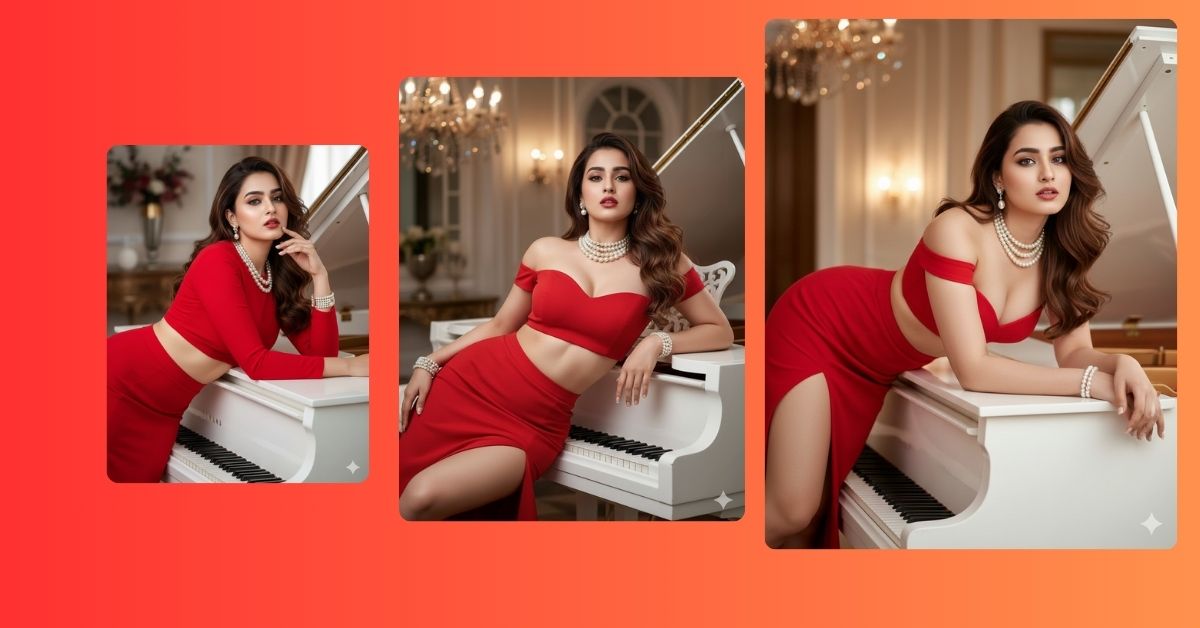
Right now, luxury piano glamour portraits are trending on Instagram Reels and fashion pages. The mix of elegant poses, rich interiors, high-fashion styling, and confident body language creates a bold, premium look that feels straight out of a Vogue photoshoot.
The best thing is that you can create this Viral AI Image for free using Google Gemini, while keeping the same face from your reference photo. You only need one powerful prompt and the correct 9:16 Aspect Ratio (Instagram Reel Size) to get stunning results.
The Viral Prompt
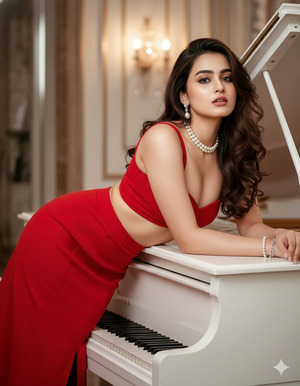
Using the uploaded reference image, create a high-quality, ultra-realistic cinematic fashion portrait in 9:16 aspect ratio (Instagram Reel size), keeping the same original face and facial features.
Subject: a beautiful, confident woman lying elegantly on a glossy white piano in a rich luxury interior. She is posing gracefully with a chic, glamorous, high-fashion attitude, looking confident and powerful.
Outfit & styling: she is wearing a bright red high-fashion skirt, styled to reveal her natural curvy belly in an elegant and tasteful way. She is accessorized with a pearl necklace, elegant bracelets, and matching earrings. Her makeup is flawless and professional, her face perfectly balanced, and her hairstyle beautifully styled with volume and shine. Her skin appears smooth, radiant, and naturally glowing.
Scene & environment: luxurious indoor setting with a white grand piano, rich textures, premium decor, and a high-end fashion studio vibe.
Lighting & quality: professional studio lighting, cinematic highlights, soft shadows, shallow depth of field, ultra-sharp focus, DSLR photography look, realistic colors, ultra-detailed 8K resolution.
Overall mood: glamour, chic, luxury fashion, Vogue-style editorial photoshoot, confident pose, premium Instagram Reel aesthetic.
Negative prompt: low quality, blur, cartoon, anime, distorted face, extra fingers, incorrect body proportions, plastic skin, harsh shadows, watermark, logo, text, noise
Pose Variant 1: Side-Lying Elegance on Piano (Editorial Chic)
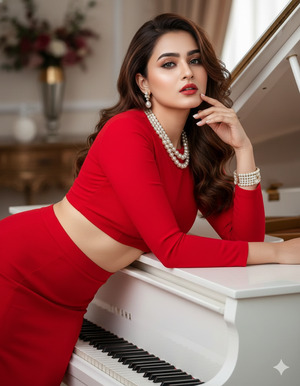
Using the uploaded reference image, create a high-quality, ultra-realistic cinematic fashion portrait in 9:16 aspect ratio (Instagram Reel size), keeping the same original face and facial features.
Pose: the woman is lying gracefully on her side across the glossy white piano, one arm supporting her upper body while the other rests softly along the piano surface. Her torso is slightly angled toward the camera, revealing her curvy belly tastefully, with a confident, calm, glamorous expression.
All other details remain exactly the same.
Pose Variant 2: Reclined Back Pose, Head Tilted (Luxury Glam)
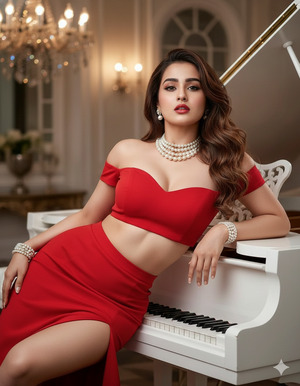
Using the uploaded reference image, create a high-quality, ultra-realistic cinematic fashion portrait in 9:16 aspect ratio (Instagram Reel size), keeping the same original face and facial features.
Pose: the woman is reclining on the piano with her back gently arched, head tilted slightly backward, chin lifted, and eyes toward the camera. One hand rests near her waist while the other drapes elegantly along the piano, expressing bold confidence and high-fashion glamour.
All other details remain exactly the same.
Pose Variant 3: Leaning Forward on Elbows (Bold Vogue Look)
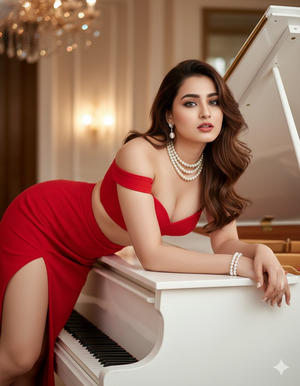
Using the uploaded reference image, create a high-quality, ultra-realistic cinematic fashion portrait in 9:16 aspect ratio (Instagram Reel size), keeping the same original face and facial features.
Pose: the woman is lying on her front atop the piano, leaning forward on her elbows with shoulders open and posture strong. Her face is angled toward the camera with a powerful, confident expression, highlighting her jewelry, makeup, and glowing skin.
All other details remain exactly the same.
How to Customize This Prompt
You can personalize this prompt very easily:
- Skirt Color: Replace
bright redwith black, emerald green, or gold. - Jewelry Style: Replace
pearl necklacewith diamond or minimal gold jewelry. - Interior Mood: Replace
rich luxury interiorwith modern studio or classic vintage room. - Pose Detail: Replace
lying elegantly on a pianowith leaning or seated pose.
Keep keywords like 8K resolution, cinematic lighting, ultra-realistic, and professional photography unchanged for best results.
How to Create This Image Using Google Gemini
Follow these simple steps to generate your Trending Viral AI Image:
- Open Google Gemini
Open Google Gemini on your mobile or desktop browser and sign in. - Upload your reference photo
Upload a clear image so Gemini can match your face accurately. - Paste the prompt and add size instruction
Paste the full prompt and clearly type:
“Create an image in 9:16 ratio (Instagram Reel size)” - Generate and download
Generate the image and download the best result.
Conclusion
This piano glamour fashion portrait is perfect for Instagram Reels, luxury fashion pages, and bold aesthetic profiles. The confident pose, elegant styling, and cinematic studio lighting make it look premium, stylish, and highly shareable.
With just one powerful Google Gemini Prompt, you can turn your photo into a Trending Viral AI Image that feels like a high-fashion magazine cover. Once your image is ready, post it on Instagram with soft luxury music, a clean caption, and mention that it was created using Google Gemini. Always remember to use 9:16 Aspect Ratio for maximum reach. Try it now and show your glamorous side to the world







