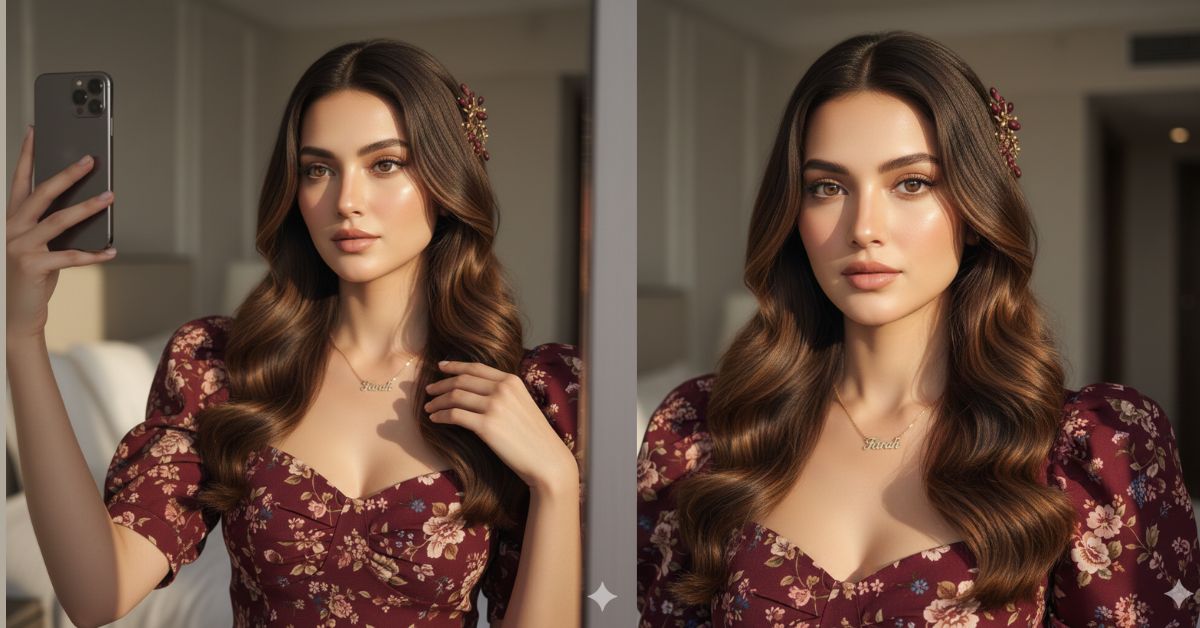
Close-up aesthetic selfie portraits with strong sunlight and natural shadows are trending heavily on Instagram and Reels.
Creators love this style because it looks real, personal, and cinematic, just like a high-end phone selfie.
The best part is that you can create or enhance this type of Viral AI Image for free using Google Gemini.
You don’t need Photoshop or editing skills—only the right prompt and 9:16 aspect ratio.
The Viral Prompt (Google Gemini Prompt)

Edit this photo without changing her face or facial features. Create a highly detailed, ultra-realistic close-up portrait of a beautiful young white woman. Her face features must remain exactly the same as the reference image, with no changes to identity, face shape, eyes, nose, lips, or skin structure.
She has super long, layered brown hair with natural texture, and she is wearing natural contact lenses. The portrait is a close-up selfie taken in an aesthetic indoor room. Bright morning sunlight from a strong, directional light source falls across her face, creating dramatic yet realistic shadows on her skin and hair.
She is wearing a floral-patterned burgundy puff-sleeve top. Around her neck is a realistic gold necklace with the name “Farah” clearly visible in elegant lettering. She also wears a floral-patterned hairpin placed naturally in her hair.
Lighting & Style: Strong natural morning sunlight, cinematic contrast, realistic highlights and shadows, studio-quality realism.
Camera & Quality: Close-up portrait, DSLR-quality sharp focus, realistic skin texture, high quality, 8K resolution, ultra-detailed, no blur.
IMPORTANT: Create the image in 9:16 aspect ratio (Instagram Reel size).
Negative Prompt:
face change, different identity, cartoon, anime, illustration, painting, over-smoothed skin, fake texture, blur, noise, watermark, logo, text, extra fingers, deformed face, bad anatomy, low quality, overexposed, underexposed
Pose Variant 1 – Mirror Selfie Pose
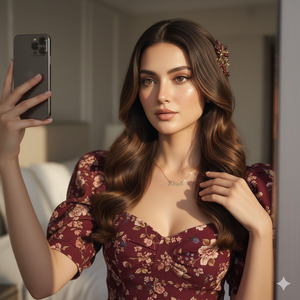
Pose: She is taking a mirror selfie, holding the phone slightly above eye level with one hand, head tilted a little, and the other hand gently touching her hair near the shoulder. Her expression is natural and confident.[/ai_promptMirror Selfie Pose
Pose Variant 2 – Window-Light Selfie Pose
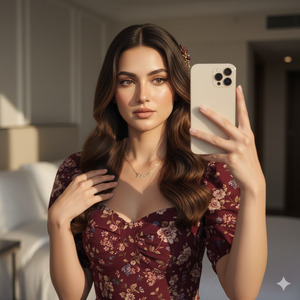
[ai_prompt title="Google gemini"]Pose: She is taking a selfie near a window, holding the phone at chest level angled slightly upward. One hand holds the phone, and the other hand lightly rests near her collarbone while her hair falls forward in soft layers. Her expression looks calm and elegant.
How to Customize This Prompt
You can easily personalize the image by changing small details:
- Change the name on the necklace (Farah → your name)
- Change the top color or pattern (burgundy → pastel, floral → plain)
- Change the hairpin style (floral → minimal or metallic)
- Change the room mood (aesthetic room → bedroom or studio)
Do not remove lines like “face features must remain exactly the same” to keep identity unchanged.
How to Create This Image Using Google Gemini
Follow these 4 simple steps:
Step 1
Open Google Gemini on your mobile or desktop.
Step 2
Paste the Viral Prompt given above.
Step 3
Type clearly at the end:
“Create an image in 9:16 aspect ratio”
Step 4
Generate the image and download it for Instagram Reels or Shorts.
Done—your viral aesthetic selfie is ready.
Conclusion
This Viral AI Image style is perfect for selfie lovers, Instagram creators, and personal branding pages.
The mix of close-up framing, natural sunlight, and realistic shadows makes the image look authentic and premium.
With Google Gemini, you can enhance photos without changing your face and still get a cinematic, trending look.
Always use 9:16 ratio, keep lighting realistic, and focus on details.
Once your image is ready, share it on Instagram, add soft music, and let the engagement grow.
Keep creating and stay creative with Techy Gabru







