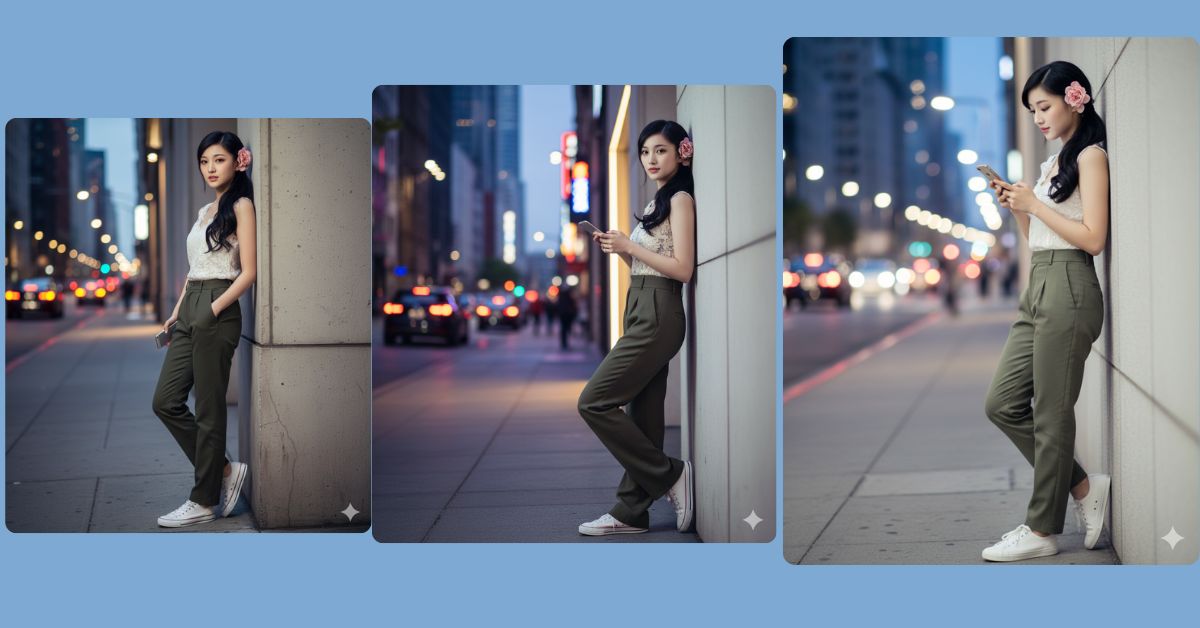
Right now, cinematic street-style portraits with bokeh city lights are trending strongly on Instagram Reels. This style looks modern, premium, and very aesthetic. The mix of casual fashion, thoughtful expressions, and cinematic lighting creates a powerful visual that instantly grabs attention.
The good news is that you can create this Viral AI Image for free using Google Gemini, while keeping your face 100% the same as your reference photo. You just need one perfect prompt and the correct 9:16 Aspect Ratio (Instagram Reel Size).
The Viral Prompt
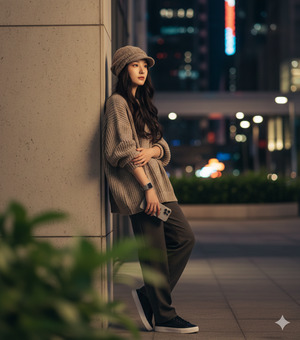
Using the uploaded reference image, create an ultra-realistic cinematic portrait in 9:16 aspect ratio (Instagram Reel size), keeping my face 100% identical to the reference image.
Subject: a young person standing in a modern urban setting, leaning casually against a wall. The subject is wearing an oversized handmade outfit, black shoes, a silver wristwatch, and a handmade beanie cap. The look is stylish, modern, and minimal.
Pose & expression: the subject is looking thoughtfully off-camera with a calm, confident expression, holding an iPhone 17 Pro naturally in one hand while leaning on the wall.
Scene & background: blurred green leaves in the foreground for depth, with vibrant city lights in the background creating a soft bokeh effect. The background should feel urban, stylish, and cinematic.
Lighting & quality: warm cinematic lighting, soft highlights and shadows, ultra-sharp focus on the subject, shallow depth of field, realistic skin texture with flawless glowing skin, DSLR photography look, professional composition, ultra-detailed 8K resolution.
Overall mood: modern street-style portrait, cinematic, confident, premium Instagram Reel aesthetic.
Negative prompt: blur, low quality, harsh lighting, overexposed, underexposed, distorted face, extra fingers, extra hands, bad anatomy, artificial skin, cartoon, painting, illustration, watermark, logo, text, noise
Pose Variant 1: Phone at Chest Level, Relaxed Lean (Calm Confidence)
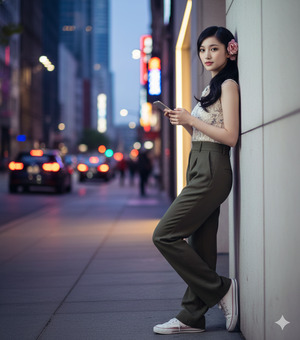
Using the uploaded reference image, create an ultra-realistic cinematic portrait in 9:16 aspect ratio (Instagram Reel size), keeping my face 100% identical to the reference image.
Pose & expression: the subject is leaning against the wall with one shoulder, holding the iPhone at chest level with a relaxed grip. Head slightly tilted, eyes looking thoughtfully off-camera, calm and confident expression.
All other details remain exactly the same.
Pose Variant 2: One Hand in Pocket, Phone Down by Side (Street Style)
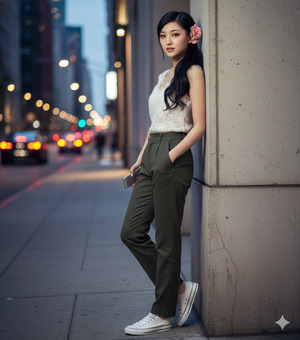
Using the uploaded reference image, create an ultra-realistic cinematic portrait in 9:16 aspect ratio (Instagram Reel size), keeping my face 100% identical to the reference image.
Pose & expression: the subject leans casually on the wall with one hand inside the pocket of the oversized outfit, the other hand holding the iPhone down by the side. Body relaxed, posture confident, eyes looking off-camera with a composed, stylish expression.
All other details remain exactly the same.
Pose Variant 3: Looking Down at Phone Briefly (Candid Editorial Look)
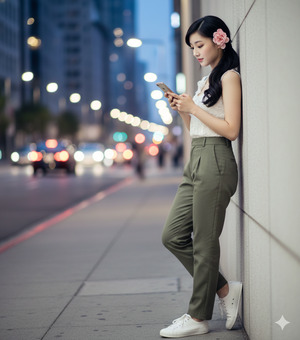
Using the uploaded reference image, create an ultra-realistic cinematic portrait in 9:16 aspect ratio (Instagram Reel size), keeping my face 100% identical to the reference image.
Pose & expression: the subject is leaning on the wall while briefly looking down at the iPhone screen, head slightly lowered, expression thoughtful and natural, creating a candid editorial street-style moment.
All other details remain exactly the same.
How to Customize This Prompt
You can easily adjust this prompt to match your personal style:
- Outfit Color: Replace
oversized handmade outfitwith hoodie, jacket, or trench coat. - Phone Model: Replace
iPhone 17 Prowith any other phone model. - Mood: Replace
thoughtfully off-camerawith confident smile or serious look. - Background Style: Replace
city lightswith street lamps or neon signs.
Do not remove important words like 8K resolution, cinematic lighting, photorealistic, and keep my face 100% identical for best results.
How to Create This Image Using Google Gemini
Follow these simple steps to generate your Trending Viral AI Image:
- Open Google Gemini
Open Google Gemini on your mobile or desktop browser and log in. - Upload your reference photo
Upload a clear photo so Gemini can keep your facial features exactly the same. - Paste the prompt with size instruction
Paste the full prompt and clearly type:
“Create an image in 9:16 ratio (Instagram Reel size)” - Generate and download
Generate the image and download the best result.
Conclusion
This cinematic street portrait with iPhone is perfect for Instagram Reels, personal branding, and modern aesthetic profiles. The oversized outfit, thoughtful pose, and cinematic city bokeh make the image look premium and highly shareable.
With just one powerful Google Gemini Prompt, you can transform your photo into a Trending Viral AI Image that looks like a professional photoshoot. Once your image is ready, post it on Instagram with slow cinematic music, keep the caption minimal, and mention that it was created using Google Gemini. Always remember to use 9:16 Aspect Ratio for maximum reach. Try it now and elevate your Instagram style







