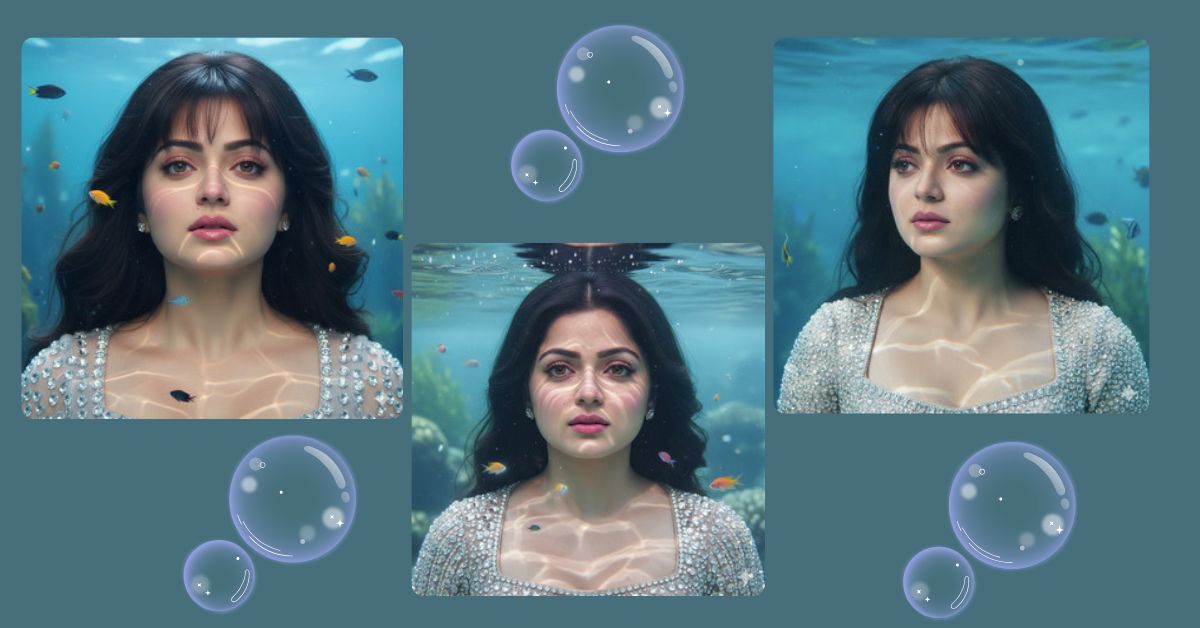
Underwater portraits are trending on Instagram and social media because they combine ethereal beauty, realism, and emotional depth.
This style captures natural expressions and delicate lighting under water, creating a calm yet striking visual.
You can easily create this Viral AI Image for free using Google Gemini. No design skills are needed—just use a precise, detailed prompt to generate it.
The Viral Prompt (Google Gemini Prompt
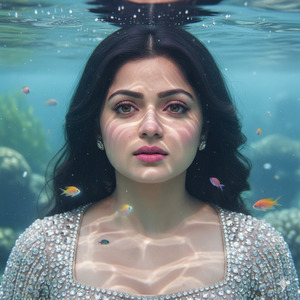
Use the reference face exactly as provided. Do not alter the face—100% identical.
Create a hyper-realistic close-up underwater portrait of a beautiful woman, from the top of her head to her neck.
Her black hair naturally falls onto her shoulders in soft, layered strands, styled like a butterfly cut, not floating in water.
Colorful fish swim gently around her face, adding a soft, ethereal underwater glow.
Her porcelain skin is smooth and luminous beneath clear ocean water.
Expression: sad yet calm, quietly emotional.
Makeup: natural, with glossy plump pink lips, light hazel eyes, long soft lashes, and subtle pink blush.
Outfit: crystal square neck top.
Background: crystal-clear water with subtle seaweed, creating an oceanic atmosphere.
Lighting: realistic underwater light with soft reflections and gentle caustics.
Style: ultra-realistic, cinematic, 8K resolution, crisp texture, vivid details.
Mood: serene, emotional, realistic, human.
Create the image in 9:16 aspect ratio (Instagram Reel size)
Pose Variant 1: Side Gaze
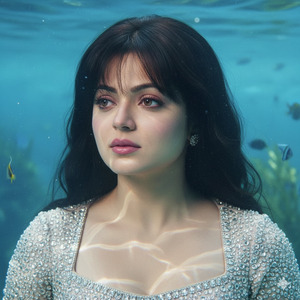
Use the reference face exactly as provided. Do not alter the face—100% identical.
Create a hyper-realistic close-up underwater portrait of a beautiful woman, from the top of her head to her neck.
Her black hair naturally falls onto her shoulders in soft, layered strands, styled like a butterfly cut, not floating.
Colorful fish swim gently around her face, adding a soft, ethereal underwater glow.
Her porcelain skin is smooth and luminous beneath clear ocean water.
Expression: sad yet calm, quietly emotional.
Pose: Slightly turned to the left, looking sideways just above the camera, creating a contemplative and mysterious effect.
Makeup: natural, with glossy plump pink lips, light hazel eyes, long soft lashes, and subtle pink blush.
Outfit: crystal square neck top.
Background: crystal-clear water with subtle seaweed, creating an oceanic atmosphere.
Lighting: realistic underwater light with soft reflections and gentle caustics.
Style: ultra-realistic, cinematic, 8K resolution, crisp texture, vivid details.
Mood: serene, emotional, realistic, human.
Create the image in 9:16 aspect ratio (Instagram Reel size)
Pose Variant 3: Hair Flowing Forward
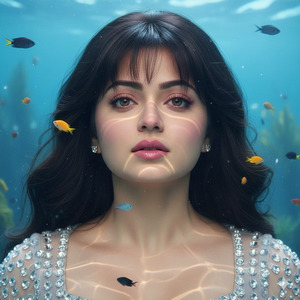
Use the reference face exactly as provided. Do not alter the face—100% identical.
Create a hyper-realistic close-up underwater portrait of a beautiful woman, from the top of her head to her neck.
Her black hair is gently swept forward over her shoulders in soft layered strands, styled like a butterfly cut.
Colorful fish swim gently around her face, adding a soft, ethereal underwater glow.
Her porcelain skin is smooth and luminous beneath clear ocean water.
Expression: sad yet calm, quietly emotional.
Pose: Head slightly tilted back, chin lifted, hair partially framing her face, creating a dreamy and serene underwater effect.
Makeup: natural, with glossy plump pink lips, light hazel eyes, long soft lashes, and subtle pink blush.
Outfit: crystal square neck top.
Background: crystal-clear water with subtle seaweed, creating an oceanic atmosphere.
Lighting: realistic underwater light with soft reflections and gentle caustics.
Style: ultra-realistic, cinematic, 8K resolution, crisp texture, vivid details.
Mood: serene, emotional, realistic, human.
Create the image in 9:16 aspect ratio (Instagram Reel size)
How to Customize This Prompt
You can adjust the prompt to suit your preferences:
- Outfit: Change the top to a different color or style
- Hair style: Slightly modify the cut while keeping it realistic
- Fish type: Replace colorful fish with jellyfish, turtles, or coral elements
- Background: Add subtle sun rays or more underwater plants
How to Create This Image Using Google Gemini
Follow these steps:
- Open Google Gemini on your device.
- Paste the prompt above into the text box.
- Add:
“Create an image in 9:16 aspect ratio (Instagram Reel size)” - Generate the image and download it.
Your hyper-realistic underwater portrait is ready to share on Instagram.
Conclusion
With this Google Gemini prompt, you can create a stunning, serene, and emotional underwater portrait that is ultra-realistic and cinematic.
The precise facial representation combined with natural lighting and ethereal fish makes it perfect for Instagram Reels, story highlights, and social media posts.
Share your creation, tag friends, and experiment with Google Gemini for more viral AI images with Techy Gabru







