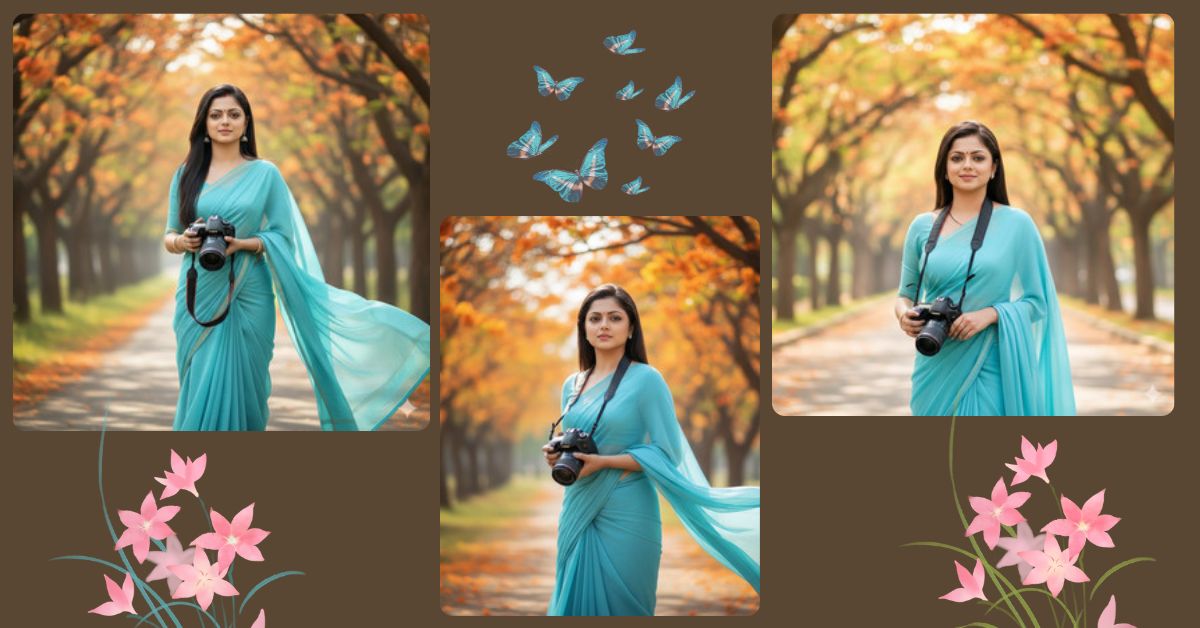
Right now, cinematic saree photography AI images are trending heavily on Instagram and Reels.
People love this style because it looks calm, aesthetic, natural, and professional, just like a real DSLR photoshoot.
This type of Viral AI Image is getting high engagement because of soft lighting, realistic colors, and emotional vibes.
The good news is—you can create this for free using Google Gemini, without any camera or editing skills.
The Viral Prompt
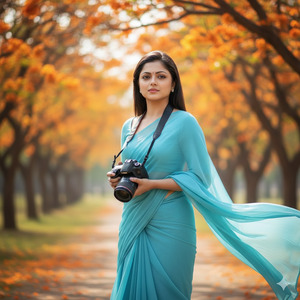
Create a high-quality 8K ultra-realistic cinematic portrait of a young girl wearing a sky blue saree, standing gracefully outdoors under vibrant orange and yellow blooming trees. She is holding a professional DSLR camera naturally in her hands. The scene is captured in soft warm daylight with natural skin tones and a calm, peaceful expression on her face. A gentle breeze is flowing, adding realistic motion to the saree fabric. The background has cinematic bokeh with crisp fine details, shallow depth of field, and professional photography lighting. The image should look like a real DSLR photoshoot. Do not change the face at all and keep the same facial features as the uploaded reference image. Ultra-detailed textures, realistic colors, cinematic mood. Create the image in 9:16 aspect ratio.
Pose Variant 1: Camera-on-Shoulder Pose (Photographer Look)
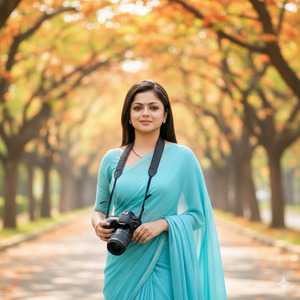
Create a high-quality 8K ultra-realistic cinematic portrait of a young girl wearing a sky blue saree, standing outdoors under vibrant orange and yellow blooming trees. She is holding a professional DSLR camera resting on her shoulder, giving a confident yet calm photographer vibe. The scene is captured in soft warm daylight with natural skin tones and a relaxed, peaceful expression on her face. A gentle breeze is flowing, adding realistic motion to the saree fabric. The background has cinematic bokeh with crisp fine details, shallow depth of field, and professional photography lighting. The image should look like a real DSLR photoshoot. Do not change the face at all and keep the same facial features as the uploaded reference image. Ultra-detailed textures, realistic colors, cinematic mood. Create the image in 9:16 aspect ratio.
Pose Variant 2 : Walking Candid Pose (Natural Motion)
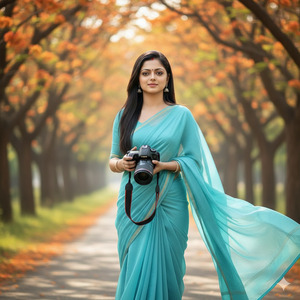
Create a high-quality 8K ultra-realistic cinematic portrait of a young girl wearing a sky blue saree, captured in a natural walking pose under vibrant orange and yellow blooming trees. She is holding a professional DSLR camera in one hand while walking slowly, creating a candid photography moment. The scene is captured in soft warm daylight with natural skin tones and a calm, gentle expression on her face. A gentle breeze is flowing, adding realistic motion to the saree fabric. The background has cinematic bokeh with crisp fine details, shallow depth of field, and professional photography lighting. The image should look like a real DSLR photoshoot. Do not change the face at all and keep the same facial features as the uploaded reference image. Ultra-detailed textures, realistic colors, cinematic mood. Create the image in 9:16 aspect ratio.
How to Customize This Prompt
You can easily personalize this prompt by changing a few elements:
- Replace saree color (sky blue → red, white, pastel pink)
- Change tree colors or season (spring, autumn)
- Modify camera type (DSLR → mirrorless)
- Upload your own face reference image to keep the same face
Always keep the line “Do not change the face” if you want accurate results.
How to Create This Image Using Google Gemini
Follow these simple 4 steps to generate your image:
- Open Google Gemini
- Paste the viral prompt given above
- Type “Create an image in 9:16 ratio” along with the prompt
- Generate and download the image
Your Instagram Reel–ready AI image is now complete.
Conclusion
This Trending Google Gemini Prompt is perfect for creating viral cinematic saree AI photos with a professional DSLR look.
The soft daylight, natural colors, and peaceful expression make it ideal for Instagram Reels, DP, and aesthetic posts.
After creating your image, don’t forget to share it on Instagram and show your creativity to the world.
For more Viral AI Image prompts, Google Gemini tips, and trending AI content, keep visiting Techy Gabru.







