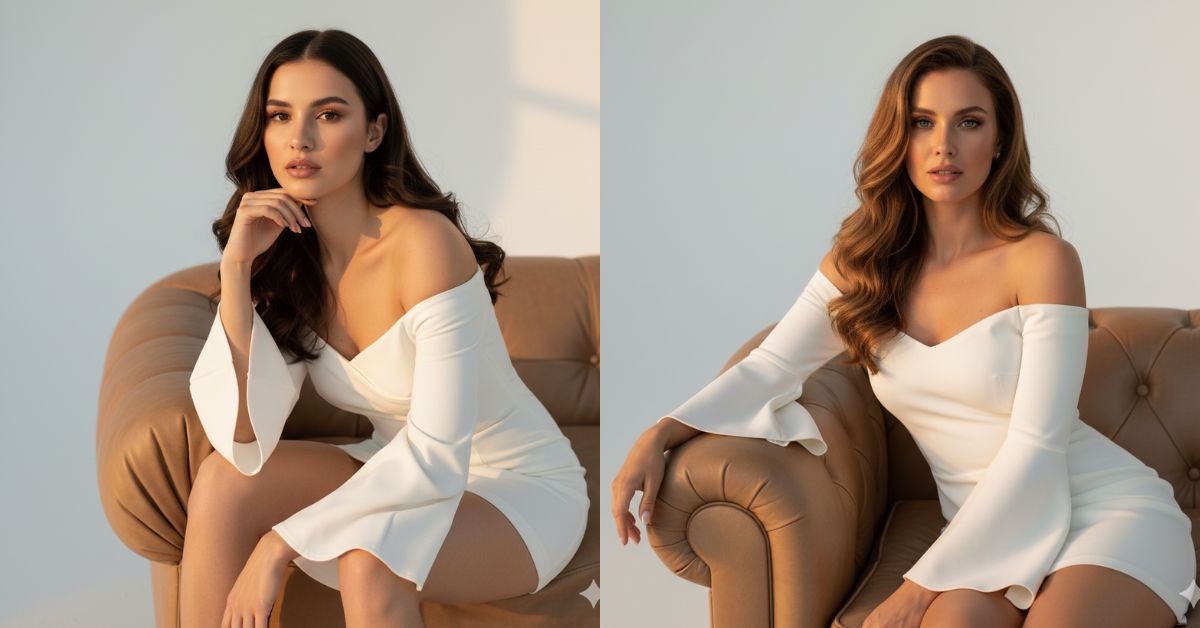
Fashion creators on Instagram are loving extreme close-up editorial portraits right now. This style looks expensive because it uses a clean studio background, soft golden-hour lighting, and high-fashion posing—perfect for Reels and Stories.
You can create this Trending Viral AI Image for free using Google Gemini. Just use one strong prompt, ask for 9:16 aspect ratio (Instagram Reel size), and you’ll get a premium fashion-shoot look in minutes.
The Viral Prompt (Copy-Paste for Google Gemini)
Create an ultra-realistic, high-end fashion editorial portrait in 8K quality. The shot is an extremely close-up portrait (tight framing, face and upper body dominant), photographed like a trending modern fashion campaign.
Scene & background: A clean white cyclorama studio background (seamless white backdrop). Use warm golden-hour lighting (soft, bright, cinematic glow) with gentle shadows and smooth highlights. The atmosphere should feel premium, minimalist, and editorial.
Subject: A stylish young woman sitting on a bulky, voluminous light-brown leather sofa (soft leather texture clearly visible). She is posing like a trendy fashion photoshoot—confident, elegant, and editorial.
Outfit: A short white dress with open shoulders (off-shoulder). The dress has long sleeves that are wide/flared at the ends. The fabric should look realistic with natural folds and high-quality texture.
Hair & beauty: Hair is styled with soft curls at the ends. Makeup is natural and elegant, suitable for a high-fashion studio shoot. Skin texture should look realistic (not plastic).
Camera & look: Cinematic lighting, high quality, realistic skin texture, realistic leather texture, sharp focus on the eyes, shallow depth of field, 85mm lens look, HDR, professional fashion magazine color grading, clean composition.
Rules: No distortion, no extra fingers, no extra limbs, no text, no watermark, no logo.
Create an image in 9:16 aspect ratio (Instagram Reel size).
Pose Variant 1 (Side Lean + Hand on Sofa)
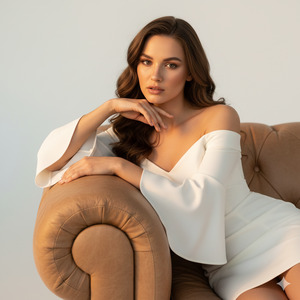
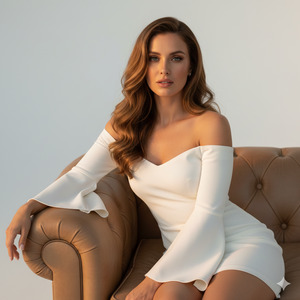
Create an ultra-realistic, high-end fashion editorial portrait in 8K quality. The shot is an extremely close-up portrait (tight framing, face and upper body dominant), photographed like a trending modern fashion campaign.
Scene & background: A clean white cyclorama studio background (seamless white backdrop). Use warm golden-hour lighting (soft, bright, cinematic glow) with gentle shadows and smooth highlights. The atmosphere should feel premium, minimalist, and editorial.
Subject: A stylish young woman sitting on a bulky, voluminous light-brown leather sofa (soft leather texture clearly visible).
Outfit: A short white dress with open shoulders (off-shoulder). The dress has long sleeves that are wide/flared at the ends. The fabric should look realistic with natural folds and high-quality texture.
Hair & beauty: Hair is styled with soft curls at the ends. Makeup is natural and elegant. Skin texture should look realistic (not plastic).
POSE (only focus): She is seated with her body slightly angled to the side, leaning gently into the sofa backrest. One forearm rests on the sofa arm, fingers relaxed on the leather. The other hand is near her collarbone/shoulder line, softly framing the face. Chin slightly down, shoulders relaxed, strong editorial posture.
Camera & look: Cinematic lighting, high quality, realistic skin texture, realistic leather texture, sharp focus on the eyes, shallow depth of field, 85mm lens look, HDR, professional fashion magazine color grading, clean composition.
Rules: No distortion, no extra fingers, no extra limbs, no text, no watermark, no logo.
Create an image in 9:16 aspect ratio (Instagram Reel size).
Pose Variant 2 (Forward Lean + Elbows on Knees)
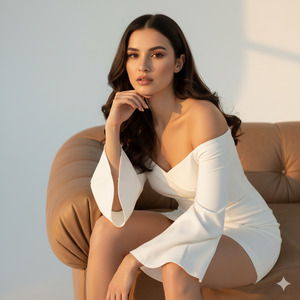
Create an ultra-realistic, high-end fashion editorial portrait in 8K quality. The shot is an extremely close-up portrait (tight framing, face and upper body dominant), photographed like a trending modern fashion campaign.
Scene & background: A clean white cyclorama studio background (seamless white backdrop). Use warm golden-hour lighting (soft, bright, cinematic glow) with gentle shadows and smooth highlights. The atmosphre should feel premium, minimalist, and editorial.
Subject: A stylish young woman sitting on a bulky, voluminous light-brown leather sofa (soft leather texture clearly visible).
Outfit: A short white dress with open shoulders (off-shoulder). The dress has long sleeves that are wide/flared at the ends. The fabric should look realistic with natural folds and high-quality texture.
Hair & beauty: Hair is styled with soft curls at the ends. Makeup is natural and elegant. Skin texture should look realistic (not plastic).
POSE (only focus): She sits near the edge of the sofa and leans slightly forward for a powerful fashion-campaign look. Her elbows rest softly on her knees (tight crop still shows only upper body), shoulders open, neck elongated. One hand supports her chin lightly (not covering the face), and the other hand rests on her thigh. Strong eye contact, calm and confident.
Camera & look: Cinematic lighting, high quality, realistic skin texture, realistic leather texture, sharp focus on the eyes, shallow depth of field, 85mm lens look, HDR, professional fashion magazine color grading, clean composition.
Rules: No distortion, no extra fingers, no extra limbs, no text, no watermark, no logo.
Create an image in 9:16 aspect ratio (Instagram Reel size).
How to Customize This Prompt
You can personalize the same Google Gemini Prompt by changing only a few words. This helps you get different vibes while keeping the same viral fashion style.
Replace these parts:
- Dress color: “white” → “black / red / pastel pink”
- Sofa color: “light-brown leather” → “cream leather / dark brown leather”
- Lighting mood: “golden-hour lighting” → “soft studio light / dramatic spotlight”
- Hair style: “curls at the ends” → “sleek straight hair / messy bun”
If you are using a reference photo, keep the style lines intact so the identity stays consistent.
How to Create This Image Using Google Gemini
Step 1: Open Google Gemini
Open Google Gemini in your mobile browser or app.
Step 2: Paste the Prompt
Copy the prompt above and paste it into Gemini.
Step 3: Add the 9:16 Instruction
Type this with the prompt (or keep the last line as it is):
“Create an image in 9:16 ratio.”
Step 4: Download the Image
After the image is generated, tap Download and post it as a Reel.
Conclusion
This golden-hour studio fashion portrait is a powerful way to create a premium Instagram look without a real photoshoot. The clean white cyclorama background, the soft warm lighting, and the stylish sofa setup give you that high-end editorial vibe people love to share and save.
Now open Google Gemini, generate your Viral AI Image in 9:16 aspect ratio, and post it on Instagram. Try a strong caption, add trendy music, and share it in Stories too. If your image turns out amazing, tag your friends and tell them you created it with a Google Gemini Prompt—because this is exactly the kind of content that can push your Reel into the trending zone!







