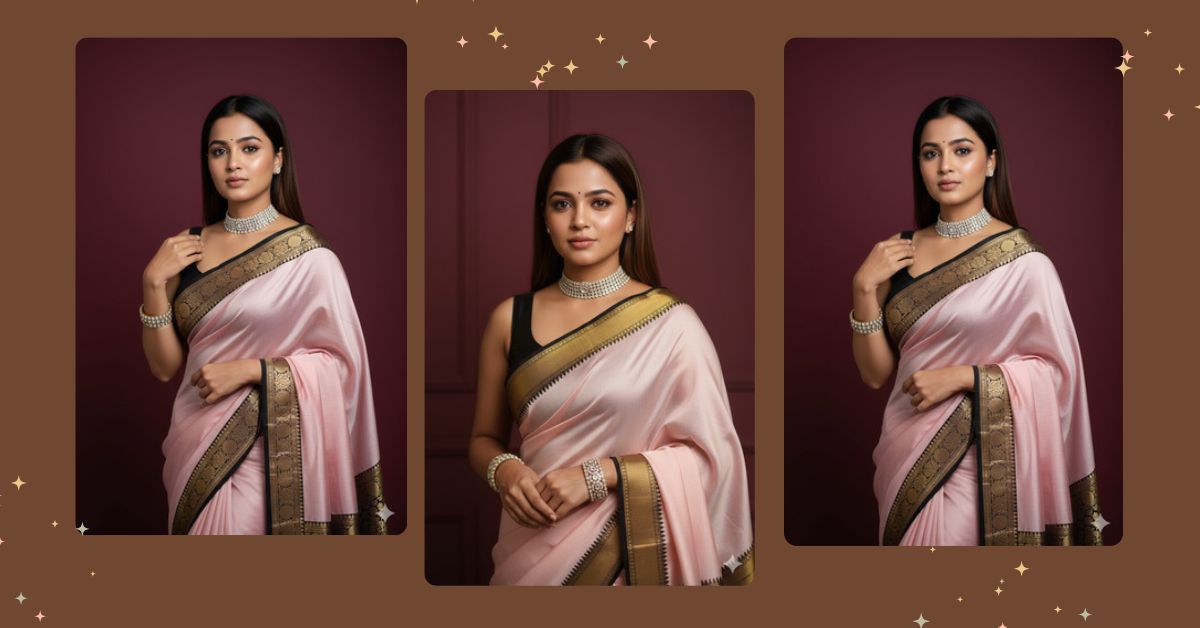
Elegant saree portraits are going viral on Instagram and Reels right now.
People love this style because it looks royal, classy, and timeless.
Soft lighting, rich saree textures, and clean backgrounds make these images stand out instantly.
The best part?
You can create this Viral AI Image for free using Google Gemini, without any editing skills. You only need one perfect prompt and the correct image size.
The Viral Prompt (Google Gemini)
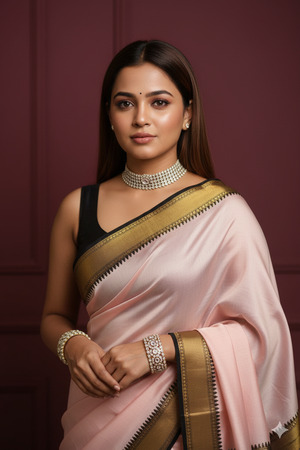
Create a hyper-realistic, professional portrait of a very beautiful young Indian woman using the uploaded reference image, ensuring 100% identical face with no alteration. She is wearing a pastel pink/off-white silk saree with a striking black and gold zari border, draped elegantly over a black sleeveless blouse.
She is styled with a diamond choker necklace and matching diamond and pearl cuff bangles. Her brown straight hair is neatly styled, and her makeup is soft, natural, and glowing with special focus on expressive eyes.
The background is clean and minimal, a solid deep red or maroon wall that enhances the saree colors. High-quality 8K resolution, ultra-realistic skin texture, sharp details, cinematic lighting, professional Indian fashion photography, shallow depth of field, studio-quality portrait. Create the image in 9:16 aspect ratio.
Pose Variant 1 – Classic Front Elegance (Calm & Royal)
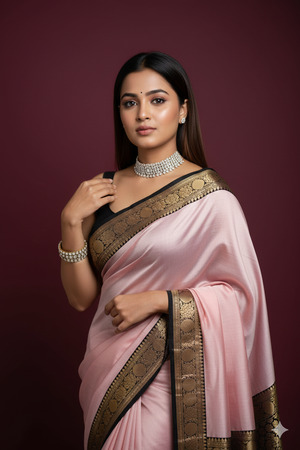
Create a hyper-realistic, professional portrait of a very beautiful young Indian woman using the uploaded reference image, ensuring 100% identical face with no alteration. She is standing gracefully, facing slightly toward the camera, with one hand gently resting near her waist and the other softly holding the saree pallu.
She is wearing a pastel pink/off-white silk saree with a striking black and gold zari border, draped elegantly over a black sleeveless blouse. Styled with a diamond choker necklace and matching diamond and pearl cuff bangles. Brown straight hair neatly styled, soft natural glowing makeup with expressive eyes.
Clean, minimal background with a solid deep red or maroon wall. High-quality 8K resolution, ultra-realistic skin texture, sharp details, cinematic studio lighting, professional Indian fashion photography, shallow depth of field. Create the image in 9:16 aspect ratio.
How to Customize This Prompt
You can easily personalize this prompt by changing a few words:
- Replace saree color (pastel pink/off-white) with your favorite shade
- Change background color (maroon, deep red, beige, charcoal)
- Modify jewelry type (gold, emerald, pearl-only)
- Adjust hairstyle (low bun, soft curls, sleek ponytail)
Do not remove the line about 100% identical face if you want accurate results.
How to Create This Image Using Google Gemini
Follow these simple steps:
- Open Google Gemini
- Upload your reference image
- Paste the prompt given above and add:
“Create an image in 9:16 ratio” - Generate and download your image
Your Instagram Reel–ready image is now complete.
Conclusion
This elegant saree portrait style is perfect for anyone who wants a royal, viral, and premium Instagram look.
With Google Gemini, you can turn a simple photo into a high-end fashion photoshoot within seconds.
Try this prompt today, post your creation on Instagram Reels, and don’t forget to tag Techy Gabru toget featured.
Stay creative, stay trending, and keep experimenting with AI magic!







