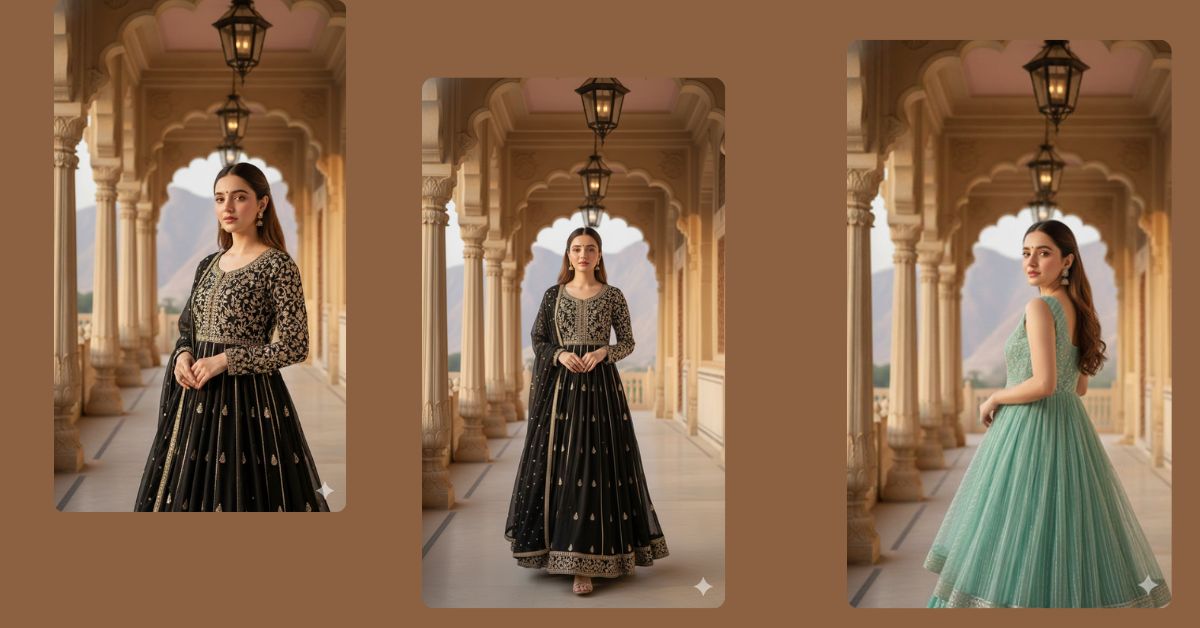
Royal palace–style portraits with ultra-realistic fashion details are trending fast on Instagram and Reels.
People love images that look like real DSLR photos, with soft sunlight, luxury outfits, and cinematic depth.
The best thing is—you can create this viral AI fashion image for FREE using Google Gemini, even without editing skills.
In this article, you will get one perfect Google Gemini prompt to create a stunning 9:16 Instagram Reel–size image.
The Viral Prompt
Create an ultra-photorealistic, high-quality 8K cinematic fashion portrait of a young woman with her face kept 100% identical to the uploaded reference image.
She is standing gracefully inside a luxurious royal palace corridor made of fine handcrafted stone carvings and elegant architectural pillars. The palace features glass lanterns and ornamental details placed above, creating a rich heritage atmosphere.
Appearance & Outfit: She has long, natural brown hair flowing softly, styled neatly. She is wearing a black traditional outfit with detailed embroidery and fine realistic fabric texture. The outfit drapes naturally and looks premium and elegant.
Pose & Expression: She stands confidently with a calm, soft expression, natural posture, and relaxed shoulders, giving a high-end fashion editorial look.
Lighting & Environment: Gentle sunlight enters from the side, creating soft natural shadows and highlights. The background includes soft pink-toned mountains visible through palace openings, adding depth and realism.
Photography Style: DSLR camera look, shallow depth of field, creamy bokeh background, ultra-realistic skin texture, natural shadows, sharp focus on subject, cinematic composition, fashion photography style.
Create the image in 9:16 aspect ratio (Instagram Reel size).
Pose Variant 1 – Royal Walk Pose
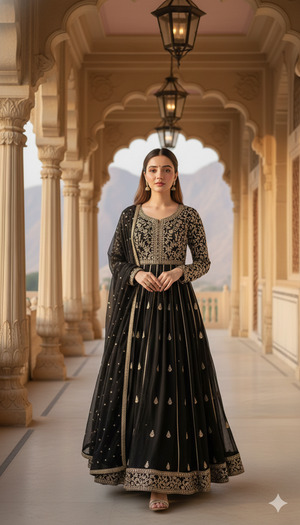
Pose & Expression: She is captured mid-step while walking slowly through the palace corridor, one foot slightly forward, posture upright and graceful. One hand gently holds the edge of her embroidered outfit while the other arm rests naturally by her side. Her head is slightly tilted, eyes looking ahead with a calm, royal confidence.
Create the image in 9:16 aspect ratio (Instagram Reel size).
Pose Variant 2 – Pillar Lean Pose
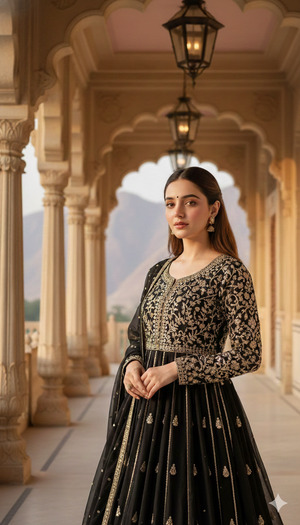
Pose & Expression: She is standing beside a carved palace pillar, lightly leaning her shoulder against it. One hand softly touches the stone carving while the other rests near her waist, holding the fabric. Her face is turned slightly toward the camera with a serene, dreamy expression.
Create the image in 9:16 aspect ratio (Instagram Reel size).
Pose Variant 3 – Over-the-Shoulder Pose
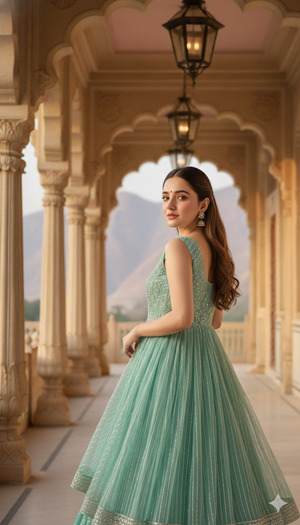
Pose & Expression: She stands facing away from the camera with her upper body turned back over one shoulder. One hand gathers the embroidered fabric near her hip, while her gaze meets the camera softly, creating an elegant, cinematic fashion moment.
Create the image in 9:16 aspect ratio (Instagram Reel size).
How to Customize This Prompt
You can personalize this image easily by changing a few words:
- Outfit color → Replace “black traditional outfit” with maroon, ivory, or pastel shades
- Mood → Change “calm expression” to confident, royal, or soft smile
- Background tone → Adjust “pink-toned mountains” to golden sunset or blue sky
How to Create This Image Using Google Gemini
Follow these simple steps:
- Open Google Gemini
- Paste the full prompt given above
- Add this line at the end:
“Create an image in 9:16 ratio” - Generate and download the image
That’s it—your viral royal fashion portrait is ready!
Conclusion
This royal palace fashion style is perfect for Instagram Reels, profile posts, and luxury content.
The ultra-realistic textures, cinematic lighting, and DSLR look make the image feel premium and professional.
Try this prompt today using Google Gemini, share your creation on Instagram, and watch the engagement grow.
Keep experimenting with AI art and turn your ideas into stunning visuals!







