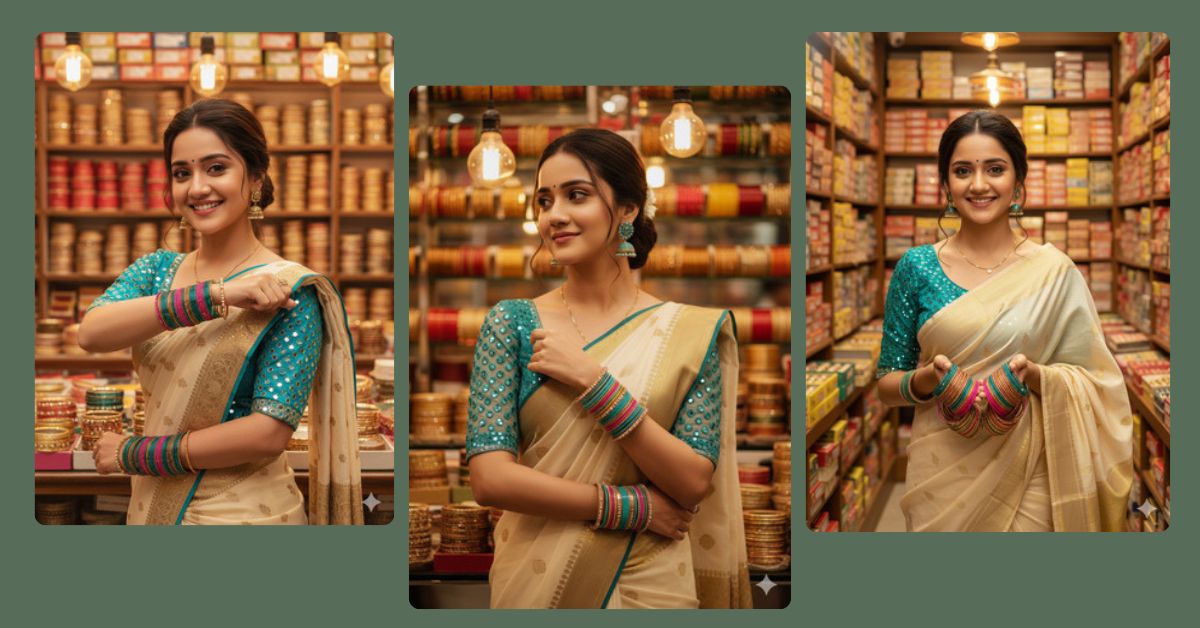
Creating vibrant and photorealistic AI images of everyday Indian life has become extremely popular on Instagram and social media. Images featuring traditional fashion, colorful markets, and festive vibes tend to go viral because of their rich detail and cultural aesthetic.
Now, you can create this stunning AI image for free using Google Gemini. With a simple prompt, you can generate a hyper-realistic 8K portrait that perfectly matches your reference, ready to share in your Instagram Reels.
The Viral Prompt
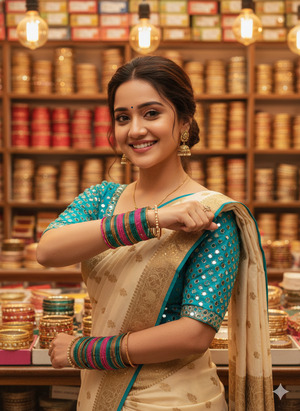
Create a hyper-realistic, medium shot portrait of a beautiful young Indian woman standing in a vibrant bangle shop. She has a bright, genuine smile and is looking directly at the camera. She is wearing a cream-colored saree with a gold border and a teal blue blouse featuring intricate mirror work on the sleeves. Her hair is tied back loosely with wispy strands framing her face. She is adorned with matching teal jhumka earrings and a necklace. She is holding her left arm up horizontally across her chest to display a large stack of colorful glass bangles (teal, pink, and gold), while her right hand gently touches the bangles. The background is a bustling market stall filled with shelves stacked high with boxes of colorful bangles (red, yellow, gold). Warm cinematic lighting comes from overhead hanging bulbs, creating a soft bokeh effect in the background. High resolution, 8K, photorealistic skin texture, festive atmosphere. Ensure the face exactly matches the uploaded reference. Create the image in 9:16 aspect ratio.
Pose Variant 1 – Side Glance Pose
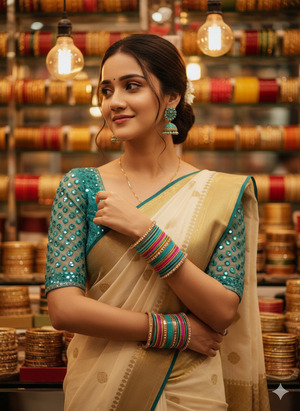
Create a hyper-realistic, medium shot portrait of a beautiful young Indian woman standing in a vibrant bangle shop. She is smiling softly and looking to her left, giving a natural side glance. She is wearing a cream-colored saree with a gold border and a teal blue blouse with intricate mirror work on the sleeves. Her hair is tied back loosely with wispy strands framing her face. She wears matching teal jhumka earrings and a necklace. Her left hand rests gently on the edge of a bangle stack on her right arm, which is slightly bent across her chest. The background is a bustling market stall with shelves full of colorful bangles (red, yellow, gold). Warm cinematic lighting from overhead hanging bulbs creates a soft bokeh effect. High resolution, 8K, photorealistic skin texture, festive atmosphere. Ensure the face exactly matches the uploaded reference. Create the image in 9:16 aspect ratio.
Pose Variant 2 – Both Hands Holding Bangles Pose
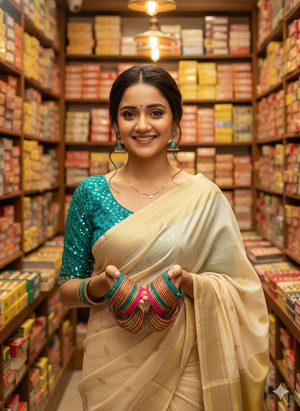
Create a hyper-realistic, medium shot portrait of a beautiful young Indian woman standing in a vibrant bangle shop. She is looking directly at the camera with a bright, cheerful smile. She is wearing a cream-colored saree with a gold border and a teal blue blouse with intricate mirror work on the sleeves. Her hair is tied back loosely with wispy strands framing her face. She wears matching teal jhumka earrings and a necklace. Both hands are raised slightly in front of her, holding a large stack of colorful glass bangles (teal, pink, and gold) close to her chest, showcasing them prominently. The background is a bustling market stall with shelves stacked high with colorful bangles (red, yellow, gold). Warm cinematic lighting from overhead hanging bulbs creates a soft bokeh effect. High resolution, 8K, photorealistic skin texture, festive atmosphere. Ensure the face exactly matches the uploaded reference. Create the image in 9:16 aspect ratio.
How to Customize This Prompt
You can easily adjust this prompt to suit your preferences:
- Change clothing colors – Replace “teal blue blouse” or “cream-colored saree” with any colors you like.
- Swap accessories – Change “teal jhumka earrings” to gold, silver, or other styles.
- Modify background details – Add or remove items in the shop or adjust lighting style.
- Adjust pose – “Left arm up horizontally” can be changed to any natural hand gesture.
These small tweaks allow you to create a personalized and unique AI image while keeping the style consistent.
How to Create This Image Using Google Gemini
Follow these 4 simple steps:
- Open Google Gemini in your browser.
- Paste the prompt provided above into the text box.
- Add the instruction:
"Create an image in 9:16 ratio"along with the prompt. - Click Generate and download your 8K photorealistic AI image.
Now your image is ready to be shared as an Instagram Reel or story!
Conclusion
Creating stunning AI images of vibrant Indian culture is easier than ever. With this prompt, you can generate a hyper-realistic portrait that captures festive vibes, rich colors, and photorealistic textures.
Share your creation on Instagram and tag your friends! Celebrate traditional fashion, culture, and creativity with AI art that looks like it’s straight out of a professional photoshoot. Your audience will love the attention to detail in the saree, bangles, and jewelry, making your posts trend effortlessly.







