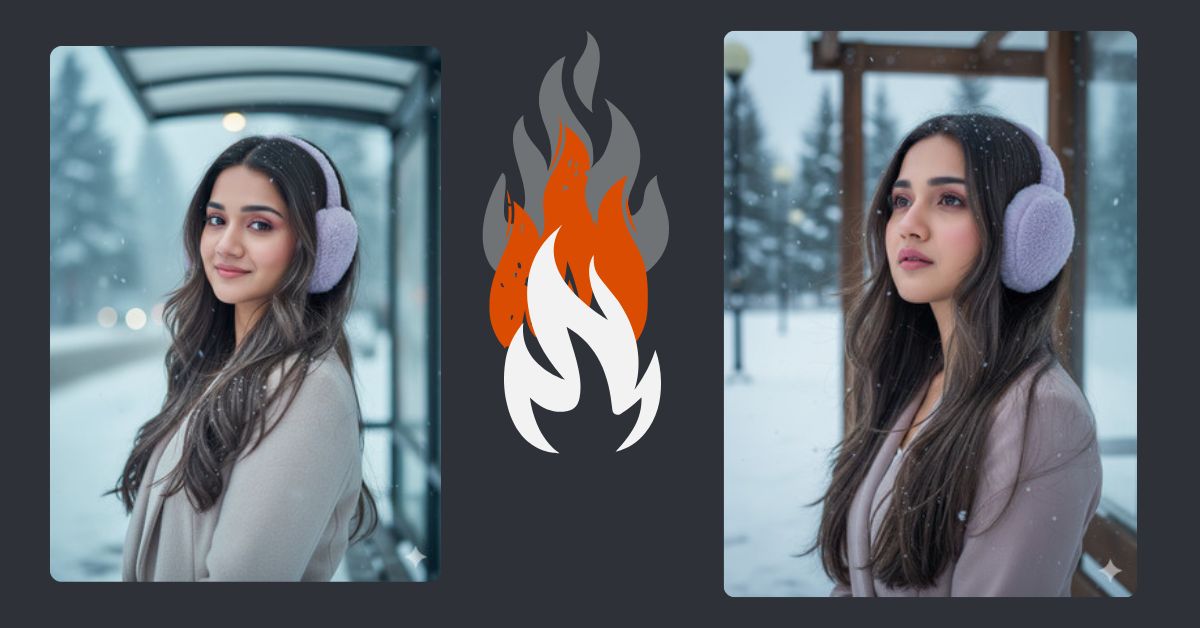
Snowy day portraits are trending on Instagram and social media right now. The soft winter glow, hair blown by the wind, and tiny snowflakes create a magical, dreamy atmosphere that everyone loves to share. With Google Gemini, you can now create this beautiful scene for free, using just a detailed AI prompt.
This style is perfect for Instagram Reels or story content, especially when you want your audience to feel the serene winter vibe.
The Viral Prompt
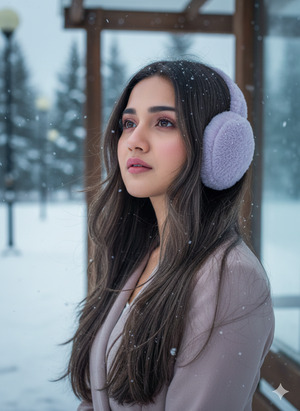
Create a hyper-realistic 8K portrait close-up of a young woman with brown-gray, layered, shiny hair, waist-length, slightly framing her face. She is wearing light purple earmuffs. Snowflakes cling to her hair, and strands are blown gently by the wind. She stands at a bus stop on a snowy day, tilting her head slightly to the right and looking slightly upward. Natural soft-matte pink makeup, serene expression, realistic skin texture, cinematic soft natural lighting, high-resolution details. Ultra-realistic textures, crisp focus, vibrant winter atmosphere. Maintain 100% of her original face exactly as reference. 9:16 aspect ratio for Instagram Reels.
Pose Variant 1: Looking Over Shoulder
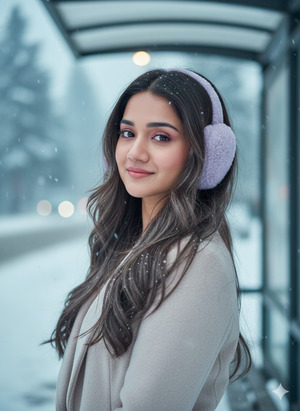
Create a hyper-realistic 8K portrait close-up of a young woman with brown-gray, layered, shiny hair, waist-length, slightly framing her face. She is wearing light purple earmuffs. Snowflakes cling to her hair, and strands are blown gently by the wind. She stands at a snowy bus stop, turning slightly to look over her left shoulder, giving a gentle smile. Natural soft-matte pink makeup, serene expression, realistic skin texture, cinematic soft natural lighting, high-resolution details. Ultra-realistic textures, crisp focus, vibrant winter atmosphere. Maintain 100% of her original face exactly as reference. 9:16 aspect ratio for Instagram Reels.
How to Customize This Prompt
You can easily adjust the following details to suit your style:
- Earmuff Color: Replace “light purple” with any color you like.
- Hair Style/Length: Change “waist-length, straight” to curly, wavy, or shoulder-length.
- Head Tilt/Expression: Modify the tilt angle or expression for mood changes.
- Background: Switch the snowy bus stop to a forest, city street, or park for variety.
These small changes let you personalize the portrait while keeping the cinematic winter vibe intact.
How to Create This Image Using Google Gemini
Follow these 4 simple steps to generate your snowy winter portrait:
- Open Google Gemini on your device.
- Copy and paste the refined prompt above into the prompt box.
- Add “Create an image in 9:16 ratio” at the start or end of your prompt to ensure Instagram Reel dimensions.
- Click Generate and wait for your image. Once ready, download it and share it on your social media.
Conclusion
Creating a magical snowy portrait has never been easier. With Google Gemini, you can transform your ideas into ultra-realistic, high-resolution art that captures attention instantly. Experiment with slight customizations, and don’t forget to share your creations on Instagram using trending hashtags for maximum reach. Let your snowy portraits go viral!







