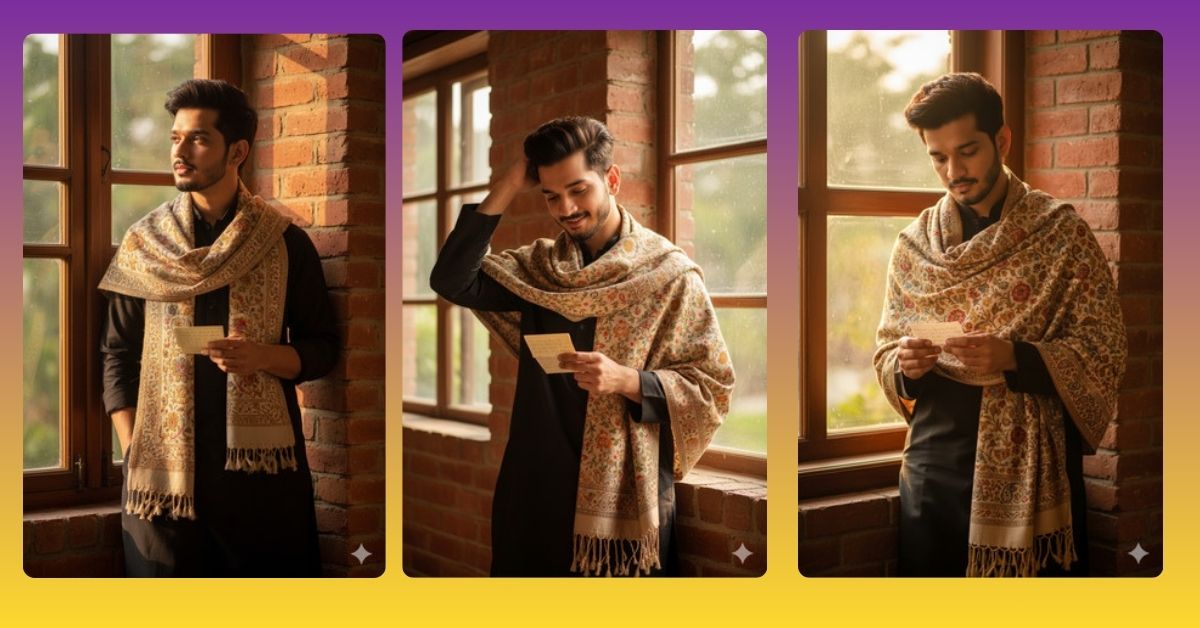
Creating hyper-realistic AI portraits is one of the hottest trends on Instagram and social media right now. Images with cinematic lighting, ultra-realistic textures, and natural expressions are capturing everyone’s attention. With Google Gemini, you can generate such breathtaking portraits for free, making your social media posts instantly eye-catching.
The Viral Prompt
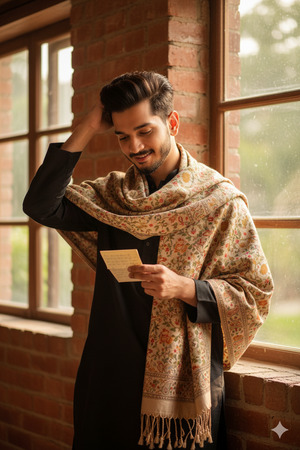
Create a hyper-realistic, cinematic 9:16 portrait of a young man standing beside a red brick wall near a large window during golden hour. Keep the face and hairstyle identical to the uploaded reference image: modern, voluminous hair with clean fade sides, neatly styled natural texture, well-groomed facial hair, sharp jawline, smooth skin, and soft masculine features. He is wearing a traditional black kurta with a finely woven beige and gold floral-patterned shawl draped elegantly around his neck, featuring intricate paisley motifs and tasseled ends. He holds a small handwritten note in his hand, looking down with a gentle, thoughtful smile. One hand is raised to his hair in a relaxed, candid pose. Warm, soft golden-hour lighting, natural skin tones, subtle highlights on face, realistic shadows adding depth. Background with shallow depth of field, blurred greenery outside the window. Ultra-detailed textures, cinematic lighting, photorealistic, 8K resolution. Create in 9:16 aspect ratio.
Pose Variant 1 – Hands Folded Thoughtfully
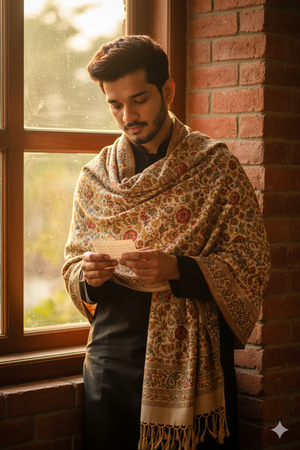
Create a hyper-realistic, cinematic 9:16 portrait of a young man standing beside a red brick wall near a large window during golden hour. Keep the face and hairstyle identical to the uploaded reference image: modern, voluminous hair with clean fade sides, neatly styled natural texture, well-groomed facial hair, sharp jawline, smooth skin, and soft masculine features. He is wearing a traditional black kurta with a finely woven beige and gold floral-patterned shawl draped elegantly around his neck, featuring intricate paisley motifs and tasseled ends. He is holding the small handwritten note with both hands in front of him, looking down with a calm, reflective expression. Warm, soft golden-hour lighting, natural skin tones, subtle highlights on face, realistic shadows adding depth. Background with shallow depth of field, blurred greenery outside the window. Ultra-detailed textures, cinematic lighting, photorealistic, 8K resolution. Create in 9:16 aspect ratio.
Pose Variant 2 – Leaning Slightly on the Wall
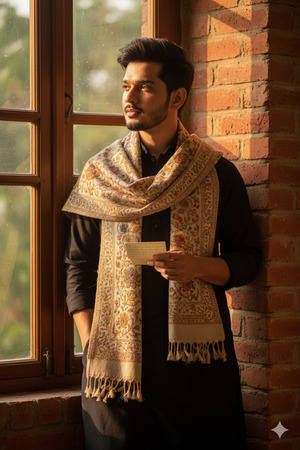
Create a hyper-realistic, cinematic 9:16 portrait of a young man leaning slightly with one shoulder against a red brick wall near a large window during golden hour. Keep the face and hairstyle identical to the uploaded reference image: modern, voluminous hair with clean fade sides, neatly styled natural texture, well-groomed facial hair, sharp jawline, smooth skin, and soft masculine features. He is wearing a traditional black kurta with a finely woven beige and gold floral-patterned shawl draped elegantly around his neck, featuring intricate paisley motifs and tasseled ends. One hand rests in his trouser pocket while the other holds a small handwritten note, looking thoughtfully into the distance. Warm, soft golden-hour lighting, natural skin tones, subtle highlights on face, realistic shadows adding depth. Background with shallow depth of field, blurred greenery outside the window. Ultra-detailed textures, cinematic lighting, photorealistic, 8K resolution. Create in 9:16 aspect ratio.
How to Customize This Prompt
You can easily adjust the prompt to match your preferences:
- Face & Hair: Replace with your own reference image to generate a custom portrait.
- Outfit Colors/Style: Change the kurta or shawl color to any combination you like.
- Pose: Modify “hand raised to hair” or “looking down at note” to another relaxed, candid gesture.
- Lighting: Swap “golden hour” with “soft indoor light” or “sunset backlight” for a different mood.
How to Create This Image Using Google Gemini
Follow these simple steps to generate your viral AI portrait:
- Open Google Gemini on your device.
- Paste the above refined prompt into the prompt box.
- Add:
"Create an image in 9:16 ratio"along with the prompt. - Click Generate and download your image once ready.
Tip: Always use high-quality reference images for the face to ensure 100% accuracy.
Conclusion
With this Google Gemini prompt, you can effortlessly create a viral AI portrait that looks ultra-realistic, cinematic, and visually stunning. Experiment with different outfits, lighting, or subtle pose changes to make it truly unique. Once done, share your creations on Instagram Reels and watch your posts get noticed! Don’t forget to tag your friends and inspire them to try Google Gemini too.







