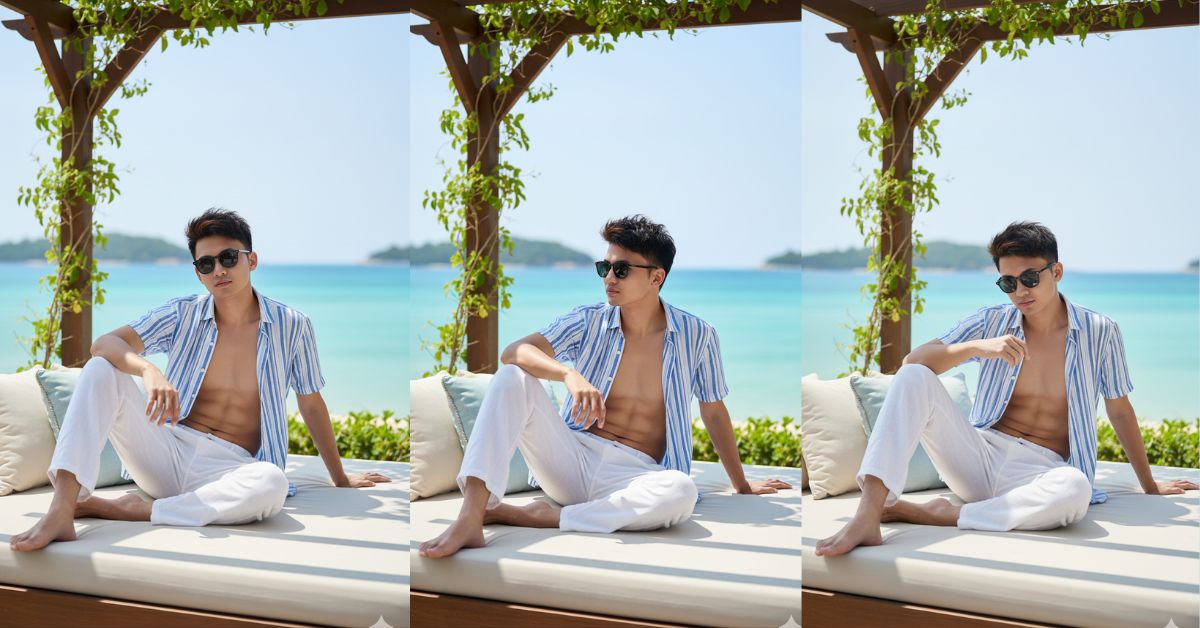
Right now, luxury resort lifestyle photos are going super viral on Instagram Reels.
People love this vibe because it looks calm, expensive, and cinematic, like a travel influencer’s perfect moment.
The best part? You can create the same Viral AI Image for free using Google Gemini.
Just use a strong Google Gemini Prompt and always generate it in 9:16 aspect ratio (Instagram Reel size).
The Viral Prompt (Copy-Paste for Google Gemini)
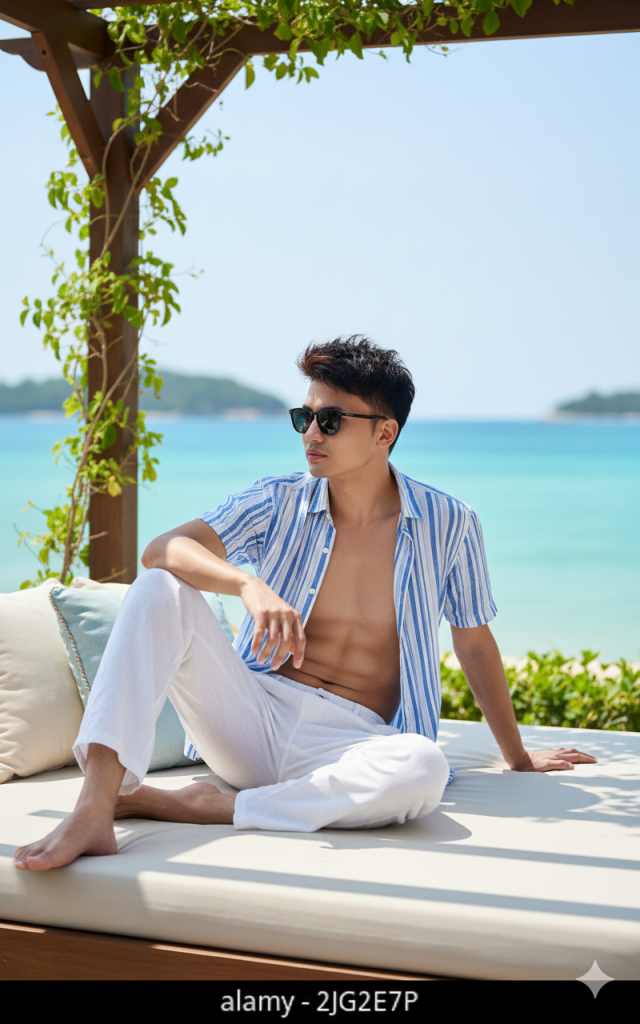
Create an ultra-realistic, high-fashion lifestyle photo in 9:16 aspect ratio (vertical Instagram Reel). Full-body portrait of a young Asian man, using the uploaded reference photo for identity: keep the same face, facial structure, skin tone, and hairstyle exactly (no changes to facial features). Slightly messy dark hair, natural confident expression.
Scene: luxury seaside resort. He is lounging sideways on a premium outdoor daybed under a wooden pergola. Cream-and-soft-blue pillows around him, elegant textures, clean styling. Bright turquoise sea behind with distant green islands, sunny Mediterranean/tropical luxury vibe.
Outfit: striped blue-and-white summer shirt partially unbuttoned/open, subtly showing defined six-pack (natural, not exaggerated), loose white linen pants, barefoot. Pose: propped up on one elbow, torso relaxed, one leg bent, gazing calmly toward the horizon (not looking at camera).
Camera & Composition: low side angle shot, full body visible, vertical framing from head to feet, realistic depth of field (f/2.8), background softly blurred but still recognizable (sea + islands + pergola). Bright midday sunlight, cinematic highlights and soft shadows, realistic skin texture, realistic fabric weave, crisp details. High quality, 8k resolution, cinematic lighting, photorealistic, luxury resort editorial style.
Avoid: AI look, extra fingers/limbs, plastic skin, over-smoothing, heavy blur, watermark, text, logo.
Pose Variant 1 (Relaxed “Look to Camera”)

he is lounging sideways on the luxury outdoor daybed under the wooden pergola, propped up on one elbow, torso relaxed, one leg bent, barefoot. His free hand lightly rests on his thigh. He turns his head slightly and looks directly into the camera with a calm, confident expression (face clearly visible).
Pose Variant 2 (Sitting Edge “Adjusting Shirt”)
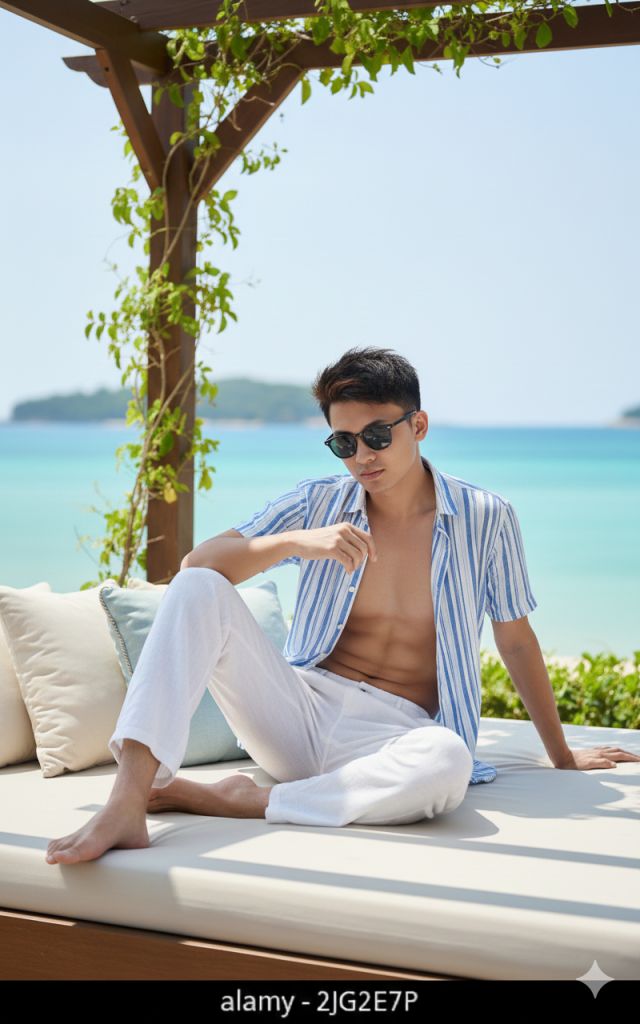
he is sitting on the edge of the luxury daybed, one knee raised and the other leg extended, barefoot. One hand casually adjusts the open striped shirt near the collar while the other hand supports him behind on the cushion. He looks slightly downward with a relaxed, thoughtful expression (face clearly visible).
How to Customize This Prompt
You can personalize the image easily by replacing small parts of the prompt.
Here are the safest things to change:
- Location vibe: replace “luxury seaside resort” with “Santorini terrace” or “Maldives resort”
- Outfit detail: replace “striped blue-and-white” with “beige-and-white” or “black-and-white”
- Mood: replace “calmly toward the horizon” with “soft smile” or “thoughtful expression”
- Props: add “a glass of sparkling water on a side table” (keep it minimal)
Important: If you want the face to match, keep this line unchanged:
“using the uploaded reference photo for identity: keep the same face exactly”
How to Create This Image Using Google Gemini (4 Steps)
Step 1: Open Google Gemini
Open the Google Gemini app or website and sign in.
Step 2: Upload Your Reference Photo
Upload the face reference photo you want Gemini to match.
Step 3: Paste the Prompt + Add 9:16 Instruction
Paste the prompt and type this line above it:
- “Create an image in 9:16 ratio (Instagram Reel size).”
Step 4: Download the Image
When Gemini generates the image, click Download and save it to your phone.
Conclusion
This Trending Viral AI Image style works because it looks like a real influencer photo—natural pose, luxury setting, and cinematic light.
If you post this on Instagram Reels with a clean edit and trending audio, it can instantly look premium and attention-grabbing.
Create your image using this Google Gemini Prompt, keep it 9:16 aspect ratio, and try posting it with a travel/lifestyle caption.
When you upload it, tag your friends and tell them: “I made this with Google Gemini!”—because that’s exactly the kind of content people love sharing right now.







