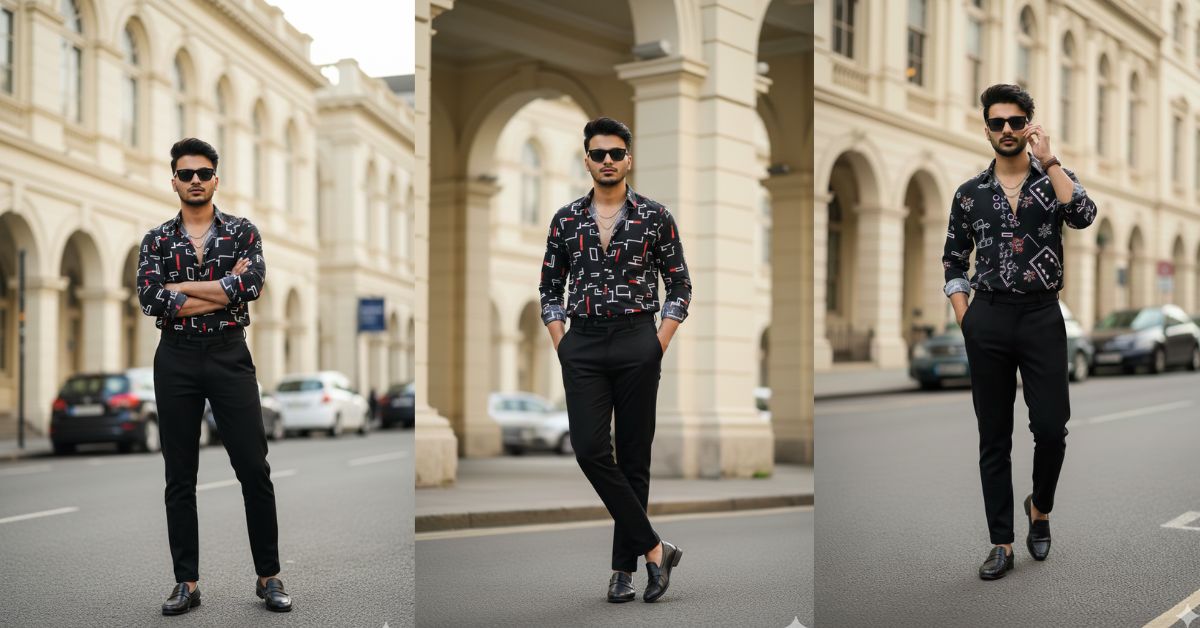
Instagram is full of cinematic street-style portraits right now. This look feels like a high-end fashion campaign, but it still looks natural and realistic. That mix is exactly why this Viral AI Image trend is getting so many shares and saves.
The best part? You can create this for free using Google Gemini, and you can make it in 9:16 aspect ratio (Instagram Reel size) for perfect posting.
The Viral Prompt (Google Gemini Prompt)
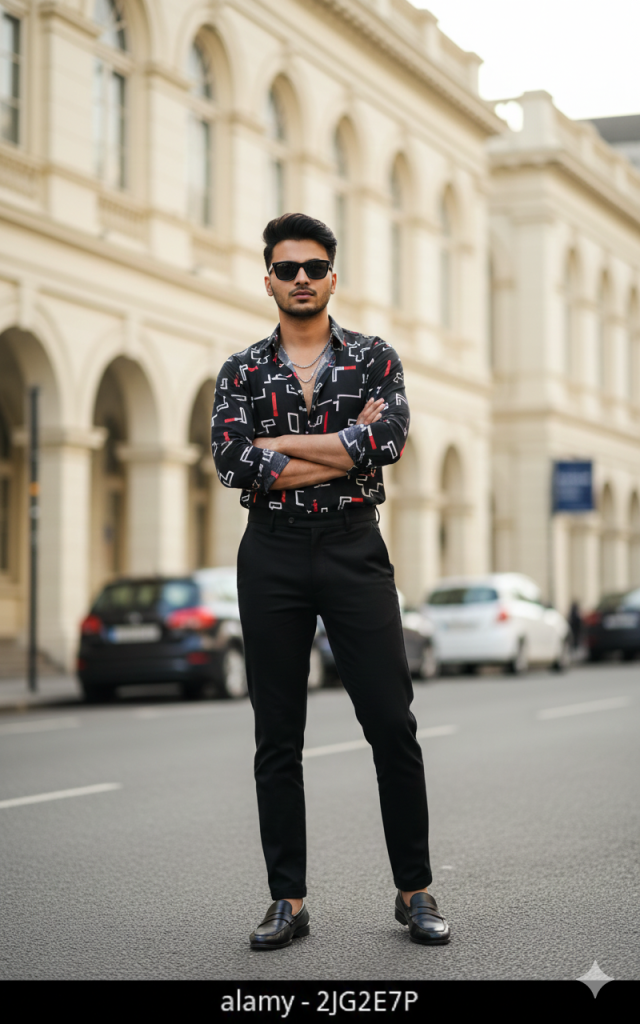
Create a hyper-realistic, cinematic 8K full-body fashion portrait of a confident young Indian man, with facial features and hairstyle matching the uploaded reference image (same identity, same face structure, same hairstyle). He is looking directly into the camera.
Pose: standing confidently in the middle of a clean city street with arms crossed over his chest, left foot slightly forward, right foot back. Expression serious, composed, stylish, confident.
Outfit: sleek black square sunglasses, a black patterned shirt with abstract white and red geometric prints, shirt styled with only the top button open, subtle layered silver chains visible, paired with high-waisted tailored black trousers and polished black loafers without socks. Well-groomed hair and beard (as in reference).
Background: elegant colonial-style cream-colored building with arched windows, grand pillars, and subtle architectural details. A few parked cars line the street. Clean, upscale urban vibe.
Lighting & camera: soft natural daylight, warm highlights on skin and fabric, realistic shadows, cinematic lighting, sharp focus on face and outfit, realistic skin texture, ultra-detailed fabric textures, 35mm lens look, shallow depth of field (soft bokeh background), high-fashion editorial photography style, no artificial AI look, no distortion.
Output: vertical 9:16 aspect ratio (Instagram Reel size), full-body framing, high quality, 8K resolution.
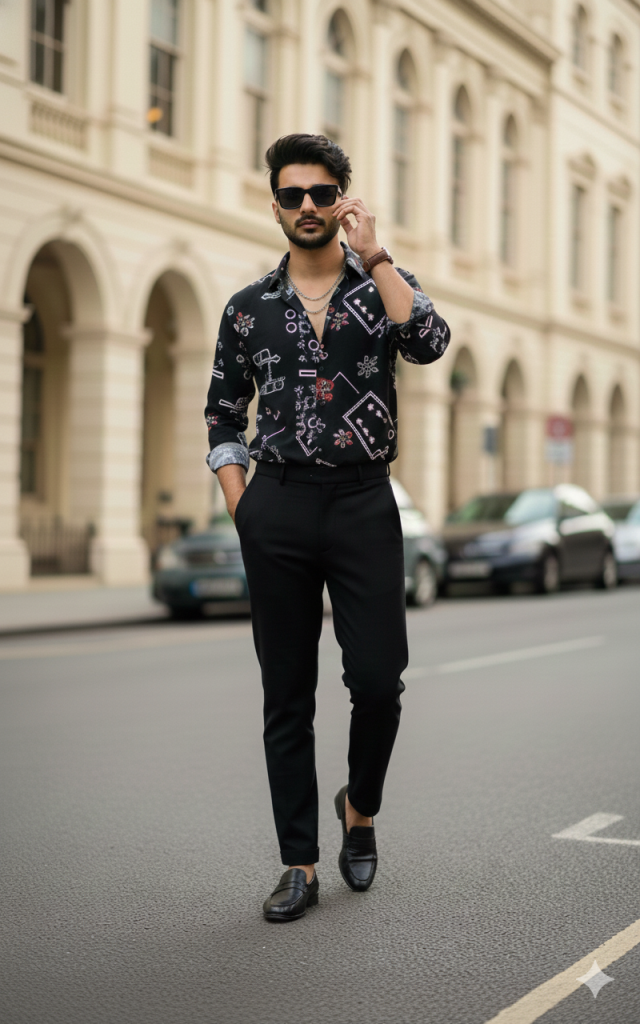
Pose Variant 1 (Walking + one hand adjusting sunglasses)
mid-walk on the street, one foot stepping forward naturally, body slightly angled, left hand in trouser pocket, right hand lightly adjusting the sunglasses near the temple, chin slightly raised, confident expression, looking directly into the camera.
Pose Variant 2 (Lean on wall + hands in pockets)
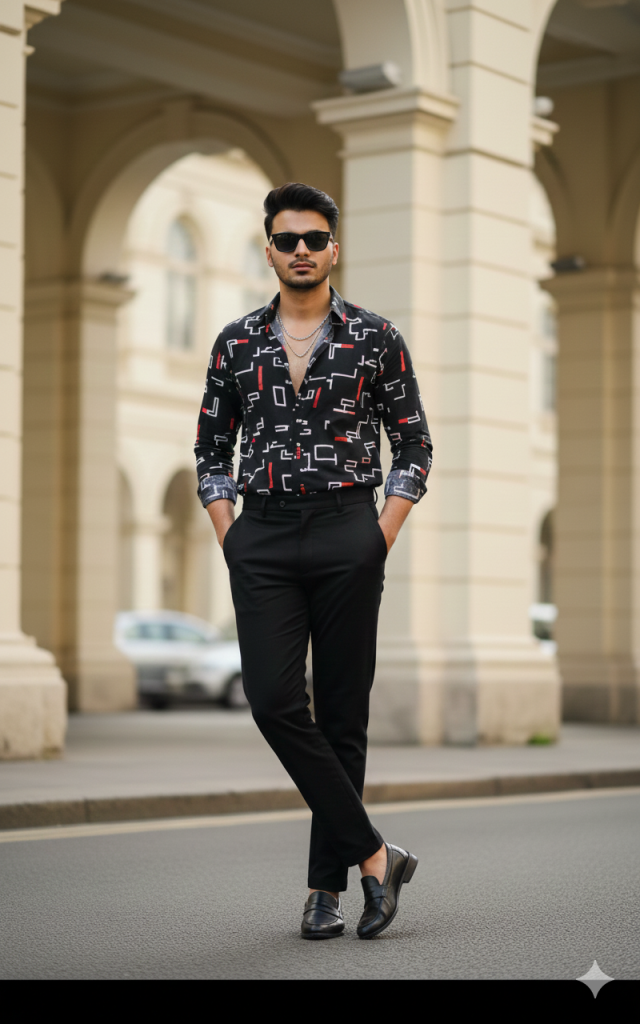
standing relaxed while leaning lightly against a nearby wall/pillar, shoulders slightly tilted, both hands in trouser pockets, legs casually crossed at the ankles, head turned toward the camera, calm confident expression, looking directly into the camera.
How to Customize This Prompt
You can edit small parts of the prompt to match your style, without changing the main look.
Replace these parts:
- Outfit color: change “black patterned shirt” to “white linen shirt” or “dark olive jacket”
- Accessories: change “silver chains” to “gold chain” or “no chain”
- Background place: change “colonial-style building” to “modern glass building” or “luxury hotel entrance”
- Mood: change “serious, composed” to “soft smile” or “calm, confident”
Tip: Keep these lines the same for best realism:
- “hyper-realistic, cinematic 8K”
- “sharp focus on face”
- “shallow depth of field / soft bokeh”
- “same identity, same face structure (reference image)”
How to Create This Image Using Google Gemini
- Open Google Gemini (app or web).
- Upload your reference photo (the face you want to keep the same).
- Paste the prompt from the code box above, then type:
“Create an image in 9:16 ratio” with the prompt. - Generate and download the best result in high quality.
Conclusion
This Trending Viral AI Image style is perfect for Instagram because it looks like a real luxury street photoshoot. When you create it in 9:16 aspect ratio, it fits Reels beautifully and instantly looks premium. Try this Google Gemini Prompt, post your final image, and use a clean caption like “City mode: ON 🔥” for extra reach.
If you make this image, share it on Instagram and tag your friends—this trend is made for style lovers who want that editorial fashion look without a studio shoot!







