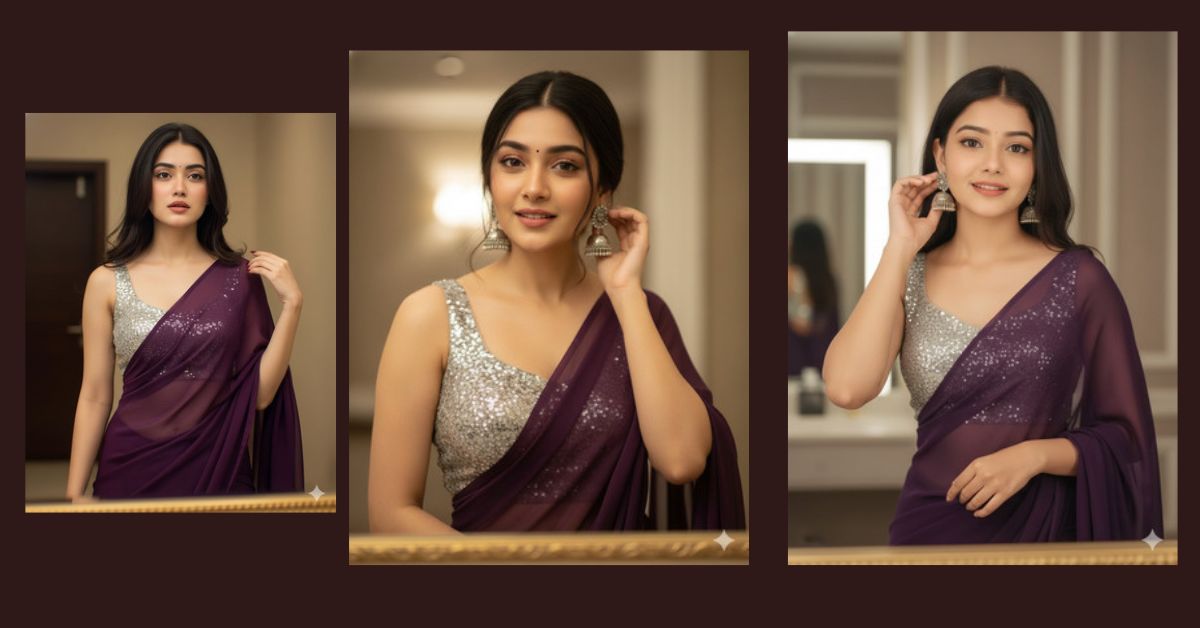
Hyper-realistic cinematic saree portraits are trending massively on Instagram and social media.
Creators are using AI to generate DSLR-style images that look elegant, natural, and premium.
This style is popular because it feels authentic, candid, and editorial, perfect for Reels and profile posts.
The best part is that you can create this Viral AI Image for free using Google Gemini, without any design or editing skills.
The Viral Prompt
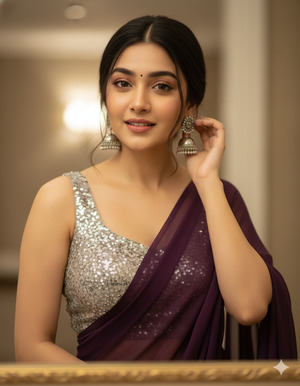
Create a hyper-realistic cinematic medium shot of a beautiful young Indian woman wearing a plain dark purple chiffon saree paired with a sleeveless silver sequin blouse. Ensure her face is 100% identical to the original reference image with no alterations to facial features, skin tone, or facial structure. Her hair is worn open with soft wispy strands naturally framing her face. She is captured in a candid moment, looking slightly forward while gently adjusting her silver earring with one hand. The scene is set indoors with soft warm cinematic lighting that creates a natural glow on her skin. Use a shallow depth of field to softly blur the background, and include a subtle golden mirror frame visible at the bottom of the frame for an editorial fashion look. Ultra-realistic, high quality, 8K resolution, highly detailed skin texture, cinematic lighting, DSLR photography style, elegant and natural mood. Create the image in 9:16 aspect ratio.
Pose Variant 1 – Adjusting Earring (Candid Elegance)
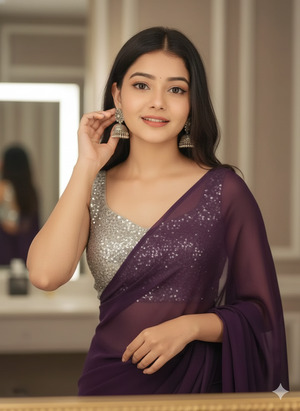
Create a hyper-realistic cinematic medium shot of a beautiful young Indian woman wearing a plain dark purple chiffon saree paired with a sleeveless silver sequin blouse. Ensure her face is 100% identical to the original reference image with no alterations to facial features, skin tone, or facial structure. Her hair is worn open with soft wispy strands naturally framing her face. She is captured in a candid moment, looking slightly forward while gently adjusting her silver earring with one hand. The scene is set indoors with soft warm cinematic lighting that creates a natural glow on her skin. Use a shallow depth of field to softly blur the background, and include a subtle golden mirror frame visible at the bottom of the frame for an editorial fashion look. Ultra-realistic, high quality, 8K resolution, highly detailed skin texture, cinematic lighting, DSLR photography style, elegant and natural mood. Create the image in 9:16 aspect ratio.
Pose Variant 2 – Holding Saree Pallu Near Shoulder
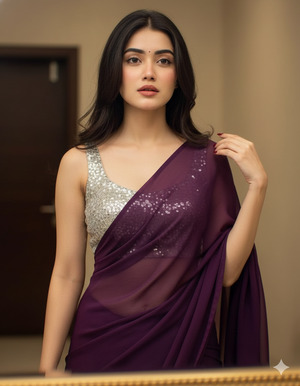
Create a hyper-realistic cinematic medium shot of a beautiful young Indian woman wearing a plain dark purple chiffon saree paired with a sleeveless silver sequin blouse. Ensure her face is 100% identical to the original reference image with no alterations to facial features, skin tone, or facial structure. Her hair is worn open with soft wispy strands naturally framing her face. She is captured in a graceful candid pose, looking slightly forward while gently holding the edge of her saree pallu near her shoulder. The scene is set indoors with soft warm cinematic lighting that creates a natural glow on her skin. Use a shallow depth of field to softly blur the background, and include a subtle golden mirror frame visible at the bottom of the frame for an editorial fashion look. Ultra-realistic, high quality, 8K resolution, highly detailed skin texture, cinematic lighting, DSLR photography style, elegant and natural mood. Create the image in 9:16 aspect ratio.
Pose Variant 3 – Looking Down with Calm Expression
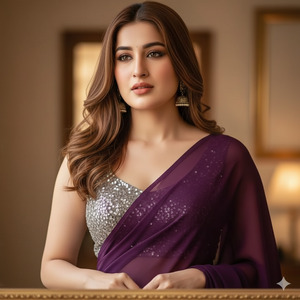
Create a hyper-realistic cinematic medium shot of a beautiful young Indian woman wearing a plain dark purple chiffon saree paired with a sleeveless silver sequin blouse. Ensure her face is 100% identical to the original reference image with no alterations to facial features, skin tone, or facial structure. Her hair is worn open with soft wispy strands naturally framing her face. She is captured in a soft editorial pose, looking slightly downward with a calm and elegant expression while her hands rest gently near her waist. The scene is set indoors with soft warm cinematic lighting that creates a natural glow on her skin. Use a shallow depth of field to softly blur the background, and include a subtle golden mirror frame visible at the bottom of the frame for an editorial fashion look. Ultra-realistic, high quality, 8K resolution, highly detailed skin texture, cinematic lighting, DSLR photography style, elegant and natural mood. Create the image in 9:16 aspect ratio.
How to Customize This Prompt
You can easily personalize this prompt by changing a few words:
- Replace dark purple with any saree color you like
- Change silver jewelry to gold or pearl
- Adjust lighting mood (warm → soft daylight)
- Add your reference image in Google Gemini for face accuracy
Keep the realism, lighting, and camera details unchanged for best results.
How to Create This Image Using Google Gemini
Follow these simple 4 steps:
- Open Google Gemini on your mobile or desktop
- Paste the prompt given above
- Type “Create an image in 9:16 ratio” along with the prompt
- Generate and download your image
Your Trending Viral AI Image is ready within seconds.
Conclusion
This Google Gemini Prompt is perfect for creating cinematic, hyper-realistic AI images that look professional and Instagram-ready.
Try this prompt today, upload your creation as a Reel or post, and watch the engagement grow.
Don’t forget to share your results and inspire others with your creativity.
Create smart. Post confidently. Go viral.







