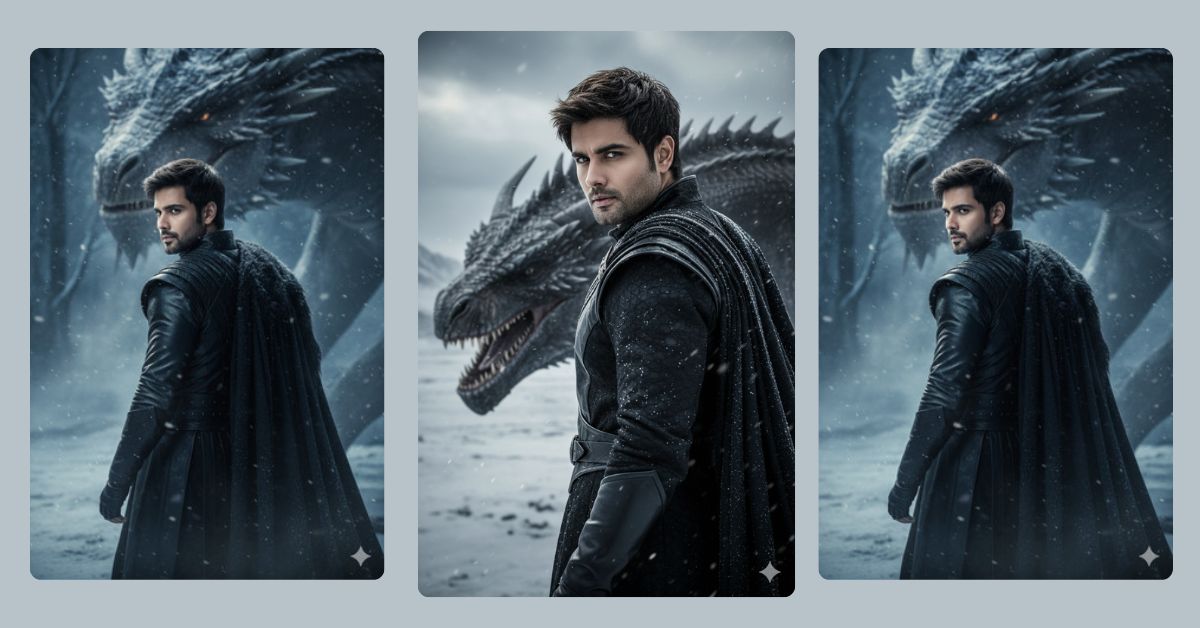
Fantasy-inspired portraits, especially from iconic shows like Game of Thrones, are trending on Instagram and social media. Fans love epic, cinematic shots featuring dragons, cold environments, and heroic characters.
Now, you can create your own highly realistic Targaryen-themed portrait for free using Google Gemini. With the right prompt, you can achieve a professional, cinematic look with incredible detail, just like a high-budget TV still. Make sure to generate your image in 9:16 Aspect Ratio for perfect Instagram Reel size.
The Viral Prompt:
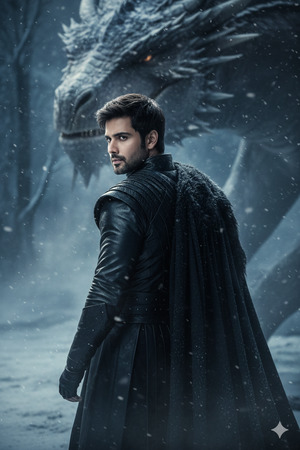
Create a highly realistic, 8k resolution portrait in a cold, snowy environment.
Subject: a man standing with his back turned, slightly turning his head to the left, showing his face clearly and realistically.
Outfit: black Targaryen-style clothes, slightly blurred to emphasize depth, maintaining realistic folds and texture.
Background: Drogon’s face looming slightly blurred behind him, creating an epic cinematic effect.
Lighting: cold, moody tones with subtle cinematic shadows on the face and clothes.
Style: professional, high-quality fantasy photo, realistic textures, shallow depth of field, cinematic composition.
Reference: use the man from the provided photo for accurate face and features.
Negative prompt: avoid distortion, low quality, watermarks, unnatural poses.
Generate in 9:16 aspect ratio, Instagram Reel size, hyper-realistic detail.
Pose Variant 1 – Looking Over Shoulder
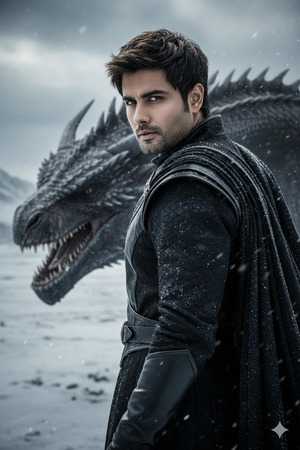
Create a highly realistic, 8k resolution portrait in a cold, snowy environment.
Subject: a man standing with his back mostly to the camera, turning his head sharply over his right shoulder, showing his face clearly and realistically.
Outfit: black Targaryen-style clothes, slightly blurred to emphasize depth, realistic folds and texture.
Background: Drogon’s face looming slightly blurred behind him on the left side.
Lighting: cold, moody tones with cinematic shadows, highlighting facial features.
Style: professional, high-quality fantasy photo, realistic textures, shallow depth of field, cinematic composition.
Reference: use the man from the provided photo for accurate face and features.
Negative prompt: avoid distortion, low quality, watermarks, unnatural poses.
Generate in 9:16 aspect ratio, Instagram Reel size, hyper-realistic detail.
How to Customize This Prompt
You can easily adjust this prompt to fit your style:
- Replace “the man from the provided photo” with your own reference photo.
- Change Drogon’s position to the left or right to create a different composition.
- Swap black Targaryen clothes for any fantasy outfit or color you prefer.
- Adjust lighting style for warmer or colder tones depending on the mood you want.
Even small tweaks can make your portrait unique while keeping the epic fantasy vibe.
How to Create This Image Using Google Gemini
Follow these simple steps:
- Open Google Gemini on your browser.
- Paste the prompt from above into the text input.
- Type “Create an image in 9:16 ratio” along with the prompt to ensure it fits Instagram Reels.
- Download the image once Google Gemini generates your highly detailed Targaryen-inspired portrait.
Tip: For best results, use a high-resolution reference photo of the man to keep his features accurate.
Conclusion
Creating cinematic, fantasy-inspired portraits has never been easier. With Google Gemini, you can generate a highly realistic Targaryen-themed portrait in minutes. Let your creativity shine by experimenting with lighting, background dragons, and wardrobe details.
Share your stunning creations on Instagram, tag your friends, and watch your posts go viral! The combination of epic fantasy, cinematic detail, and personal customization is sure to grab attention.







