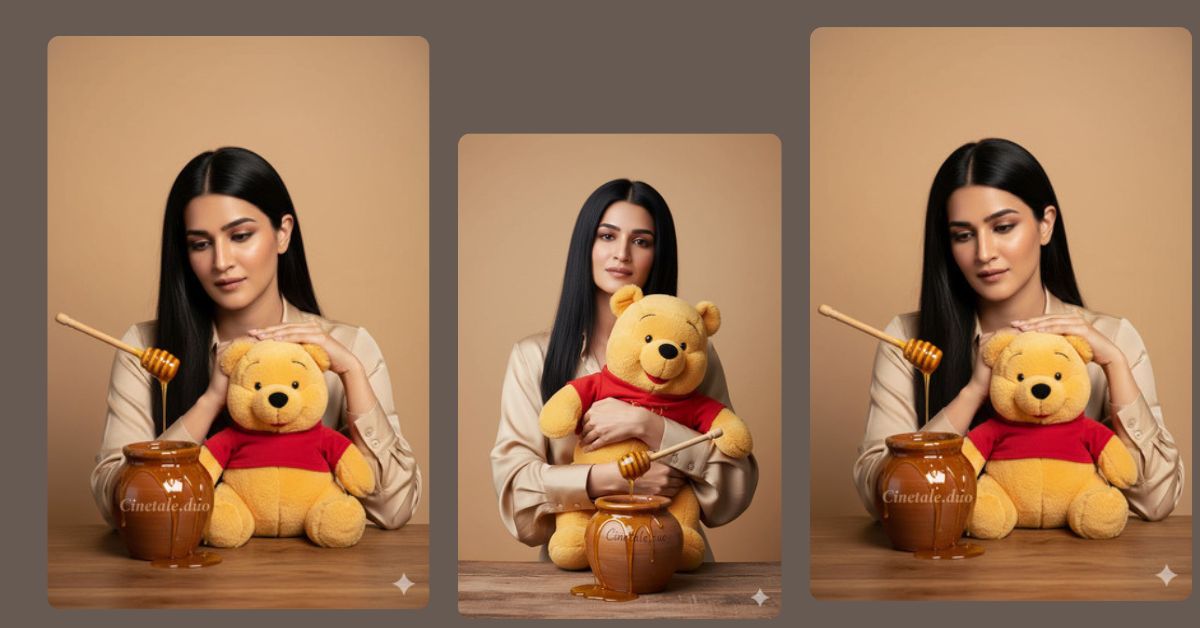
Cinematic studio portraits with fun props are trending on Instagram and Pinterest.
Images that mix realistic textures, soft lighting, and playful elements—like teddy bears and honey pots—are highly shareable and get more engagement.
This Winnie the Pooh themed luxury portrait combines elegance and nostalgia, making it perfect for social media.
You can create this Viral AI Image for free using Google Gemini, even without professional photography skills.
The Viral Prompt
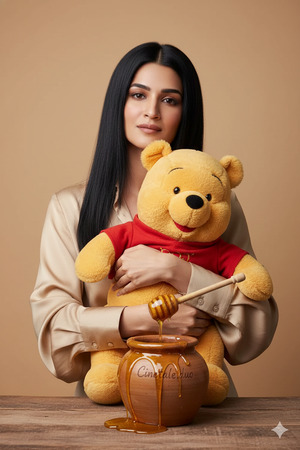
Create a high-quality, professional studio portrait of a woman with long, sleek black hair wearing a beige silk blouse. She is holding a life-sized fluffy Winnie the Pooh teddy bear wearing his classic red shirt. In front of them on a table is a rustic clay honey pot labeled “Cinetale.duo,” with golden, viscous honey dripping realistically from a wooden dipper and spilling over the sides. The background is a clean, solid warm-beige color. Use soft cinematic lighting to highlight the textures of the teddy bear’s fur, the silk blouse, and the glossy honey. Ultra-realistic textures, 8K resolution, polished editorial aesthetic, shallow depth of field, professional studio photography style. Preserve the facial features exactly like the uploaded reference image. Create the image in a 9:16 aspect ratio.
Pose Variant 1 – Teddy Resting on Table, Looking at Honey
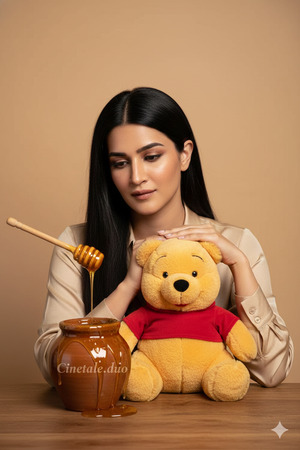
Create a high-quality, professional studio portrait of a woman with long, sleek black hair wearing a beige silk blouse. She is sitting with the Winnie the Pooh teddy bear resting gently on the table, her hands lightly touching the teddy while she looks at the honey pot with a soft, contemplative expression. The honey pot labeled “Cinetale.duo” has golden, viscous honey dripping realistically from a wooden dipper. The background is a clean, solid warm-beige color. Use soft cinematic lighting to highlight the textures of the teddy bear’s fur, the silk blouse, and the glossy honey. Ultra-realistic textures, 8K resolution, polished editorial aesthetic, shallow depth of field, professional studio photography style. Preserve the facial features exactly like the uploaded reference image. Create the image in a 9:16 aspect ratio.
How to Customize This Prompt
You can personalize this prompt while keeping its cinematic style:
- Change blouse color (beige → cream, pastel pink, soft yellow)
- Replace honey pot label (Cinetale.duo → your name or brand)
- Swap prop (Winnie the Pooh → another favorite teddy or toy)
- Adjust background color (warm-beige → soft pastel or neutral)
Keep 8K resolution, cinematic lighting, and ultra-realistic textures to maintain a polished studio look.
How to Create This Image Using Google Gemini
Follow these steps for the best results:
- Open Google Gemini
- Paste the prompt above
- Type: “Create an image in 9:16 aspect ratio”
- Generate and download your studio portrait
Your Instagram-ready, playful-yet-elegant AI image is ready to post.
Conclusion
This Viral Google Gemini Prompt perfectly combines professional studio quality with a nostalgic, fun element.
The realistic textures of the teddy, silk, and honey give it a premium feel, while preserving your facial features keeps it personal.
Create your portrait today, share it on Instagram, and delight your followers with this playful and polished AI creation.
Don’t forget to tag @sukoonprompt to inspire others with your unique AI art.







