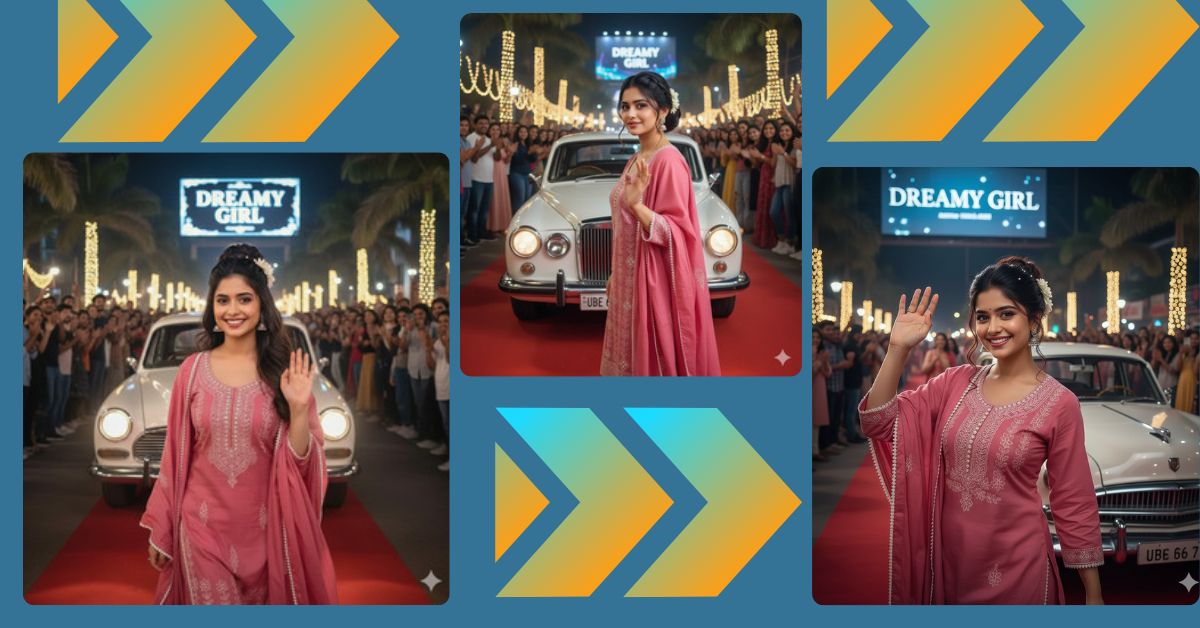
Celebrity-style red carpet images are trending heavily on Instagram Reels right now.
People love glamorous night scenes, vintage cars, waving poses, and cinematic crowd moments because they feel luxurious and viral-ready.
The best part? You can create this Viral AI Image for free using Google Gemini.
With one perfect prompt, you can turn your photo into a cinematic red carpet moment in just minutes.
The Viral Prompt (Google Gemini Prompt)
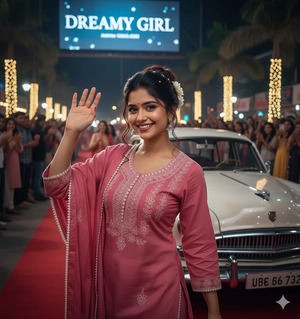
Create an ultra-realistic, hyper-detailed 8K cinematic portrait using the exact facial features from the uploaded reference image with no changes at all.
The girl is wearing the exact same clothes and jewelry as shown in the second reference image, with 100% accuracy and no alterations.
She has dark brown hair styled in a classic high bun with braided details, decorated with small white pearls and a white flower. Loose soft waves frame her face, with a few strands falling naturally across it.
She is walking confidently beside a vintage white sedan on a red carpet, looking directly into the camera and waving her hand in the air to greet the audience.
The background is a festive night street scene with cheering crowds, palm trees, glowing string lights, and a large billboard reading “DREAMY GIRL.”
Cinematic lighting, realistic skin texture, dramatic highlights and shadows, professional photography look, ultra-sharp focus, shallow depth of field.
High quality, realistic texture, cinematic lighting, ultra-detailed, 8K resolution.
Create the image in 9:16 aspect ratio.
Pose Variant 1 – Elegant Pause & Smile
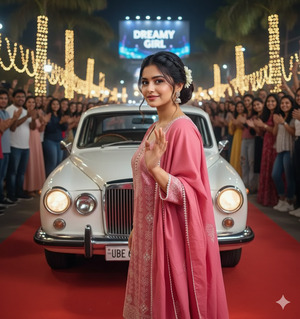
Create an ultra-realistic, hyper-detailed 8K cinematic portrait using the exact facial features from the uploaded reference image with no changes at all.
The girl is wearing the exact same clothes and jewelry as shown in the second reference image with 100% accuracy.
Her dark brown hair is styled in a classic high bun with braided details, small white pearls, and a white flower, with loose waves framing her face.
She is walking on the red carpet beside a vintage white sedan, pausing slightly while smiling softly at the camera, one hand gently lifted in a graceful wave.
The background shows a festive night street with cheering crowds, palm trees, glowing string lights, and a “DREAMY GIRL” billboard.
Cinematic lighting, realistic skin texture, shallow depth of field, professional photography look, ultra-detailed, 8K resolution.
Create the image in 9:16 aspect ratio.
Pose Variant 2 – Confident Stride, Eyes Forward
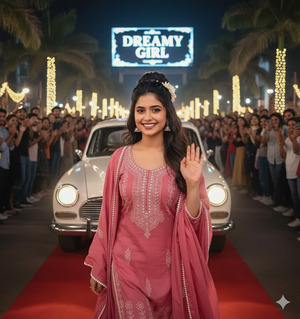
Create an ultra-realistic, hyper-detailed 8K cinematic portrait using the exact facial features from the uploaded reference image with no changes at all.
The girl is wearing the exact same clothes and jewelry as shown in the second reference image with no alterations.
Her hair remains in a classic high bun with braided details, pearls, and a white flower, with soft loose strands framing her face.
She is captured mid-walk on the red carpet beside a vintage white sedan, chin slightly lifted, looking confidently into the camera while waving to the crowd.
The background features a festive night street, cheering audience, palm trees, string lights, and a glowing “DREAMY GIRL” billboard.
Cinematic lighting, realistic textures, film-like depth, high detail, 8K resolution.
Create the image in 9:16 aspect ratio.
How to Customize This Prompt
You can personalize this prompt very easily:
- Replace billboard text like “DREAMY GIRL” with your own name.
- Change car color if you want a different luxury vibe.
- Adjust crowd size or lighting for a more dramatic or soft look.
- Modify hairstyle decorations like pearls or flowers if needed.
Always keep the line about “exact same face with no alteration” if you want perfect facial accuracy.
How to Create This Image Using Google Gemini
Follow these simple steps:
- Open Google Gemini on your phone or computer.
- Paste the viral prompt given above.
- Add this line at the end:
“Create an image in 9:16 aspect ratio.” - Generate the image and download your red carpet AI photo.
Your Instagram Reel–ready image is now complete
Conclusion
This Viral AI Image captures a dreamy celebrity red carpet moment with cinematic lighting, luxury vibes, and strong Instagram appeal.
The waving pose, vintage car, festive crowd, and night glow make it perfect for Reels, profile photos, and viral posts.
Use Google Gemini to bring your glamorous vision to life and don’t forget to share your creation on Instagram.
Keep visiting Techy Gabru for more trending Google Gemini prompts and AI image ideas that actually go viral







