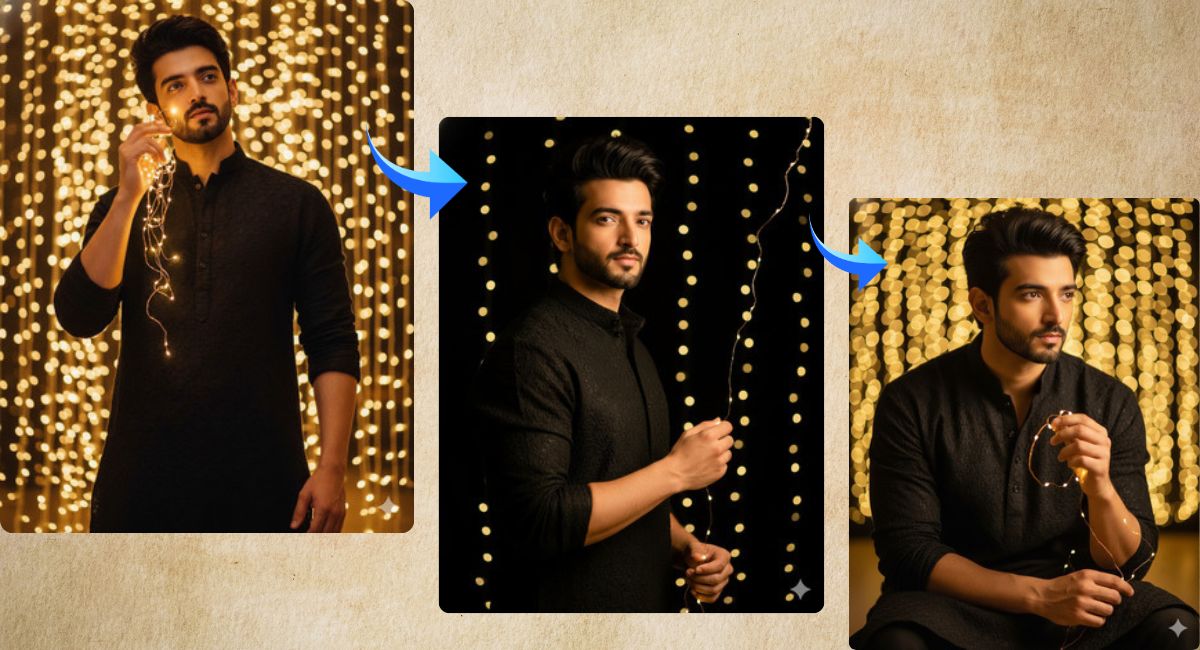
Festive golden fairy light portraits are trending all over Instagram Reels and profile posts.
This style looks dreamy, elegant, and emotional, which makes it perfect for festivals, celebrations, and personal branding.
The best part is that you can create this Viral AI Image for free using Google Gemini, without a camera or photoshoot.
In this Techy Gabru guide, you will get one perfect Google Gemini prompt to create a cinematic festive portrait.
How to Customize This Prompt
You can easily personalize this prompt by changing a few words.
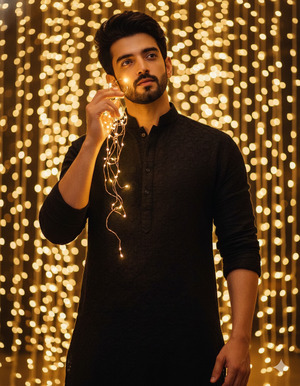
Pose Variant 1: Hand-Raised Fairy Lights Pose (Dreamy & Magical)
<!– wp:code –>
<pre class=”wp-block-code”><code>Convert the uploaded reference image into a hyper-realistic cinematic festive portrait.
Keep the exact same face, facial features, skin tone, expressions, hairstyle, and beard from the uploaded image.
Do not alter the face in any way.
Scene: A young man dressed in an elegant black kurta,
standing near glowing golden fairy lights.
Pose: He is standing upright,
one hand gently raised and holding a strand of fairy lights near his face,
the other hand relaxed by his side.
His eyes are looking slightly upward into the distance with a dreamy, hopeful expression.
Camera angle: low-angle shot for a tall and confident appearance.
Shallow depth of field transforms the background into warm golden bokeh.
Lighting: professional cinematic lighting with soft golden glow on the face.
Style: ultra-realistic, ultra-detailed,
high quality 4K resolution,
photorealistic DSLR-style portrait,
cinematic color grading.
Create the image in 9:16 aspect ratio, vertical Instagram Reel size.
</code></pre>
<!– /wp:code –>
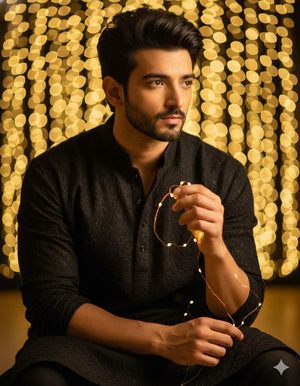
Pose Variant 2: Close Fairy Lights Chest-Level Pose (Emotional & Elegant)
<!– wp:code –>
<pre class=”wp-block-code”><code>Convert the uploaded reference image into a hyper-realistic cinematic festive portrait.
Keep the exact same face, facial features, skin tone, expressions, hairstyle, and beard from the uploaded image.
Do not alter the face in any way.
Scene: A young man wearing an elegant black kurta,
surrounded by glowing golden fairy lights.
Pose: He is slightly leaning forward,
one hand softly brushing fairy lights near his chest,
the other hand resting calmly in front.
His gaze is directed sideways into the distance with a calm, emotional expression.
Camera angle: low-angle cinematic shot,
shallow depth of field creating rich golden bokeh in the background.
Lighting: warm professional lighting highlighting facial features and kurta texture.
Style: ultra-realistic, 4K resolution,
cinematic festive portrait,
realistic skin texture, natural fabric folds.
Create the image in 9:16 aspect ratio, vertical Instagram Reel size.
</code></pre>
<!– /wp:code –>
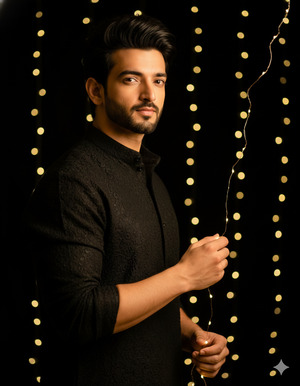
Pose Variant 3: Side-Turn Confidence Pose (Festive Editorial Look)
<!– wp:code –>
<pre class=”wp-block-code”><code>Convert the uploaded reference image into a hyper-realistic cinematic festive portrait.
Keep the exact same face, facial features, skin tone, expressions, hairstyle, and beard from the uploaded image.
Do not alter the face in any way.
Scene: A young man in a black kurta stands beside glowing golden fairy lights.
Pose: He is turned slightly to the side,
one hand gently touching the fairy lights,
the other hand resting casually near his waist.
His face is angled forward with a confident, hopeful, and composed expression.
Camera angle: low-angle shot for strong presence,
background blurred into warm golden bokeh.
Lighting: cinematic festive lighting with golden highlights and soft shadows.
Style: ultra-realistic, ultra-detaled 4K quality,
photorealistic DSLR-style image,
cinematic festive color grading.
Create the image in 9:16 aspect ratio, vertical Instagram Reel size.
</code></pre>
<!– /wp:code –>
You may replace:
- Kurta color → black to white, navy blue, maroon, or green
- Expression → dreamy to confident, calm, or smiling
- Light color → golden to warm white or amber
Important Tip:
Do not remove the line “Keep the exact same face” if you want your identity to stay unchanged.
How to Create This Image Using Google Gemini
Follow these simple 4 steps:
- Open Google Gemini
Open Google Gemini on your browser or mobile app. - Upload Your Reference Image
Upload the photo whose face you want to keep exactly the same. - Paste the Prompt
Paste the prompt above and type:
“Create an image in 9:16 ratio” - Download the Image
Once Gemini generates the image, download it and post it on Instagram.
Conclusion
This Trending Viral AI Image style is perfect for:
- Instagram Reels and Stories
- Festival posts (Diwali, weddings, celebrations)
- Personal branding
- Elegant aesthetic profiles
Using this Google Gemini Prompt, you can turn a simple photo into a cinematic festive kurta portrait that looks professional, emotional, and highly shareable.
Try this prompt today and share your creation on Instagram to stand out during the festive season.







