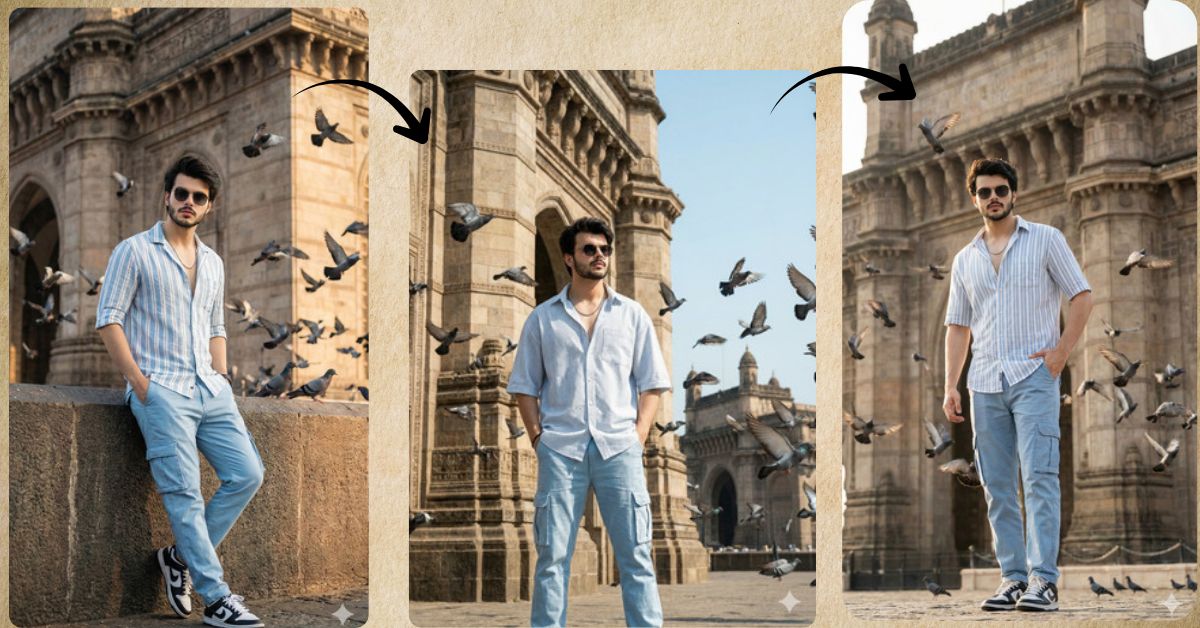
Right now, urban luxury portraits with famous landmarks are trending strongly on Instagram Reels.
Images that combine iconic locations, stylish outfits, bright daylight, and natural motion (like flying birds) feel cinematic, confident, and premium. This style looks real, powerful, and highly shareable.
You can create this Viral AI Image for free using Google Gemini.
In this Techy Gabru guide, you will get one perfect Google Gemini prompt to create a stunning full-body portrait in 9:16 aspect ratio, ideal for Instagram.
Important Before You Start
- Upload your reference image in Google Gemini
- Face and hairstyle must remain 100% exactly the same
- Always ask for 9:16 Aspect Ratio (Instagram Reel Size)
The Viral Prompt (Google Gemini)
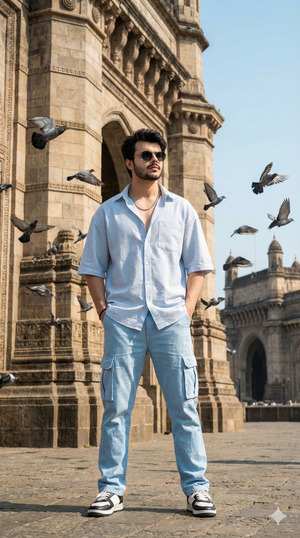
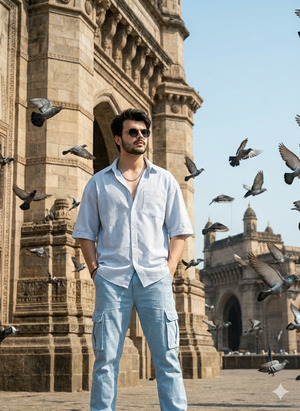
Create a full-body ultra-realistic cinematic portrait using the uploaded reference image.
Keep the exact same face, facial features, skin tone, expressions, and hairstyle from the uploaded image.
Do not alter the face or hair in any way.
Scene: A young man standing casually near the iconic backside of the Grand Hotel Mumbai.
The environment is bright with sunny daylight and a soft cinematic glow.
Pose: He is standing confidently with both hands casually placed in his pockets.
His posture feels relaxed, stylish, and self-assured.
Outfit: a light blue and white wide-stripe oversized half-sleeve shirt,
relaxed light-blue cargo pants,
sleek black sunglasses,
a subtle silver chain,
and black-and-white sneakers.
Action & Atmosphere: dozens of pigeons flying dynamically around him,
adding natural motion and energy to the scene.
Lighting: bright natural sunlight with soft cinematic highlights,
realistic shadows on the ground and clothing,
clear daylight tones.
Style: ultra-realistic, cinematic realism,
high quality, 8K resolution,
realistic skin texture, detailed fabric folds,
sharp focus with natural depth,
professional lifestyle photography look.
Create the image in 9:16 aspect ratio, vertical Instagram Reel size.
Pose Variant 1: One-Hand Pocket, One-Hand Relaxed (Casual Confidence)
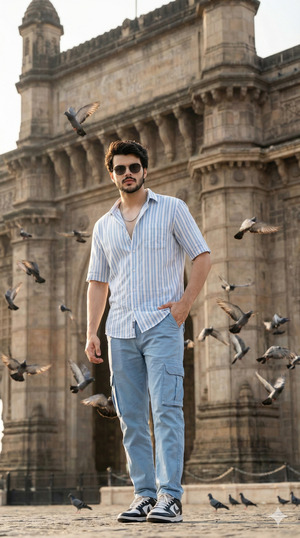
Create a full-body ultra-realistic cinematic portrait using the uploaded reference image.
Keep the exact same face, facial features, skin tone, expressions, and hairstyle from the uploaded image.
Do not alter the face or hair in any way.
Pose: The young man stands casually near the backside of the Grand Hotel Mumbai.
One hand is placed inside his pocket,
while the other hand hangs relaxed by his side.
His body is slightly angled, giving a natural and confident stance.
All outfit details, lighting, pigeons in flight, and cinematic quality remain unchanged.
Create the image in 9:16 aspect ratio.
Pose Variant 2: Lean-Back Relaxed Pose (Urban Editorial Style)
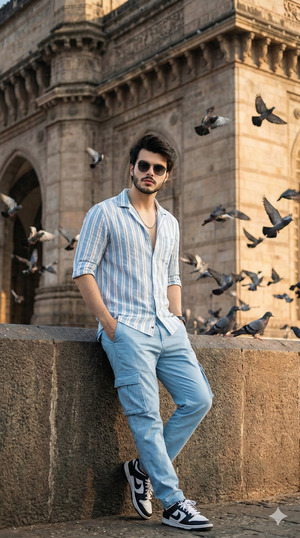
Create a full-body ultra-realistic cinematic portrait using the uploaded reference image.
Keep the exact same face, facial features, skin tone, expressions, and hairstyle from the uploaded image.
Do not alter the face or hair in any way.
Pose: He is standing with his back slightly leaning against a nearby architectural surface.
Both hands are placed casually inside his pockets.
His posture feels relaxed, stylish, and editorial, with subtle confidence.
All environment elements, pigeons, daylight lighting, and realism remain the same.
Create the image in 9:16 aspect ratio.
Pose Variant 3: Walking Mid-Step Pose (Dynamic & Trendy)
Create a full-body ultra-realistic cinematic portrait using the uploaded reference image.
Keep the exact same face, facial features, skin tone, expressions, and hairstyle from the uploaded image.
Do not alter the face or hair in any way.
Pose: The young man is captured mid-step while walking forward.
One hand remains in his pocket,
the other swings naturally by his side.
His posture feels dynamic and confident, adding motion to the scene.
All outfit details, pigeons flying, bright daylight, and cinematic style remain unchanged.
Create the image in 9:16 aspect ratio.
How to Customize This Prompt
You can easily personalize this prompt by changing a few words.
You may replace:
- Outfit colors → blue-white to beige, black, or pastel tones
- Location → Grand Hotel Mumbai to another iconic city landmark
- Accessories → silver chain to gold or no chain
Important Tip:
Never remove “Keep the exact same face” if you want your identity to remain unchanged.
How to Create This Image Using Google Gemini
Follow these simple 4 steps:
- Open Google Gemini
Open Google Gemini on your mobile or desktop browser. - Upload Your Reference Image
Upload the photo whose face and hairstyle you want to keep exactly the same. - Paste the Prompt
Paste the prompt above and type:
“Create an image in 9:16 ratio” - Download the Image
Once Gemini generates the image, download it and post it on Instagram.
Conclusion
This Trending Viral AI Image style is perfect for:
- Instagram Reels & Stories
- Urban fashion and lifestyle creators
- City landmark photography lovers
- Personal branding with a confident, premium look
Using this Google Gemini Prompt, you can turn a simple photo into a cinematic Grand Hotel Mumbai portrait that looks stylish, dynamic, and professional.
Try this prompt today and share your creation on Instagram to stand out with an iconic urban vibe.







