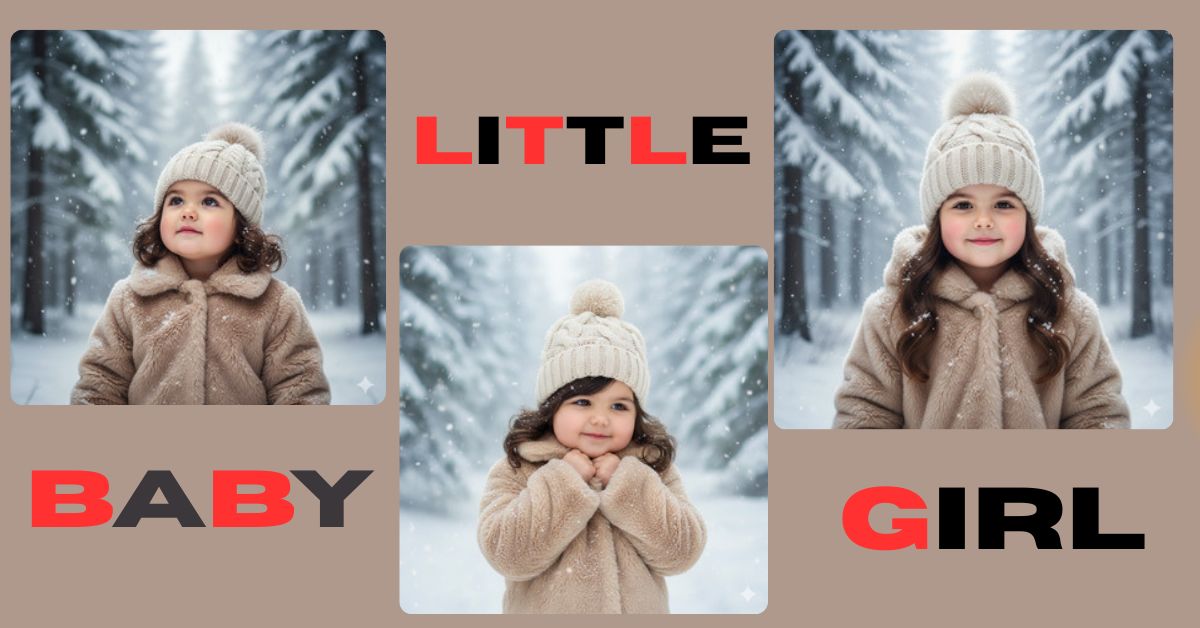
Winter-themed portraits are going viral on Instagram and Reels right now.
People love soft snow, calm expressions, and dreamy winter vibes that feel magical and emotional. This peaceful winter forest portrait style is perfect for aesthetic posts, storytelling reels, and profile pictures.
The best part? You can create this for free using Google Gemini, even if you are not a designer or photographer. You just need the right prompt and the correct image size.
The Viral Prompt (Google Gemini)
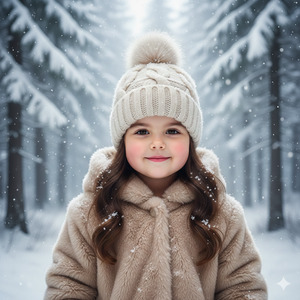
Create a high-quality, ultra-realistic 8K cinematic winter portrait of a little girl standing peacefully in a snowy forest. She has a calm, gentle expression, appearing serene and content. Her hair is lightly dusted with delicate snowflakes, adding a natural winter touch.
She is wearing a soft cream-colored knitted beanie with a detailed cable-knit texture and a fluffy pom-pom on top. Her coat is a thick, plush faux-fur jacket in warm beige tones, with snow naturally settled on the fabric for realism.
The background features tall pine trees fully covered in snow, slowly fading into a misty, atmospheric haze, creating depth and a dreamy winter mood. Soft, diffused natural daylight illuminates the scene, with falling snowflakes frozen mid-air.
Ultra-realistic portrait photography, shallow depth of field, sharp focus on the girl’s face, realistic skin texture, cinematic lighting, soft shadows, dreamy winter aesthetic, professional photography look, no text, no watermark.
Create the image in 9:16 aspect ratio.
Pose Variant 1 : Hands Close to Face (Cozy & Innocent)

Create a high-quality, ultra-realistic 8K cinematic winter portrait of a little girl standing in a snowy forest, gently holding the collar of her faux-fur coat close to her face with both hands. Her head is slightly tilted, and she wears a soft, peaceful smile, looking just past the camera.
Her hair is lightly dusted with delicate snowflakes. She wears a cream-colored knitted beanie with cable texture and a fluffy pom-pom. Her thick plush faux-fur coat in warm beige tones has natural snow resting on it.
The background shows tall pine trees covered in snow, fading into misty haze. Soft diffused natural daylight, falling snow frozen mid-air, shallow depth of field, crisp facial detail, cinematic lighting, dreamy winter atmosphere, ultra-realistic portrait photography, no text, no watermark.
Create the image in 9:16 aspect ratio.
Pose Variant 2 : Looking Up Into the Snow (Dreamy & Magical)
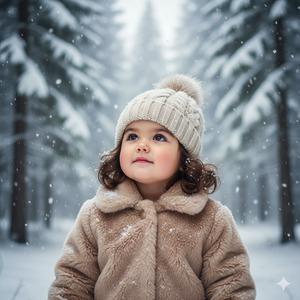
Create a high-quality, ultra-realistic 8K cinematic winter portrait of a little girl standing in a snowy forest, gently looking upward as snowflakes fall around her. Her face shows a calm, dreamy expression, with her chin slightly raised and eyes relaxed.
Her hair is softly dusted with snowflakes. She wears a cream-colored knitted beanie with a textured cable pattern and fluffy pom-pom. Her warm beige faux-fur coat appears plush and realistic, with snow naturally collected on the surface.
Snow-covered pine trees fade into a misty background haze. Soft diffused winter daylight, falling snow sparkling in the light, shallow depth of field, sharp facial focus, cinematic lighting, ultra-realistic photography style, dreamy winter mood, no text, no watermark.
Create the image in 9:16 aspect ratio.
How to Customize This Prompt
You can easily personalize this prompt to match your needs.
Just replace small details like:
- Change “little girl” to boy or child age if needed
- Modify coat color (beige → white, pastel pink, grey)
- Adjust beanie style (no pom-pom, wool cap, hood)
Do not remove important words like ultra-realistic, cinematic lighting, 8K quality for best results.
How to Create This Image Using Google Gemini
Follow these simple steps:
- Open Google Gemini on your mobile or desktop browser.
- Paste the full prompt provided above.
- Add this line at the end:
“Create an image in 9:16 aspect ratio.” - Generate the image and download your winter portrait.
That’s it! Your viral-ready AI image is done.
Conclusion
This serene winter forest portrait style is perfect for Instagram Reels, aesthetic feeds, and emotional storytelling posts. The soft snow, peaceful expression, and cinematic lighting instantly grab attention and feel magical.
Now it’s your turn to create your own winter masterpiece using Google Gemini.
Once done, share your image on Instagram and inspire others with your creativity. Don’t forget to tag your post with winter and AI art trends to boost reach.







