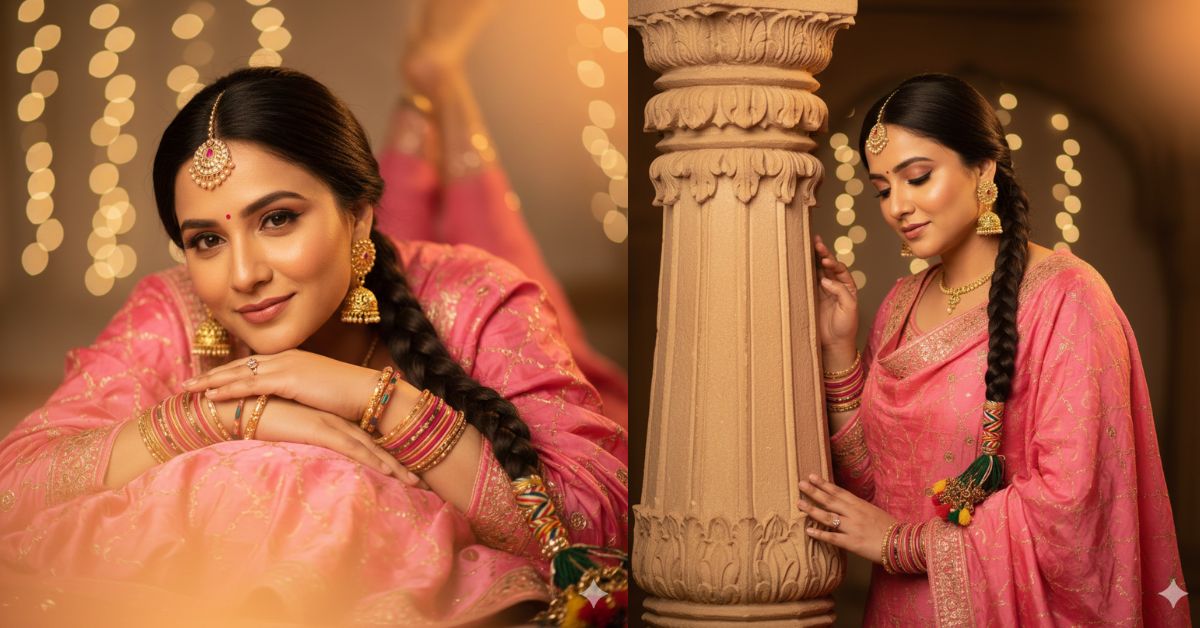
Elegant Indian portraits with palace backgrounds are trending fast on Instagram and Reels.
The mix of traditional outfits, natural expressions, and cinematic lighting gives a royal and timeless feel that people love.
You can now create this viral AI image for free using Google Gemini, without any editing skills. Just one powerful prompt is enough to get professional results.
The Viral Prompt (Google Gemini Prompt)
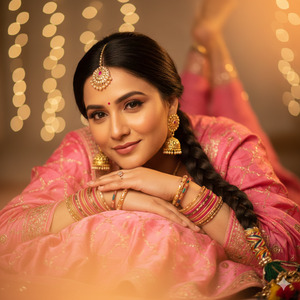
Create an ultra-realistic, cinematic close-up portrait using the reference image of me, keeping my face 100% unchanged with exact facial accuracy. I am lying on my stomach, resting my chin gently on my stacked forearms, with my forearms crossed and placed over a soft dupatta. My expression is calm and warm, with a soft natural smile while looking directly into the camera.
I am wearing a traditional Punjabi pink salwar suit with rich fabric texture, paired with classic jhumka earrings, a delicate mangtika, and a small bindi on my forehead. My arms are adorned with multiple traditional bangles. My hair is styled in a neat braid decorated with a traditional paranda.
The lighting is warm and cinematic, with soft golden tones and a subtle orange flare in the foreground creating a dreamy, ethereal atmosphere. The background is softly blurred with creamy bokeh for depth. High-quality 8K resolution, ultra-realistic skin texture, natural tones, shallow depth of field, professional DSLR photography, cinematic lighting, no face alteration.
Create the image in a 9:16 aspect ratio (Instagram Reel size).
Pose Variant 1 – Soft Lean with Downward Gaze (Elegant & Calm)
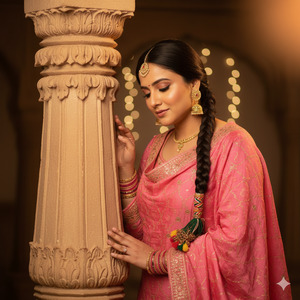
She is gently leaning against the ornate sandstone pillar, her shoulder resting lightly on it. Her head is slightly tilted downward, eyes looking softly toward the floor, creating a serene and introspective mood. One hand rests naturally along the pillar, fingers relaxed.
Pose Variant 2 – Side Profile Turn with Eye Contact (Graceful & Confident)
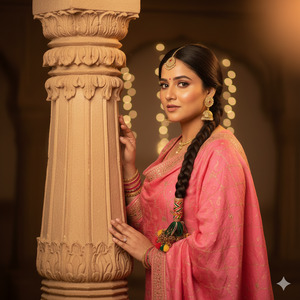
She stands close to the pillar with her body angled sideways. Her torso faces the pillar while her face turns toward the camera, making soft eye contact. Her chin is slightly raised, posture upright, giving a confident yet elegant presence.
How to Customize This Prompt
You can personalize this prompt very easily:
- Change kurta color (black → white, ivory, pastel)
- Replace silver jewelry with gold or pearl
- Adjust expression (soft smile, neutral, thoughtful)
- Modify background (courtyard → palace balcony)
Keep the line “100% unchanged face” if you want perfect facial accuracy.
How to Create This Image Using Google Gemini
Follow these simple steps:
- Open Google Gemini
- Paste the prompt given above
- Add this line at the end:
“Create an image in 9:16 ratio” - Generate and download your image
That’s it—no Photoshop, no filters, no paid apps.
Conclusion
This Chikankari palace portrait style is perfect for Instagram Reels, profile photos, and aesthetic posts.
The royal background, soft pose, and natural lighting make the image look emotional and premium.
Once you create your image using Google Gemini, share it confidently on Instagram with elegant captions.
This style has high viral potential, especially for fashion and cultural content.
Create it, post it, and let your elegance speak for itself







