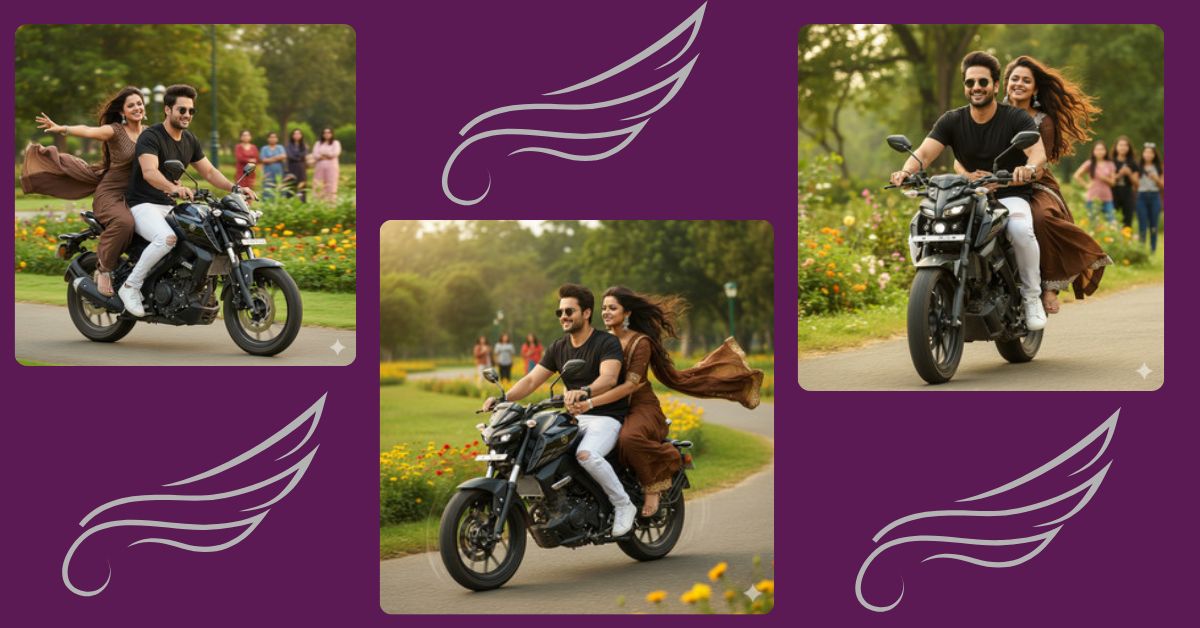
Social media is buzzing with realistic cinematic AI images, and one style that is going viral right now is a high-speed couple riding a sleek bike in a lush park setting. This type of image looks perfect for Instagram Reels, stories, and posts because it combines motion, realism, and cinematic drama.
The best part? You can create this for free using Google Gemini. Just follow the detailed prompt below, and you’ll have a stunning 9:16 aspect ratio image ready to post.
The Viral Prompt
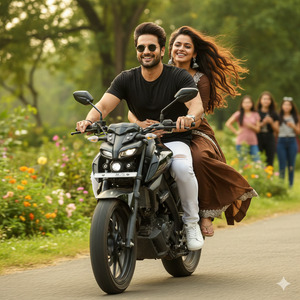
“Create a realistic 4K cinematic close-up front shot of a young slim-fit couple riding a sleek black Yamaha MT-15 at high speed on a lush green park pathway. Both faces are perfectly clear and sharp, same face reference image. The boy wears a black shirt, white jeans, white sneakers, and round black sunglasses, gripping the handlebars confidently. The beautiful girl in a flowing brown saree with brown blouse and silver jhumka earrings holds him tightly with both hands, her long hair flying in the wind. The glossy black Yamaha MT-15 shows precise detail with subtle motion blur. Background features lush greenery, colorful wildflowers, and a few women standing at a distance watching them. Use natural cinematic lighting to add speed, drama, and intensity. High quality, 8K resolution, realistic texture, cinematic lighting. Create in 9:16 aspect ratio.”
Pose Variant 1 – Side View Riding Pose
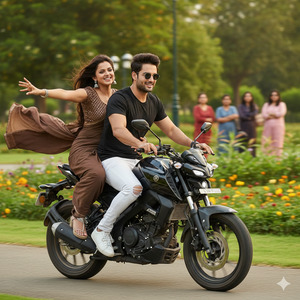
“Create a realistic 4K cinematic side-shot of a young slim-fit couple riding a sleek black Yamaha MT-15 at high speed on a lush green park pathway. Both faces are perfectly clear and sharp, same face reference image. The boy leans slightly forward on the bike wearing a black shirt, white jeans, white sneakers, and round black sunglasses. The beautiful girl in a flowing brown saree with brown blouse and silver jhumka earrings sits sideways behind him, holding him with one hand while her other hand flows in the wind. The glossy black Yamaha MT-15 shows precise detail with subtle motion blur. Background features lush greenery, colorful wildflowers, and a few women standing at a distance watching them. Use natural cinematic lighting to add speed, drama, and intensity. High quality, 8K resolution, realistic texture, cinematic lighting. Create in 9:16 aspect ratio.”
Pose Variant 2 – Close-Up Over-The-Shoulder Pose
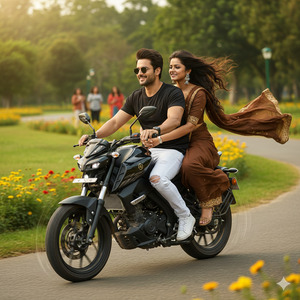
“Create a realistic 4K cinematic close-up over-the-shoulder shot of a young slim-fit couple riding a sleek black Yamaha MT-15 at high speed on a lush green park pathway. Both faces are perfectly clear and sharp, same face reference image. The boy grips the handlebars confidently in a black shirt, white jeans, white sneakers, and round black sunglasses. The girl in a flowing brown saree with brown blouse and silver jhumka earrings hugs him from behind, her hair and saree flowing dramatically in the wind. The glossy black Yamaha MT-15 shows precise detail with subtle motion blur. Background features lush greenery, colorful wildflowers, and a few women watching from a distance. Natural cinematic lighting adds speed, drama, and intensity. High quality, 8K resolution, realistic texture, cinematic lighting. Create in 9:16 aspect ratio.”
How to Customize This Prompt
You can make this image your own by changing a few placeholders:
- Faces: Replace with your own or reference images.
- Clothes: Change colors, style, or type (e.g., t-shirt instead of shirt, or different saree color).
- Bike Model: Switch Yamaha MT-15 with any bike you prefer.
- Background: Modify the park, flowers, or add/remove bystanders.
- Accessories: Adjust sunglasses, earrings, or hairstyles.
This makes your AI image unique and personal for Instagram or social media posts.
How to Create This Image Using Google Gemini
Follow these 4 simple steps:
- Open Google Gemini on your device or browser.
- Paste the prompt provided above in the input box.
- Add the instruction: “Create an image in 9:16 ratio” along with your prompt.
- Generate and download the image once Gemini finishes processing.
Now you have a stunning cinematic image ready to go viral on Instagram!
Conclusion
Creating viral AI images has never been easier. With Google Gemini, you can transform your ideas into realistic, cinematic, high-quality images in minutes. Customize the prompt, experiment with backgrounds and outfits, and watch your creations shine on Instagram Reels. Don’t forget to share your masterpiece and tag your friends—this style is perfect for getting likes, shares, and new followers!







