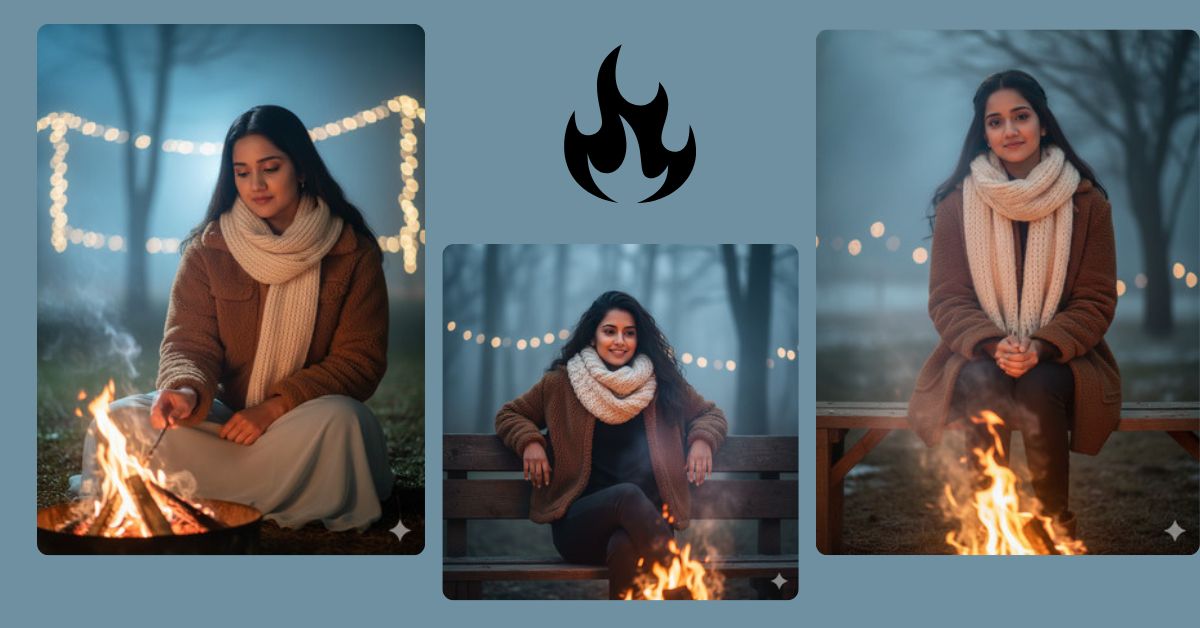
Winter photography and cozy aesthetics are trending on Instagram and social media right now. People love warm, dreamy portraits that capture soft emotions against chilly winter backgrounds. You can create this stunning, photorealistic look easily and for free using Google Gemini. Simply follow the detailed prompt below to get a perfect 9:16 vertical image suitable for Instagram Reels.
The Viral Prompt
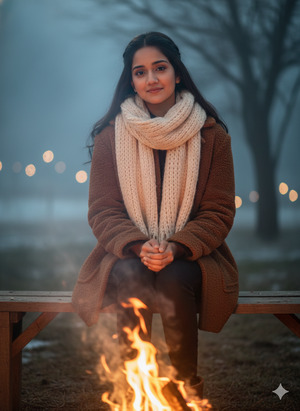
Create a hyper-realistic 8K portrait of an Indian woman sitting near a small bonfire on a cold winter evening. She wears a brown jacket and a knitted muffler. Warm firelight softly illuminates her face, creating cozy reflections on her skin. Include faint smoke trails rising from the fire and a cool, misty winter background. Pose: soft, relaxed, and dreamy, capturing a serene winter night mood. Focus on ultra-realistic textures, cinematic lighting, natural skin tones, and high-resolution details. Create the image in 9:16 aspect ratio for Instagram Reels.
Pose Variant 1 – Leaning Back on Hands
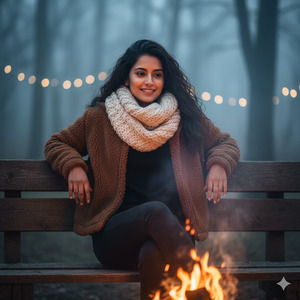
Create a hyper-realistic 8K portrait of an Indian woman sitting near a small bonfire on a cold winter evening. She wears a brown jacket and a knitted muffler. She is leaning back slightly on her hands, legs crossed casually in front of her, smiling gently while looking at the flickering fire. Warm firelight glows on her face and hands, with faint smoke trails rising from the fire. Cool, misty winter background. Pose: relaxed, natural, and dreamy, capturing a cozy winter night. Ultra-realistic textures, cinematic lighting, natural skin tones, high-resolution details. 9:16 aspect ratio for Instagram Reels.
Pose Variant 2 – Stirring the Fire
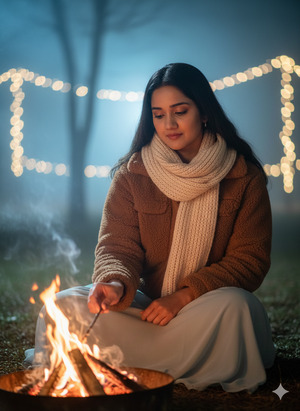
Create a hyper-realistic 8K portrait of an Indian woman sitting near a small bonfire on a cold winter evening. She wears a brown jacket and a knitted muffler. One hand gently stirs the fire with a small stick while she looks down thoughtfully, the other hand resting on her lap. Warm firelight casts soft highlights on her face and hands, with faint smoke trails and a cool, misty winter background. Pose: calm, introspective, and cozy, capturing a serene winter night mood. Ultra-realistic textures, cinematic lighting, natural skin tones, high-resolution details. 9:16 aspect ratio for Instagram Reels.
How to Customize This Prompt
You can easily tweak the prompt to make it your own:
- Clothing Color: Replace “brown jacket” with any preferred color, like “deep green coat” or “navy blue jacket.”
- Accessories: Add scarves, hats, or gloves to enhance winter vibes.
- Background: Swap “misty winter” with “snow-covered forest” or “mountain valley” for different moods.
- Fire Details: Change the bonfire size, color of flames, or smoke intensity for artistic effect.
How to Create This Image Using Google Gemini
Follow these 4 simple steps:
- Open Google Gemini in your browser.
- Copy and paste the prompt above into the text input box.
- Type:
"Create an image in 9:16 ratio"along with the prompt. - Wait for the image to generate, then download your ultra-realistic winter portrait.
Conclusion
Creating cozy winter portraits with Google Gemini is easier than ever! Use this prompt to capture warm, dreamy vibes that resonate with your audience. Share your stunning creations on Instagram, tag your friends, and watch your posts go viral. Experiment with different lighting, backgrounds, and colors to make each winter night scene uniquely yours. Keep creating and sharing—it’s your time to shine!







