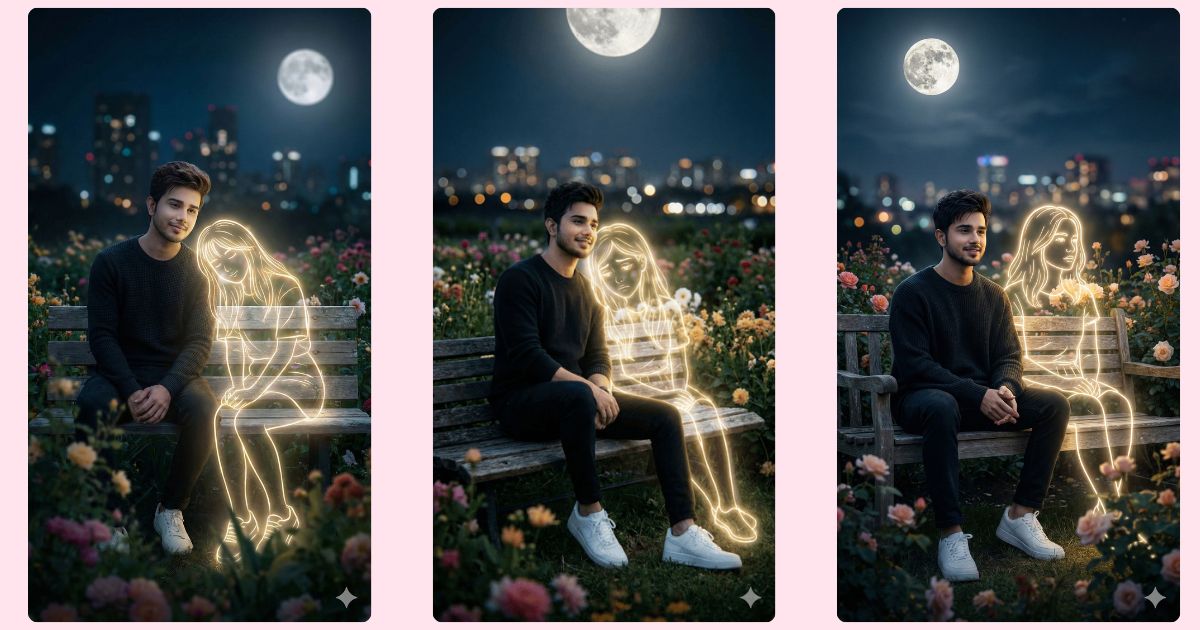
Hyper-realistic AI images with neon glow and emotional vibes are trending on Instagram Reels right now.
People love these images because they mix real life, imagination, and cinematic mood in one frame.
The best part?
You can create this Viral AI Image for free using Google Gemini, even if you are a beginner.
In this blog on Techy Gabru, I will give you one perfect Google Gemini prompt that can help you generate a stunning, emotional, and Instagram-ready AI image.
The Viral Prompt (Google Gemini Prompt)
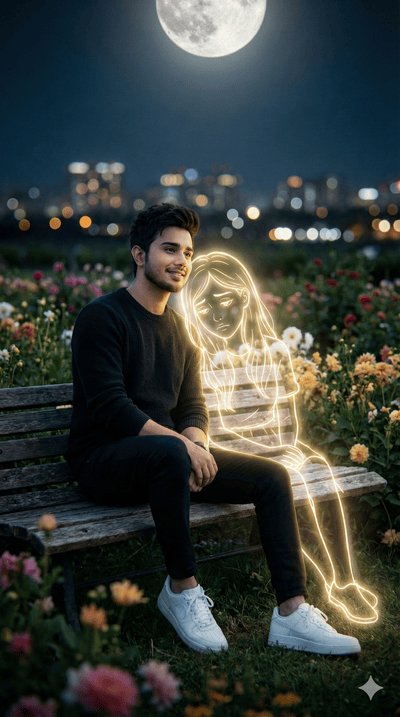
Copy the prompt below and use it as it is in Google Gemini for best results 👇
Create a hyper-realistic cinematic AI image in 8K resolution with ultra-detailed realistic textures.
A young man with 100% accurate real human facial features is sitting on a wooden bench inside a beautiful flower garden at midnight.
He is wearing a dark sweater and clean white sneakers, sitting calmly and looking slightly away from the camera with a light smile on his face, feeling calm, happy, and peaceful.
Beside him appears a golden glowing neon-style illustrated girl, sitting on the same bench.
The neon girl emits a soft white and golden light, with a dreamy neon outline, looking slightly away, creating a melancholic yet magical atmosphere.
A bright full moon is visible in the sky above, adding soft moonlight.
The background shows blurry city lights in the distance with shallow depth of field and cinematic bokeh.
The scene feels calm, emotional, slightly surreal, blending reality and imagination perfectly.
Use cinematic lighting, soft shadows, realistic skin details, sharp focus on faces, professional photography style.
Create the image in 9:16 aspect ratio (Instagram Reel size).
How to Customize This Prompt
You can easily personalize this Google Gemini Prompt:
- Replace facial features with your own (beard, hairstyle, skin tone).
- Change clothing color like sweater or shoes.
- Adjust the mood (sad, romantic, dreamy) by changing emotion words.
- Modify neon girl color (golden, blue, pink) if you want.
Only change small parts to keep the image realistic and viral.
How to Create This Image Using Google Gemini
Follow these simple steps 👇
- Open Google Gemini on your phone or computer.
- Paste the Viral AI Image Prompt given above.
- Type: “Create an image in 9:16 aspect ratio” along with the prompt.
- Generate and download your image.
That’s it. Your Instagram-ready AI image is done.
Conclusion
This Trending Viral AI Image style is perfect for Instagram Reels, profile pictures, and aesthetic posts.
Google Gemini makes it easy, free, and powerful for everyone.
Create your image today and share it on Instagram.
Don’t forget to tag @TechyGabru and show your creativity 🚀✨







