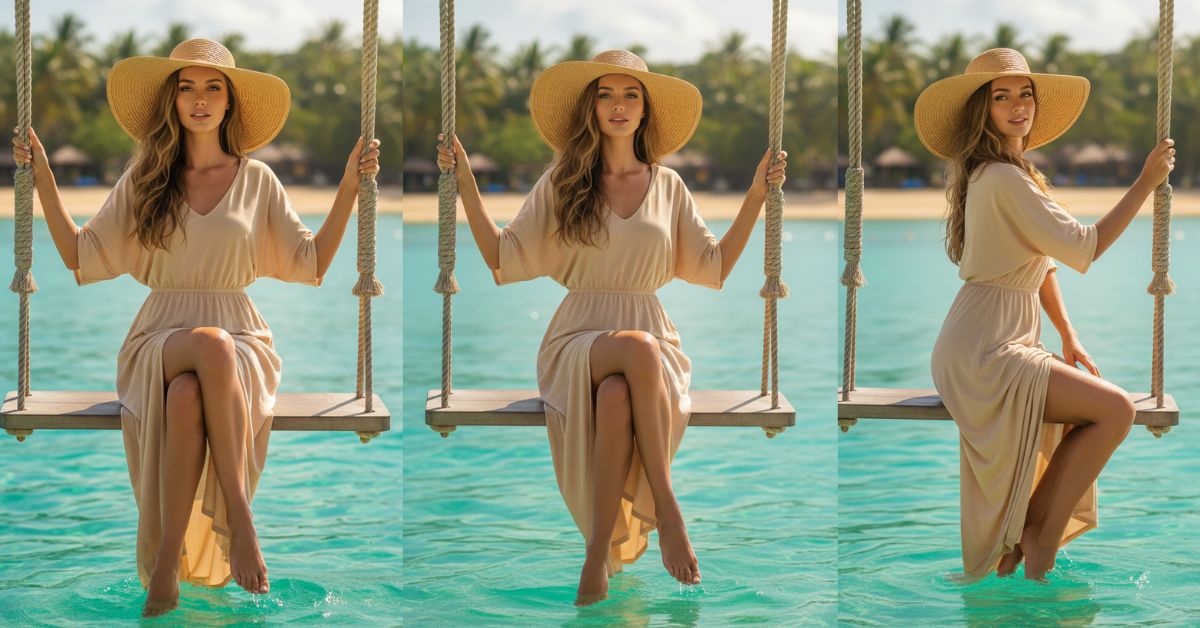
Luxury travel aesthetics are trending hard on Instagram Reels right now—especially photos that look like a high-end resort campaign.
One of the most viral styles is the “tropical swing over crystal water” look: clean outfit, soft smile, golden sunlight, and a premium paradise vibe.
The best part? You can create this for free using Google Gemini, even if you are not a designer.
Just use a strong prompt and always request the 9:16 Aspect Ratio (Instagram Reel Size).
The Viral Prompt (Google Gemini)
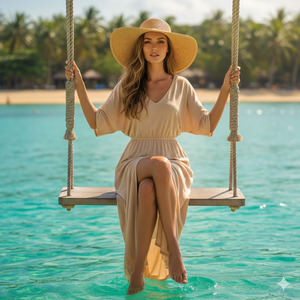
Use the uploaded reference photo. Keep the SAME person and identity. Do NOT change facial features, face shape, skin tone, eye color, or proportions. Hyper-realistic editorial portrait, Vogue-style luxury travel photography.
Create a vertical 9:16 ultra-realistic 8K image of a sophisticated young woman sitting elegantly on a swing suspended by thick nautical ropes above crystal-clear turquoise ocean water in Koh Samui, Thailand. The face must be 100% sharp and detailed, matching the reference person exactly. Athletic slim body proportions, natural anatomy, realistic skin texture, pores visible, premium magazine finish.
POSE: spine straight, elegant feminine posture, both hands gently holding the swing ropes, chin slightly raised, calm confident expression with a closed-lip smile. Legs softly crossed at the ankles with pointed toes for an elegant silhouette.
OUTFIT: flowy white or sand-beige resort dress made of lightweight fabric, moving in the ocean breeze, subtle slit detail. Oversized straw sun hat (glam resort style). Nude nails. “Clean girl millionaire” vibe.
HAIR & MAKEUP: long hair with natural waves and volume, sunlit highlights, glossy but natural. Soft sunkissed makeup, bronzed glow, light blush, refined neutral tones.
SCENE: vibrant transparent sea in green-blue tones, sunlight reflections sparkling on the water, soft ripples visible. Palm trees and a tropical shoreline in the background with a clean sky and a few soft clouds. Background slightly blurred with gentle bokeh, subject remains crisp.
LIGHTING & CAMERA LOOK: warm golden sunlight, cinematic lighting, soft directional highlights, natural shadows, high dynamic range, realistic color grading, premium travel editorial aesthetic. Shot like a professional camera, high quality, ultra detailed, no text, no watermark, no logo.
Pose Variant 1 (Over-shoulder glam)
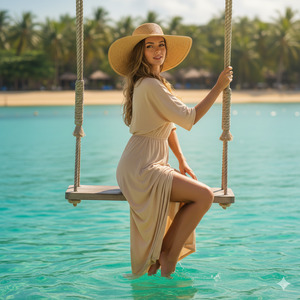
body turned slightly sideways on the swing, shoulders angled to the right, head turned back toward the camera over the shoulder. One hand holding the rope above shoulder height, the other hand lower on the rope. Chin slightly raised, confident soft smile. Legs together, one knee slightly bent, toes pointed.
Pose Variant 2 (Relaxed editorial lean)
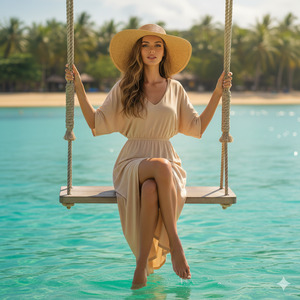
relaxed elegant posture, leaning slightly back into the swing with a gentle curve in the torso. One elbow lightly resting against the rope while the hand holds it, the other hand holding the opposite rope at chest level. Head tilted slightly to the left, calm confident expression with closed-lip smile. Legs extended forward with ankles crossed, toes pointed.
How to Customize This Prompt
You can personalize the image without breaking the “viral” look.
Just replace the parts below (keep everything else same):
- Dress color: change
white or sand-beigetocream,champagne, orsoft blush - Mood: change
calm confidenttohappy,mysterious, orserious editorial - Hat style: change
oversized straw sun hattono hat,silk scarf, orresort visor - Background: change
Koh Samui, ThailandtoMaldives,Bali, orSantorini(same luxury vibe)
Tip: If the face changes, add this line again:
“Keep the same identity and match the reference face exactly.”
How to Create This Image Using Google Gemini (Step-by-Step)
Step 1: Open Google Gemini
Go to Google Gemini and choose image generation (or upload/reference option).
Step 2: Paste the Prompt
Copy the prompt exactly as given above and paste it.
Step 3: Add the 9:16 Instruction
At the end, type: “Create an image in 9:16 ratio” (Instagram Reel size).
Step 4: Download the Image
When Gemini generates the result, download it and post it as a Reel cover or story.
Conclusion
This Trending Viral AI Image style works because it looks like a real luxury holiday shoot—clean outfit, golden sun, and a premium “summer lifestyle” mood.
With the Google Gemini Prompt above, you can create a Reel-ready photo in minutes, even for free.
When you post it on Instagram, try a short caption like:
“POV: Koh Samui vibes 🌴✨” or “Soft life mode: ON
And don’t forget to tag your friends—because this style is made to go viral!







