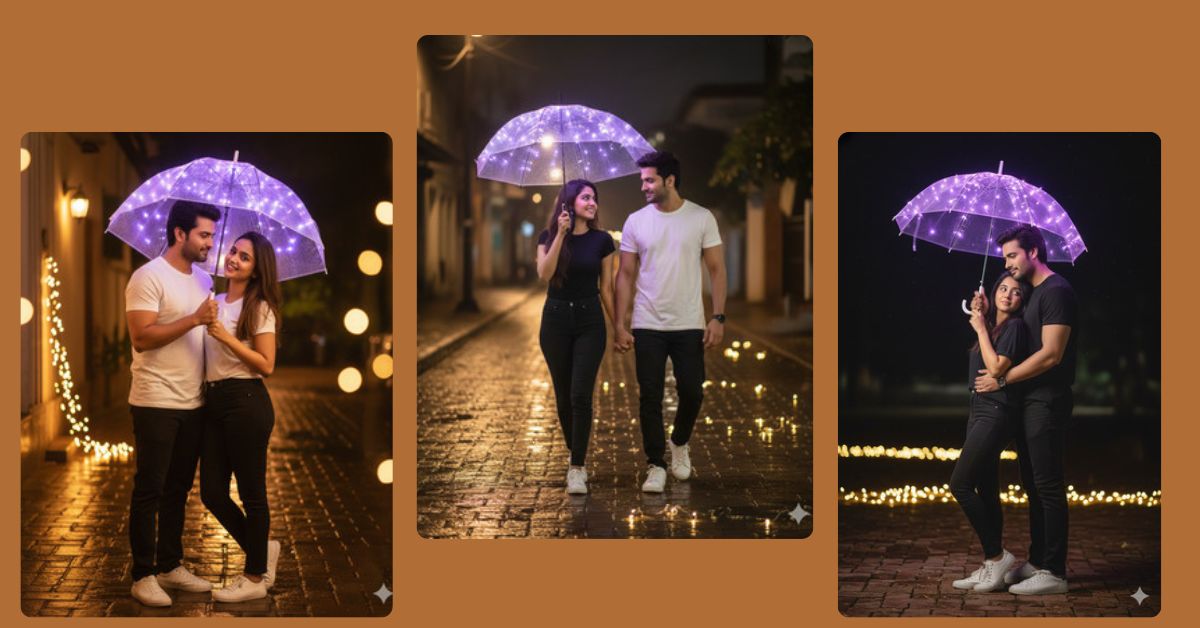
Creating romantic couple portraits with creative lighting is trending on Instagram right now. A warm, rustic night setting with glowing LED lights instantly gives your photo a dreamy and magical vibe.
With Google Gemini, you can generate this stunning image for free in just minutes. No professional camera or editing skills required—just type your prompt and let AI do the magic. Using a 9:16 aspect ratio ensures your image is perfect for Instagram Reels.
The Viral Prompt
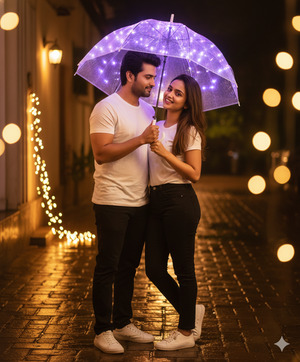
Create a hyper-realistic, cinematic portrait of a young couple standing in a romantic pose at night.
The woman looks directly at the camera with a playful smile while holding a transparent umbrella adorned with shimmering purple LED string lights.
Warm, golden fairy lights are scattered on the rustic brick-paved ground, creating a beautiful bokeh effect.
Both are wearing casual matching outfits: black and white t-shirts, black pants, and white sneakers.
Faces, hair, and tones must match the reference images exactly.
Soft cinematic lighting, high quality, 8k resolution, realistic textures, subtle reflections, smooth skin and hair details, ambient shadows.
Background softly blurred, warm magical nighttime atmosphere, cozy and romantic mood.
Negative prompt: no blur, no missing limbs, no distortion, no watermark, no text, no unrealistic colors.
Create the image in 9:16 aspect ratio (Instagram Reel size).
Pose Variant 1: Side Hug Pose
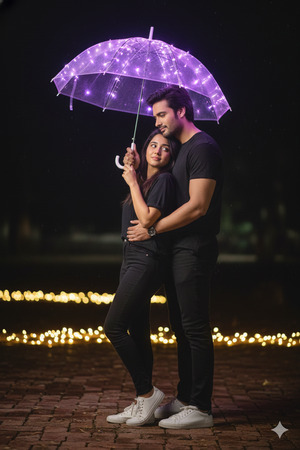
Create a hyper-realistic, cinematic portrait of a young couple standing at night.
The woman stands slightly in front of the man, leaning back into his chest, while he wraps one arm around her waist.
She holds a transparent umbrella adorned with shimmering purple LED string lights above both of them.
Warm, golden fairy lights are scattered on the rustic brick-paved ground, creating a dreamy bokeh.
Both wear casual matching outfits: black and white t-shirts, black pants, and white sneakers.
Faces, hair, and tones must match reference images exactly.
Soft cinematic lighting, high quality, 8k resolution, realistic textures, smooth skin and hair, ambient shadows.
Background softly blurred, magical romantic nighttime atmosphere.
Negative prompt: no blur, no missing limbs, no distortion, no watermark, no text.
Create the image in 9:16 aspect ratio (Instagram Reel size).
Pose Variant 2: Walking Together
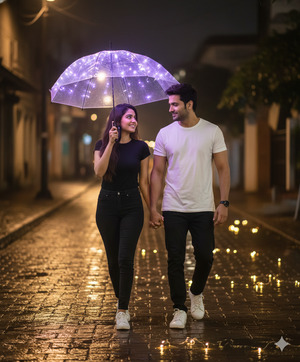
Create a hyper-realistic, cinematic portrait of a young couple walking hand-in-hand at night.
The woman looks playfully at the man while holding a transparent umbrella adorned with shimmering purple LED string lights above them.
He walks slightly behind, glancing at her with a soft smile.
Warm, golden fairy lights scattered on the rustic brick-paved ground create a glowing bokeh.
Both wear casual matching outfits: black and white t-shirts, black pants, and white sneakers.
Faces, hair, and tones must match reference images exactly.
Soft cinematic lighting, high quality, 8k resolution, realistic textures, smooth skin and hair, ambient shadows.
Background softly blurred, magical, romantic nighttime vibe.
Negative prompt: no blur, no missing limbs, no distortion, no watermark, no text.
Create the image in 9:16 aspect ratio (Instagram Reel size).
How to Customize This Prompt
You can easily personalize the prompt to match your style:
- Replace “woman” or “man” with specific names.
- Change clothing colors (e.g., red or pastel outfits).
- Modify LED color to green, blue, or multicolor.
- Swap brick-paved ground with grass, sand, or city street for a different vibe.
- Adjust mood adjectives: playful, romantic, dreamy, cozy, magical.
These tweaks let you create unique Instagram-ready images while keeping the style intact.
How to Create This Image Using Google Gemini
Follow these 4 simple steps to generate your viral AI image:
- Open Google Gemini in your browser.
- Copy and paste the refined prompt provided above.
- Add “Create an image in 9:16 ratio” to ensure it’s perfect for Instagram Reels.
- Click generate and download your high-quality AI image.
Conclusion
Your romantic, glowing couple image is now ready to light up Instagram!
Don’t forget to share your creations and tag your friends. Experiment with colors, props, and poses while keeping the magical LED lights for a dreamy effect. With Google Gemini, every photo can look like a cinematic masterpiece—even without a professional photoshoot.
Unleash your creativity, create eye-catching AI images, and watch your Instagram engagement soar!







