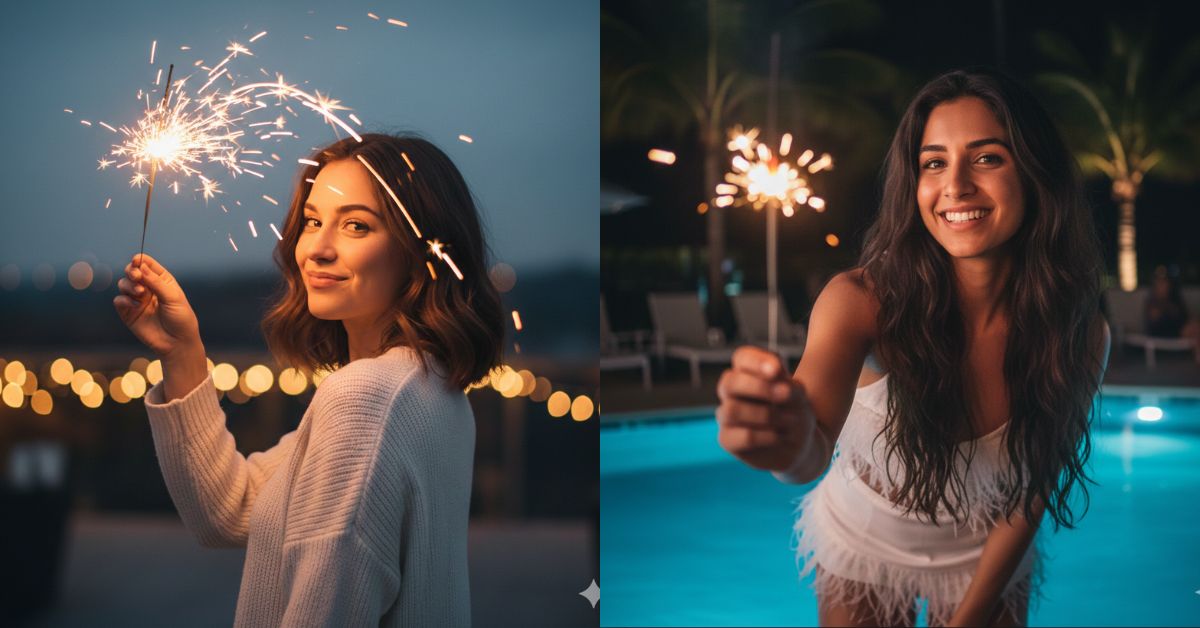
This poolside sparkler night portrait style is trending because it looks like a real luxury party moment—soft blue pool glow, warm sparkler light, and a fashionable white outfit. It feels cinematic, fun, and very “Instagram-ready”.
The best part? You can create this for free using Google Gemini with one powerful prompt and your reference photo. Just remember to generate it in 9:16 Aspect Ratio (Instagram Reel Size) for the perfect viral look.
The Viral Prompt (Copy-Paste for Google Gemini)
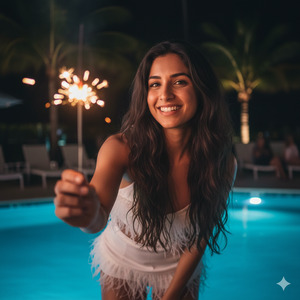
Use the attached reference photo as the face reference. Keep the EXACT same person and do NOT change facial features, eye color, skin tone, hair color, or face proportions. Keep her as a highlighted brunette with long hair, soft waves, natural volume, and an athletic body. Hyper-realistic, ultra-detailed, high quality, 8K, realistic skin texture, cinematic lighting, editorial fashion photography.
Scene: Outdoor night party beside a glowing swimming pool. The pool water emits a soft ambient BLUE light that gently fills the background. The environment feels tropical chic and elegant, like a premium night celebration.
Subject: A young woman standing near the pool, smiling with a joyful, relaxed expression. She is leaning slightly forward. She holds a lit SPARKLER raised toward the camera lens. Her gaze is slightly upward, playful and confident.
Composition: American shot (head to above knees), camera close (about 1 meter distance). The sparkler is in the foreground and slightly out of focus (bokeh/blurred), while the woman’s face is sharp and perfectly focused. Background softly blurred with subtle party vibes.
Lighting: The sparkler is the MAIN light source, casting warm golden highlights on her face and hair. The pool provides soft cool blue fill light. Natural-looking glow, no harsh artificial studio light, balanced highlights and shadows
Outfit: White party set with feather details (clean, fashionable, luxury vibe). Tropical chic, fun, stylish.
Camera look: 35mm lens, f/1.8, ISO 800, shutter 1/100. Shallow depth of field, realistic photography, cinematic color grading, premium editorial finish. No text, no logos, no watermark. Vertical 9:16 aspect ratio.
Pose Variant 1 (Classic Forward Lean – Sparkler Close)
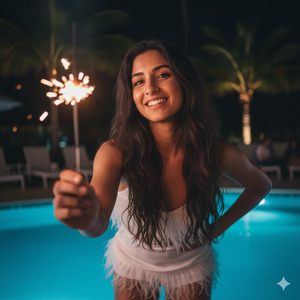
Body leaning slightly forward; right arm extended toward the lens holding the lit sparkler; left hand resting on her hip; head slightly tilted; eyes looking slightly upward; joyful relaxed smile.
Pose Variant 2 (Side Angle – Over-Shoulder Sparkler)
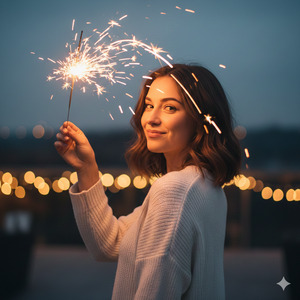
Body turned 30–45° sideways to the camera; sparkler held up near her shoulder and angled toward the lens; she looks back over her shoulder at the camera; chin slightly raised; soft playful smile; shoulders relaxed.
How to Customize This Prompt
You can customize small details without ruining the “same face” effect. Replace only these parts:
- Outfit details: Change “white party set with feather details” to “white satin dress” or “white blazer set”.
- Mood/Expression: Replace “joyful, relaxed smile” with “soft smile” or “laughing candid”.
- Background vibe: Add “string lights” or “soft palm shadows” for more party energy.
Important: Do not change the lines about keeping the same face, hair color, eye color, and skin tone. That is what keeps your reference look accurate.
How to Create This Image Using Google Gemini (4 Steps)
- Open Google Gemini (app or web).
- Upload your reference photo (the face you want to keep).
- Paste the prompt above, then add this line at the end:
“Create an image in 9:16 ratio.” - Generate and download the best result (try 1–2 times if you want a stronger sparkler glow).
Conclusion
This Trending Viral AI Image style is perfect for Instagram because it looks like a real high-end party moment—warm sparkler glow, cool pool lighting, and a clean luxury outfit that instantly stands out in Reels. Create your image in Google Gemini, keep it 9:16, and post it with confidence.
When you upload it, use a short caption like “Night glow energy ✨” and tag your friends—because this kind of cinematic party portrait gets attention fast. If you make one, share it on Instagram and enjoy the compliments!







