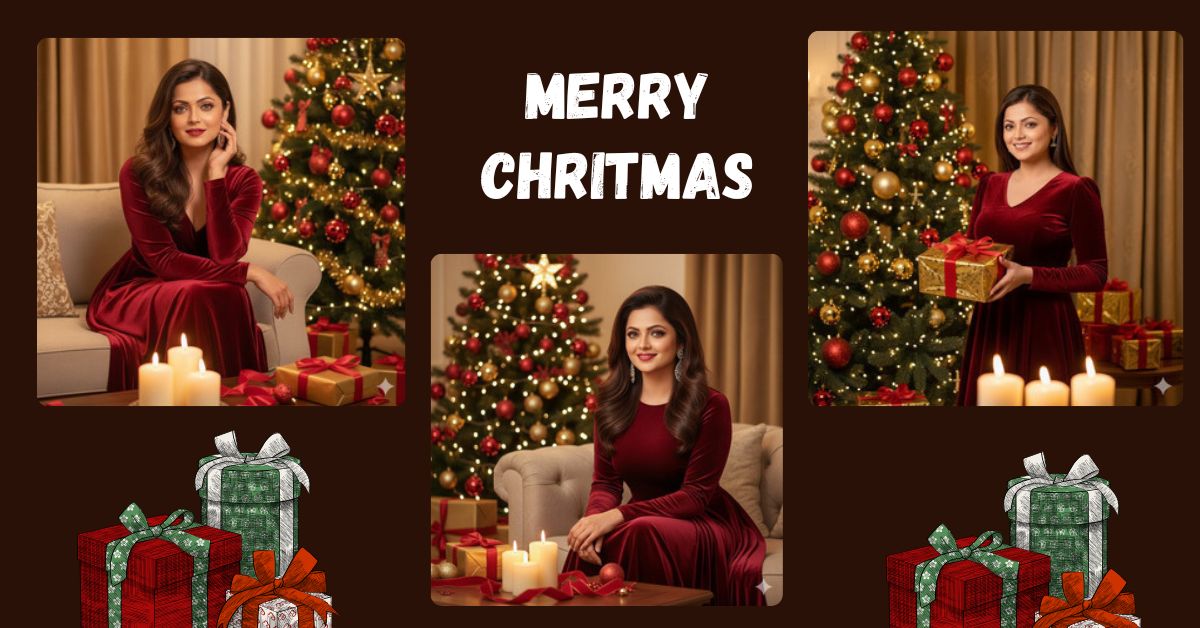
Are you looking to create a stunning, viral Christmas-themed AI image for Instagram or social media? Right now, ultra-realistic cinematic portraits are trending because they bring a cozy, festive, and editorial vibe that everyone loves. With the holiday season, elegant and glamorous portraits like this one stand out in feeds. The best part? You can generate this professional-quality image for free using Google Gemini, your go-to AI image generator. Just follow the steps below and bring this festive scene to life!
The Viral Prompt
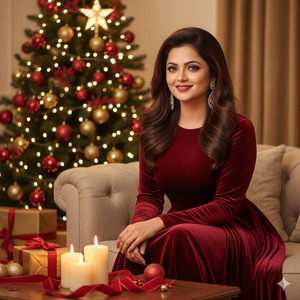
Use the reference face exactly as provided; do not alter the face—100% identical.
Create an ultra-detailed, ultra-realistic cinematic editorial portrait of an elegant woman sitting gracefully on a beige sofa beside a glowing Christmas tree.
She wears a long-sleeved crimson velvet gown that hugs her figure and flows down in soft folds, exuding timeless holiday glamour.
Her makeup is classic and refined: radiant skin with soft contouring, bold red lipstick, long lashes, and defined brows.
Her hair cascades in soft, voluminous waves with subtle highlights shimmering under the warm light.
Accessories: dangling crystal earrings, matching the ornaments on the tree.
She has a sweet smile and expressive hazel eyes.
Background: golden-beige curtains framing the cozy festive setting; a Christmas tree adorned with red and gold baubles, twinkling fairy lights, and a golden star topper glowing warmly behind her.
Nearby: wrapped gold presents with red ribbons, decorative red velvet ribbons, and ornaments on the table. Three lit candles in the foreground casting a soft glow.
Composition: balanced, cinematic, shallow depth of field with sharp focus on her face and gown textures, gentle bokeh from Christmas lights.
Lighting: warm, golden, diffused, with candlelight accents, evoking a luxurious holiday evening atmosphere.
Camera settings (suggested): Lens 85mm f/1.4, Aperture f/1.8, ISO 200, Shutter speed 1/125s.
Style: ultra-realistic, cinematic, 8K resolution, crisp textures.
Mood: elegant, serene, festive, cozy.
Create an image in 9:16 aspect ratio (Instagram Reel size)
Pose Variant 1 – Holding a Gift
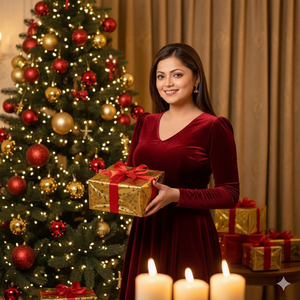
Use the reference face exactly as provided; do not alter the face—100% identical.
Create an ultra-detailed, ultra-realistic cinematic editorial portrait of an elegant woman standing beside a glowing Christmas tree.
She wears a long-sleeved crimson velvet gown that hugs her figure and flows down in soft folds.
She holds a beautifully wrapped gold gift box with a red ribbon in both hands in front of her, slightly tilted.
Makeup, hair, accessories, background, lighting, and mood same as original prompt.
Composition: shallow depth of field, sharp focus on face and hands, bokeh from Christmas lights.
Style: ultra-realistic, cinematic, 8K resolution, crisp textures.
Create an image in 9:16 aspect ratio (Instagram Reel size)
Pose Variant 2 – Sitting Cross-Legged on Sofa
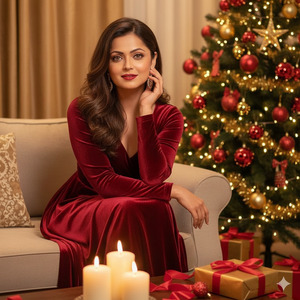
Use the reference face exactly as provided; do not alter the face—100% identical.
Create an ultra-detailed, ultra-realistic cinematic editorial portrait of an elegant woman sitting cross-legged on the beige sofa beside a glowing Christmas tree.
She rests her right hand on her knee and gently touches her cheek with her left hand, smiling softly at the camera.
Makeup, hair, accessories, background, lighting, and mood same as original prompt.
Composition: shallow depth of field, sharp focus on face and hands, bokeh from Christmas lights.
Style: ultra-realistic, cinematic, 8K resolution, crisp textures.
Create an image in 9:16 aspect ratio (Instagram Reel size)
How to Customize This Prompt
You can easily make this prompt your own by changing a few details:
- Gown Color: Replace “crimson” with your preferred color (e.g., emerald green, royal blue).
- Background Decor: Swap out the Christmas tree style or ornaments to match your taste.
- Accessories: Add or change jewelry type (e.g., pearls, gold).
- Lighting Style: Switch from “warm golden” to “soft white” for a modern feel.
- Pose: Change “sitting gracefully on a sofa” to “standing by the fireplace” or “holding a gift.”
These small changes make the image feel personal while keeping it cinematic and professional.
How to Create This Image Using Google Gemini
- Open Google Gemini on your device.
- Copy and paste the viral prompt provided above into the input box.
- Add the line: “Create an image in 9:16 ratio” at the end to ensure Instagram Reel size.
- Click Generate, wait for the AI to render, and then download your ultra-realistic festive image.
Conclusion
Now you can create a luxurious, festive, and elegant AI portrait that looks straight out of a high-end editorial photoshoot. Imagine sharing this cinematic Christmas scene on Instagram or reels—it’s guaranteed to grab attention! Experiment with subtle changes like gown color or props to make your portrait unique. Don’t forget to share your creation on Instagram and tag your friends so they can enjoy this festive AI magic too.







