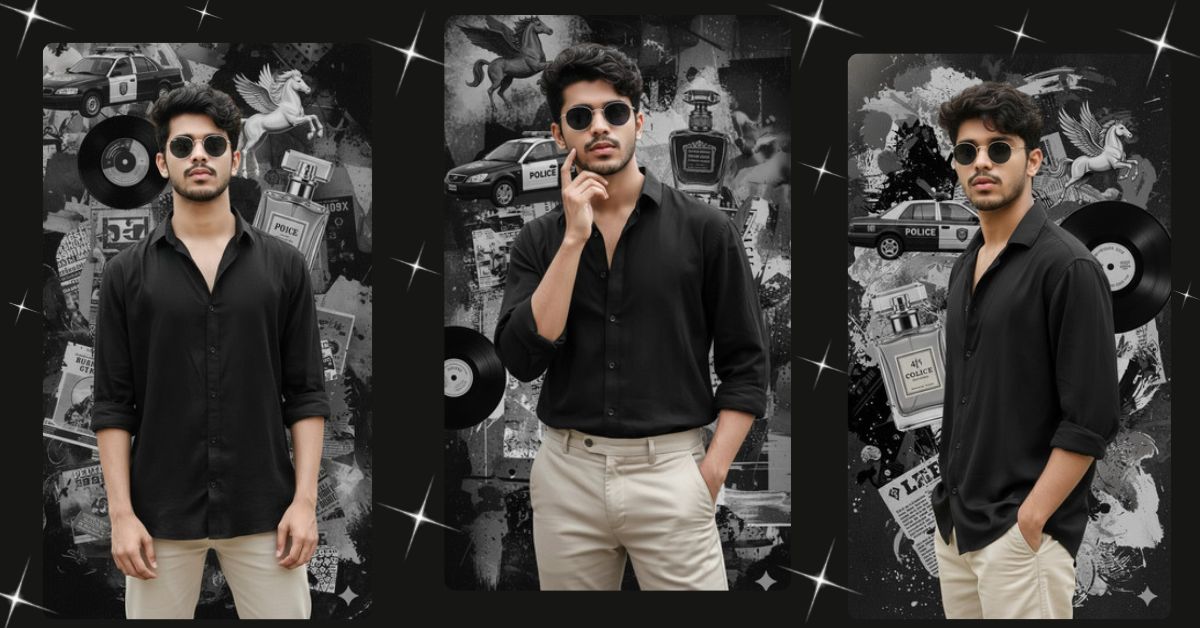
Artistic collage-style cinematic portraits are trending fast on Instagram and Reels.
This style mixes modern fashion with surreal editorial backgrounds, which instantly grabs attention and feels bold, creative, and premium.
The best part is that you can create this Viral AI Image for free using Google Gemini, while keeping your face and hairstyle exactly the same as your uploaded photo.
The Viral Prompt (Google Gemini Image Prompt)
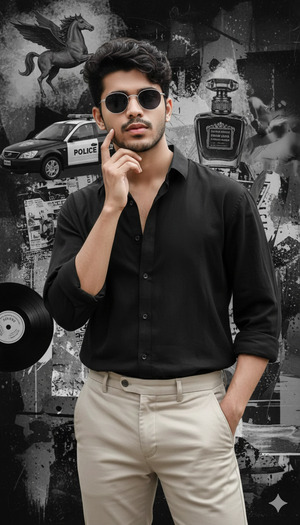
Create an ultra-realistic, hyper-detailed 8K cinematic portrait of a young stylish man, using the uploaded image to keep his face and hairstyle 100% exactly the same with no alteration. He is wearing a loose black button-up shirt paired with light beige pants, creating a balanced modern-artistic fashion look. He wears rounded sunglasses that enhance his bold and creative aesthetic. His pose is confident and stylish, with one hand gently touching his face and the other resting casually in his pocket, expressing quiet confidence and individuality. The background is an artistic black-and-gray collage composed of abstract and symbolic elements including a police car, a Pegasus flying horse, a vintage perfume bottle, newspaper cutouts, vinyl record label graphics, and expressive grunge paint textures. The overall scene feels cinematic and editorial, blending surreal creativity with a modern urban edge. Use cinematic lighting, realistic skin texture, sharp focus, shallow depth of field, professional color grading, and high-end fashion photography style. Create an image in 9:16 aspect ratio.
Pose Variant 1 – Calm Editorial Look
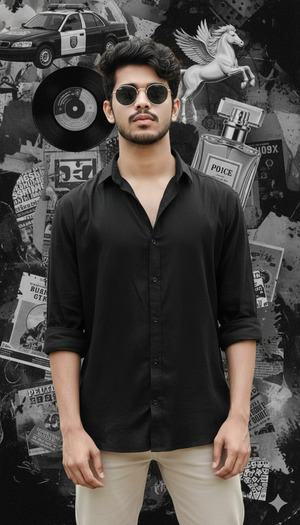
Pose: Standing confidently with both hands relaxed by his sides, shoulders slightly back, head tilted subtly downward while looking straight ahead with a calm, editorial expression.
Pose Variant 2 – Relaxed Urban Confidence
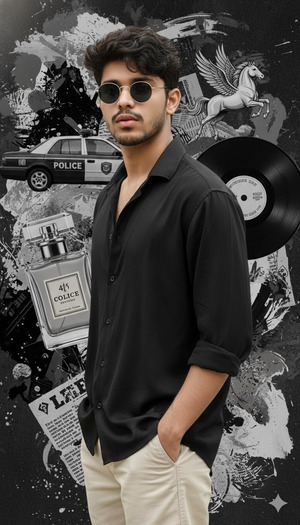
Pose: Standing casually with both hands inside his pants pockets, body slightly angled to the side, head turned toward the camera with a composed and self-assured expression.
How to Customize This Prompt
You can easily personalize this Google Gemini prompt:
- Change outfit colors (black shirt → white or olive).
- Replace background elements (Pegasus → clock, city skyline).
- Adjust expression (serious, subtle smile, intense gaze).
- Modify accessories (sunglasses → clear glasses or none).
Always keep “100% exactly the same face and hairstyle” for realistic results.
How to Create This Image Using Google Gemini
Follow these 4 simple steps:
- Open Google Gemini on your phone or computer.
- Upload your reference image and paste the prompt above.
- Add this line at the end:
Create an image in 9:16 aspect ratio - Generate the image and download your cinematic portrait.
Your Instagram Reel–ready AI image is now complete.
Conclusion
This Trending Artistic Collage AI Portrait is perfect for creators who love fashion, creativity, and cinematic storytelling.
The mix of modern outfit, confident pose, and surreal editorial background makes it stand out instantly on Instagram.
Create your image using Google Gemini, post it on Instagram or Reels, and let your viral AI portrait showcase your unique style.
Stay tuned to Techy Gabru for more trending Google Gemini AI prompts and tutorials.







