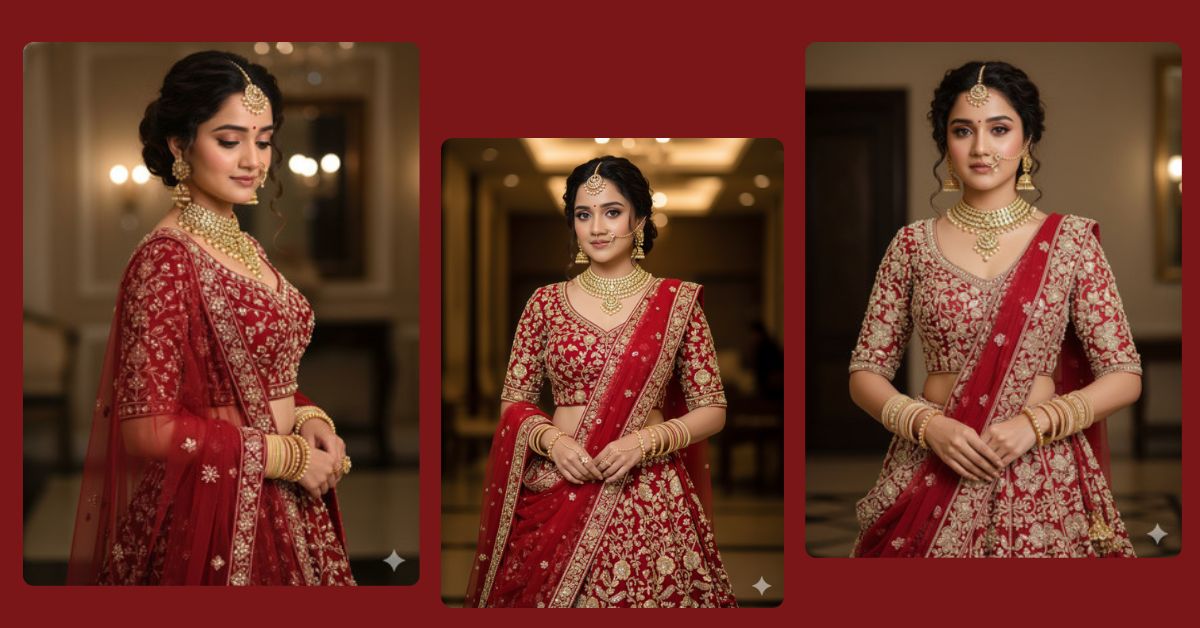
Right now, Viral AI Images of elegant bridal looks are trending all over Instagram Reels and Pinterest. People love realistic, cinematic bridal portraits created using AI because they look professional and luxurious.
The best part? You can create this Trending Bridal AI Image for free using Google Gemini. You don’t need any design skills—just one powerful prompt and the correct image size.
In this blog, I will give you one perfect Google Gemini prompt that helps you generate a stunning bridal AI image in 9:16 aspect ratio, perfect for Instagram Reels.
The Viral Prompt (Google Gemini)
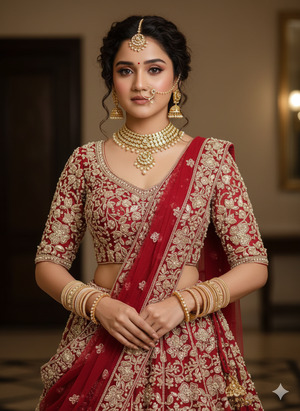
Create a hyper-realistic, high-quality 8K cinematic portrait of a beautiful young woman with the same face and realistic skin texture. She is wearing an elegant full-sleeve corset bodice bridal lehenga, richly pearl-beaded with a stylish floral pattern. A net carmine-colored dupatta with pearl-beaded floral embroidery is draped gracefully in front.
She is adorned with heavy golden bridal jewelry including detailed earrings, a statement necklace, a heavy gold nose ring, and a traditional maang patti. Her hands are filled with pastel golden bangles. Her hairstyle features a stylish curly bun with two soft curled strands framing her face from the front.
She has subtle, natural bridal makeup with soft blush, nude lips, and expressive eyes. The lighting is cinematic and soft, highlighting fabric textures, jewelry shine, and facial details. Ultra-realistic look, professional bridal photoshoot style, shallow depth of field, studio-quality lighting, highly detailed, trending Instagram reel aesthetic.
Pose Variant 1: Elegant Standing Bridal Pose (Front Look)
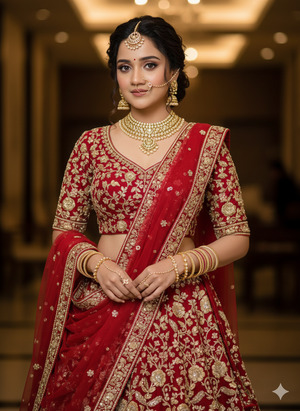
Create a hyper-realistic, high-quality 8K cinematic portrait of a beautiful young woman with the same face and realistic skin texture. She is standing gracefully, facing the camera, with one hand gently holding the edge of her dupatta and the other resting naturally by her side.
She is wearing an elegant full-sleeve corset bodice bridal lehenga, richly pearl-beaded with a stylish floral pattern. A net carmine-colored dupatta with pearl-beaded floral embroidery is draped beautifully in front.
She is adorned with heavy golden bridal jewelry including detailed earrings, a statement necklace, a heavy gold nose ring, and a traditional maang patti. Her hands are filled with pastel golden bangles. Her hairstyle features a stylish curly bun with two soft curled strands framing her face from the front.
She has subtle, natural bridal makeup with soft blush, nude lips, and expressive eyes. Cinematic soft lighting, shallow depth of field, ultra-realistic textures, professional bridal photoshoot style. Create the image in 9:16 aspect ratio.
Pose Variant 2: Side Profile Royal Bridal Pose
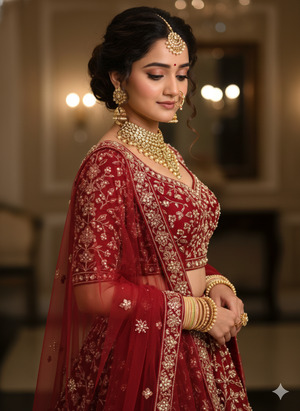
Create a hyper-realistic, high-quality 8K cinematic portrait of a beautiful young woman with the same face and realistic skin texture. She is captured in a royal side-profile pose, slightly turning her face towards the camera while looking down softly, creating an elegant and graceful bridal expression.
She is wearing an elegant full-sleeve corset bodice bridal lehenga, richly pearl-beaded with a stylish floral pattern. A net carmine-colored dupatta with pearl-beaded floral embroidery is draped in front, flowing naturally.
She is adorned with heavy golden bridal jewelry including detailed earrings, a statement necklace, a heavy gold nose ring, and a traditional maang patti. Her hands, decorated with pastel golden bangles, are gently placed together.
Her hairstyle features a stylish curly bun with two soft curled strands framing her face from the front. Subtle natural bridal makeup, cinematic lighting, realistic fabric texture, professional studio bridal photoshoot look. Create the image in 9:16 aspect ratio.
How to Customize This Prompt
You can easily personalize this Google Gemini Prompt by changing small details:
- Replace lehenga color (example: red, ivory, emerald green)
- Modify jewelry style (traditional, royal, minimal)
- Adjust makeup tone (glam, natural, bold)
- Change dupattа color to match your theme
Do not change the structure. Just edit the descriptive words.
How to Create This Image Using Google Gemini
Follow these simple 4 steps to create your viral image:
- Open Google Gemini on your mobile or desktop.
- Paste the AI prompt given above.
- Add this line at the end:
“Create an image in 9:16 aspect ratio (Instagram Reel size)” - Generate and download your image.
That’s it! Your viral bridal AI image is ready
Conclusion
AI bridal images are one of the most trending visual styles on Instagram right now, and this Google Gemini prompt gives you a professional, luxury look for free.
Once you create your image, share it as an Instagram Reel, use trending hashtags, and watch the engagement grow. Don’t forget to tag your page and show your creativity to the world.
Keep experimenting, stay creative, and visit Techy Gabru for more Viral AI Image Prompts and Google Gemini trends







