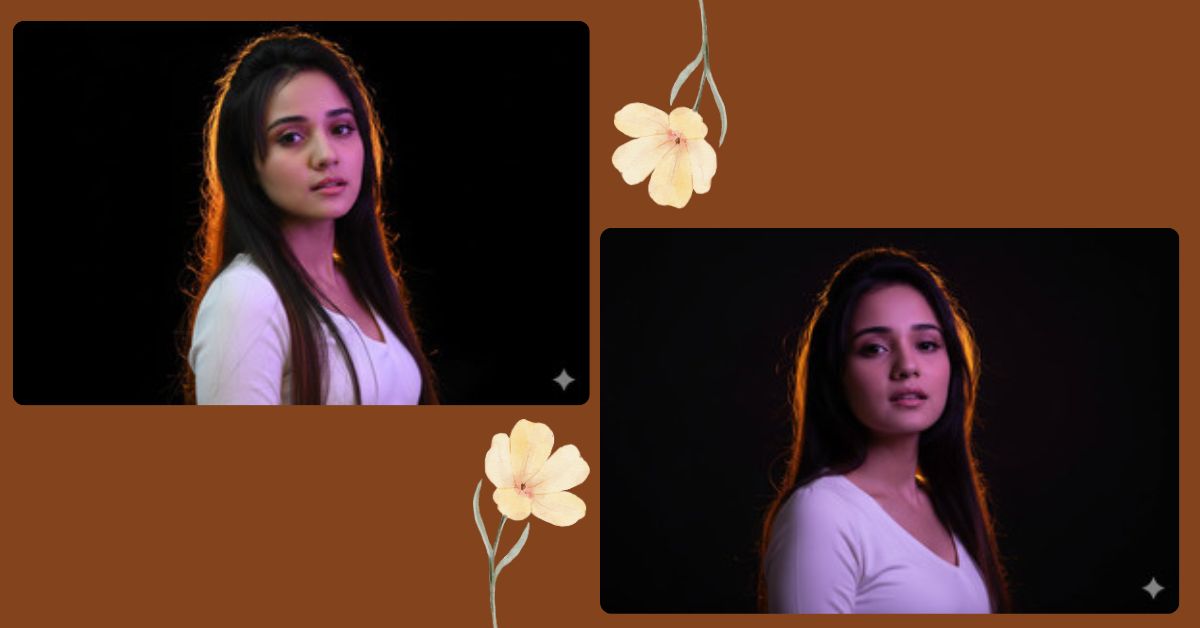
Ultra-realistic cinematic portrait images are going viral on Instagram Reels and AI art pages right now.
Creators love this style because it looks like a high-end photoshoot with dramatic lighting and deep emotions.
The best part?
You can create this for free using Google Gemini, even without photography skills.
All you need is one powerful prompt and the correct image ratio.
The Viral Prompt (Google Gemini)
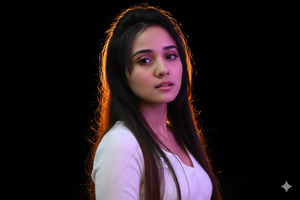
Create an ultra-realistic, high-end cinematic personal portrait using the uploaded reference photo.
Preserve the subject’s exact facial structure, age, gender, skin tone, hair texture, eye shape, and natural expression without any distortion.
The subject is a woman with loose, slightly uneven dark brown hair. Strong warm backlighting with a yellow-orange tone illuminates the hair from behind, creating a glowing golden halo against a completely black background. The face is turned toward the camera, partially covered in soft shadows, with a subtle natural expression and slightly open lips.
A cool pink-purple light softly illuminates the face and upper chest, creating a dramatic warm-cold color contrast. The background remains fully dark to isolate the subject and enhance hair reflections.
Photorealistic skin, hair, and fabric textures. Cinematic lighting, dramatic mood, ethereal atmosphere. Shot on a prime portrait lens (50mm–85mm full frame), wide aperture f/1.4–f/2.8 with soft depth of field.
High quality, 8K resolution, ultra-sharp focus, realistic color grading, professional studio photography style.
Negative prompt: No facial distortion, no age or gender change, no makeup enhancement, no clothing changes, no extra or missing fingers, no blur, no noise, no watermark, no text, no artifacts.
Pose Variant 1: Chin Slightly Raised (Powerful Editorial Pose)
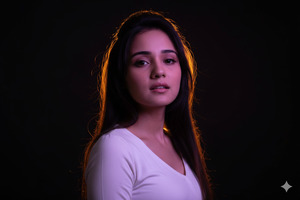
Create an ultra-realistic, high-end cinematic personal portrait using the uploaded reference photo.
Preserve the subject’s exact facial structure, age, gender, skin tone, hair texture, eye shape, and natural expression without any distortion.
POSE: The woman faces the camera directly with her chin slightly raised. Her posture is confident and elegant, giving a powerful editorial look while maintaining a soft emotional expression.
The subject has loose, slightly uneven dark brown hair. Strong warm backlighting with a yellow-orange tone illuminates the hair from behind, creating a glowing golden halo against a completely black background. The face is partially covered in soft shadows.
A cool pink-purple light softly illuminates the face and upper chest, creating a dramatic warm-cold color contrast. The background remains fully dark to isolate the subject and enhance hair reflections.
Photorealistic skin, hair, and fabric textures. Cinematic lighting, dramatic mood, ethereal atmosphere. Shot on a prime portrait lens (50mm–85mm full frame), wide aperture f/1.4–f/2.8 with soft depth of field.
High quality, 8K resolution, ultra-sharp focus, realistic color grading, professional studio photography style.
Negative prompt: No facial distortion, no age or gender change, no makeup enhancement, no clothing changes, no extra or missing fingers, no blur, no noise, no watermark, no text, no artifacts.
Create the image in 9:16 aspect ratio.
How to Customize This Prompt
You can easily personalize this prompt:
- Replace lighting colors (yellow, orange, pink, purple) with your favorite tones
- Use a different background color instead of pure black
- Adjust the mood by adding words like soft, moody, or editorial
- Upload your own photo to keep your real facial identity intact
Do not remove the negative prompt section. It ensures clean and realistic results.
How to Create This Image Using Google Gemini
Follow these simple steps:
- Open Google Gemini on your browser or app
- Upload your photo, then paste the prompt above
- Add this line at the end:
“Create an image in 9:16 aspect ratio (Instagram Reel size)” - Generate the image and download your AI portrait
That’s it! Your viral AI image is ready.
Conclusion
This ultra-realistic cinematic portrait style is perfect for Instagram Reels, profile photos, and AI art pages.
With Google Gemini, you don’t need expensive cameras or studios — just the right prompt.
Create your image, post it proudly, and don’t forget to tag @sukoonprompt so others can get inspired.
Your next viral AI portrait is just one prompt away







