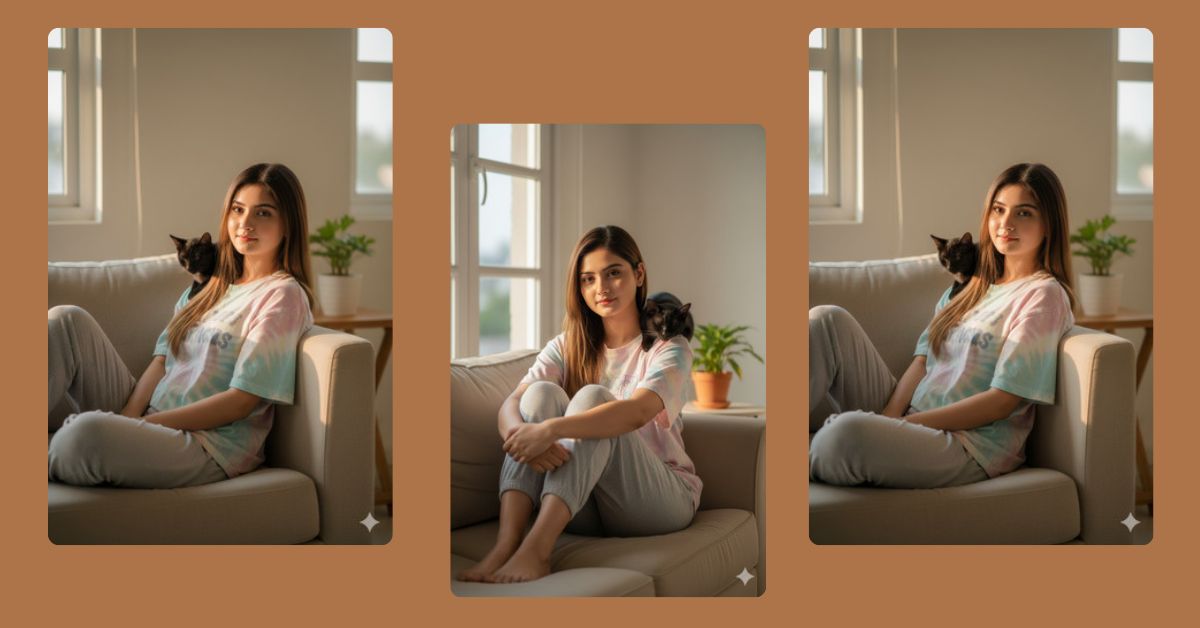
Cozy lifestyle portraits are trending viral AI images on Instagram Reels right now.
People love soft lighting, natural poses, and warm home vibes because they feel real and relatable.
The best part?
You can create this trending viral AI image for free using Google Gemini, without any advanced editing skills. With the right Google Gemini prompt, you can generate a stunning, realistic image that looks like a professional photoshoot.
The Viral Prompt
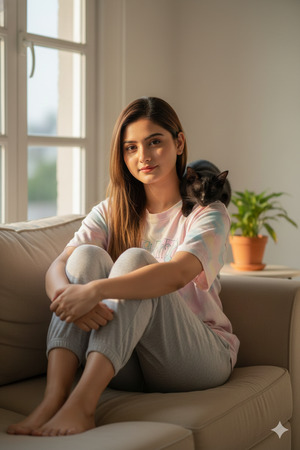
Create a hyper-realistic, high-quality lifestyle portrait of a young woman sitting casually on a beige fabric sofa with her knees folded comfortably. She is wearing a loose pastel tie-dye graphic T-shirt and soft grey joggers. A sleek black cat is resting calmly on her shoulder with half-closed eyes, creating a warm and intimate mood.
The woman must use the exact same face from the provided reference photo with absolute identity fidelity. Copy the face precisely with zero changes. Do not alter facial structure, proportions, skin texture, age, expression, emotion, gaze, or any identity-defining features. Preserve the original facial shape, bone structure, eyes, nose, mouth, skin tone, and natural texture exactly as seen in the reference image. Do not beautify, stylize, retouch, or modify the face in any way. The facial expression must remain exactly the same as the reference photo.
She has long straight brown hair with subtle highlights, center-parted and styled naturally without touching or altering the face.
Soft golden-hour sunlight enters through nearby windows, creating warm highlights and gentle shadows while keeping facial features unchanged.
Minimalist indoor setting with neutral-colored walls, white window frames, and a small green houseplant in the background.
Eye-level shot, shallow depth of field, natural color grading, realistic lighting, cinematic yet cozy atmosphere, ultra-detailed, 8K resolution, realistic textures, DSLR photo style, 50mm lens, soft natural light, authentic candid moment.
Pose Variant 1 – Relaxed Side Lean (Casual Cozy)
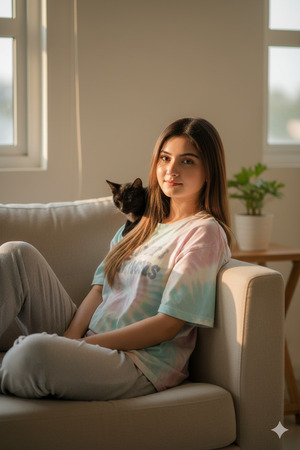
Create a hyper-realistic, high-quality lifestyle portrait of a young woman sitting sideways on a beige fabric sofa, leaning slightly against the armrest with her legs folded to one side in a relaxed pose. She is wearing a loose pastel tie-dye graphic T-shirt and soft grey joggers. A sleek black cat rests calmly on her shoulder with half-closed eyes, creating a warm and intimate mood.
The woman must use the exact same face from the provided reference photo with absolute identity fidelity. Copy the face precisely with zero changes. Do not alter facial structure, proportions, skin texture, age, expression, emotion, gaze, or any identity-defining features. Preserve the original facial shape, bone structure, eyes, nose, mouth, skin tone, and natural texture exactly as seen in the reference image. Do not beautify, stylize, retouch, or modify the face in any way. The facial expression must remain exactly the same as the reference photo.
She has long straight brown hair with subtle highlights, center-parted and styled naturally without touching or altering the face.
Soft golden-hour sunlight enters through nearby windows, creating warm highlights and gentle shadows while keeping facial features unchanged.
Minimalist indoor setting with neutral-colored walls, white window frames, and a small green houseplant in the background.
Eye-level shot, shallow depth of field, natural color grading, realistic lighting, cinematic yet cozy atmosphere, ultra-detailed, 8K resolution, realistic textures, DSLR photo style, 50mm lens, soft natural light, authentic candid moment.
Create the image in a 9:16 aspect ratio.
How to Customize This Prompt
You can easily personalize this Google Gemini prompt:
- Replace clothing colors if you want a different outfit.
- Change cat color if you prefer another pet look.
- Add your reference image when Gemini asks for it.
- Keep the face identity instructions unchanged for best results.
Tip: Never remove the identity fidelity lines if you want an exact face match.
How to Create This Image Using Google Gemini
Follow these simple steps to create your viral AI image:
- Open Google Gemini on your browser or app.
- Paste the full prompt given above.
- Add this line at the end:
“Create an image in 9:16 aspect ratio (Instagram Reel size)” - Generate and download your image.
That’s it! Your trending AI image is ready for Instagram.
Conclusion
This cozy lifestyle portrait style is perfect for Instagram Reels, aesthetic feeds, and viral content.
With the right Google Gemini prompt, you can create stunning, realistic AI images that look professionally shot.
Try this prompt today and don’t forget to share your creation on Instagram.
Tag @sukoonprompt and inspire others with your creativity!







