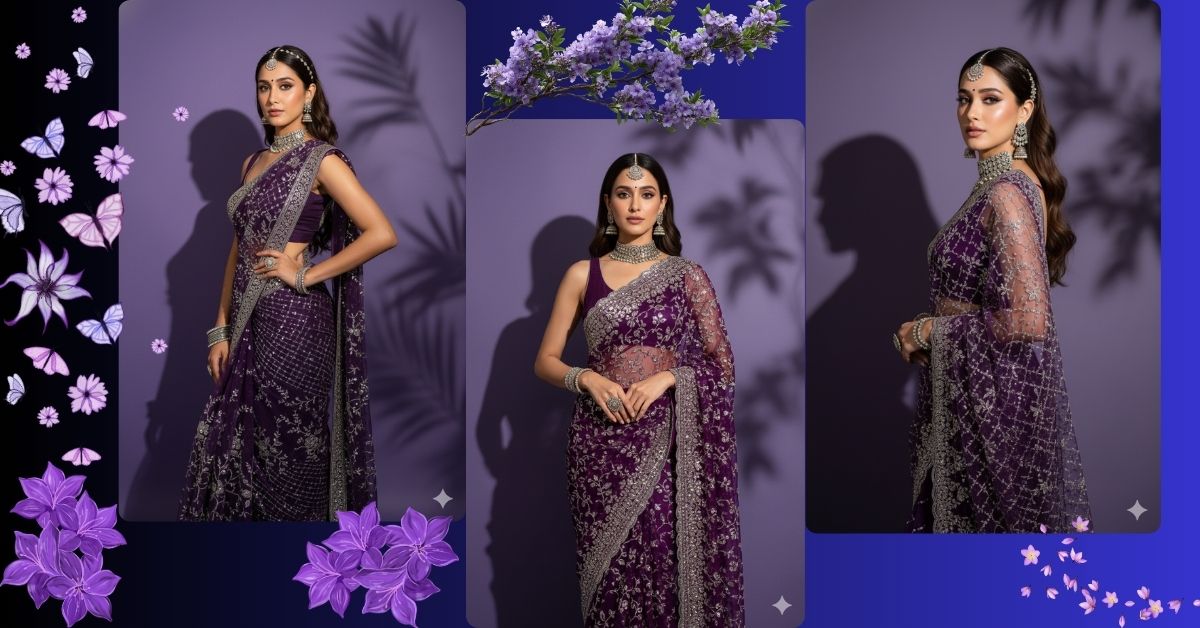
Right now, royal saree cinematic AI images are trending all over Instagram Reels and fashion pages. Deep colors, luxury jewellery, dramatic lighting, and elegant poses create a high-fashion magazine look that instantly grabs attention.
This style looks like a premium studio photoshoot, but the good news is—you can create this Viral AI Image for free using Google Gemini, without Photoshop or any professional camera.
The Viral Prompt
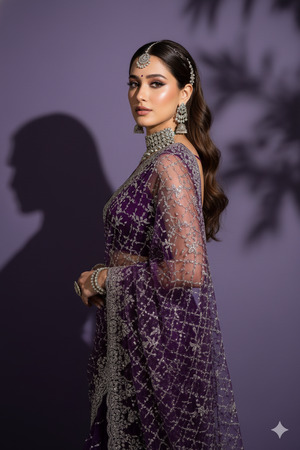
Create an ultra-realistic 8K cinematic full-body portrait of a beautiful woman, ensuring the face exactly matches the uploaded reference image with 100% accuracy and no alteration. She is wearing an elegant deep-purple net saree richly decorated with heavy silver embroidery and fine sequined detailing, draped gracefully for a luxury fashion look. She is standing in a graceful side pose, gently turning her head over her shoulder and looking toward the camera with a confident yet soft expression.
Her long dark-brown wavy hair flows down her back, styled neatly with a center part and subtle silver hair accessories. Her makeup is soft glam with flawless glowing skin, pinkish nude lips, subtle blush, bold winged eyeliner, long lashes, and a tiny decorative bindi on her forehead. She is adorned with luxurious traditional silver jewelry including a heavy choker necklace, long jhumka earrings, a sparkling maang-tikka, elegant silver bangles, and a statement ring.
The background is a smooth matte deep purple wall with soft leafy shadow patterns creating a dramatic artistic effect. Soft studio side lighting highlights the shimmer of the saree and embroidery while casting a defined shadow silhouette behind her. Extremely detailed textures, realistic skin tone, sparkling fabric highlights, cinematic lighting, HDR quality, shallow depth of field, editorial fashion photoshoot aesthetic, premium look, high quality, 8k resolution. Create an image in 9:16 aspect ratio.
Pose Variant 1 – Side Pose Looking Over Shoulder (Elegant & Classic)
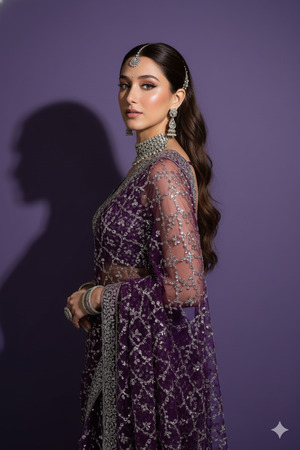
Create an ultra-realistic 8K cinematic full-body portrait of a beautiful woman, ensuring the face exactly matches the uploaded reference image with no alteration. She is wearing an elegant deep-purple net saree with heavy silver embroidery and sequins, draped gracefully. She is standing in a graceful side pose, body slightly angled away from the camera, looking back over her shoulder toward the camera with a calm, confident expression. Her long dark-brown wavy hair flows down her back with a center part and delicate silver hair accessories. Soft-glam makeup, tiny decorative bindi, heavy silver choker, long jhumka earrings, maang-tikka, silver bangles, and a statement ring. Background is a matte deep purple wall with soft leafy shadow patterns. Soft studio side lighting highlights the saree shimmer and creates a defined shadow silhouette. Ultra-detailed textures, realistic skin, HDR quality, editorial fashion photoshoot aesthetic, cinematic lighting, premium look, high quality, 8k resolution. Create an image in 9:16 aspect ratio.
Pose Variant 2 – Standing Straight with Face Turned (Royal & Powerful)
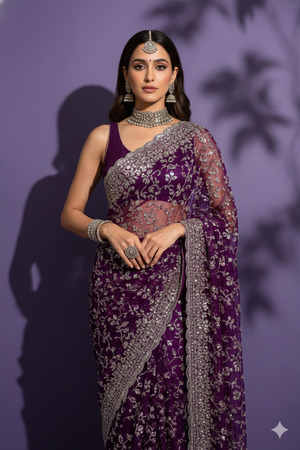
Create an ultra-realistic 8K cinematic full-body portrait of a beautiful woman, ensuring the face exactly matches the uploaded reference image with no alteration. She is wearing an elegant deep-purple net saree with heavy silver embroidery and sequins, styled for a luxury fashion shoot. She is standing straight with a strong posture, both shoulders visible, head turned slightly toward the camera, eyes looking confidently at the lens. Her long dark-brown wavy hair flows neatly down her back with a center part and silver hair accessories. Soft-glam makeup with glowing skin, winged eyeliner, nude lips, tiny bindi, heavy silver choker, jhumka earrings, maang-tikka, bangles, and statement ring. Matte deep purple wall background with artistic leafy shadows. Soft side studio lighting highlights fabric shine and creates dramatic depth. Extremely detailed textures, realistic skin tone, HDR quality, editorial fashion photography, cinematic lighting, premium look, high quality, 8k resolution. Create an image in 9:16 aspect ratio.
Pose Variant 3 – Slight Lean with Hand on Waist (High-Fashion & Bold)
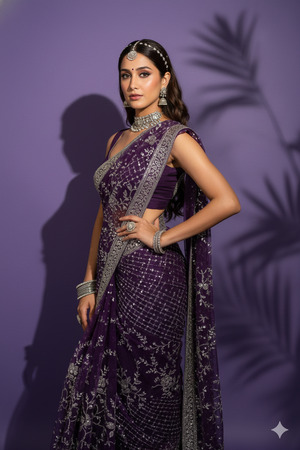
Create an ultra-realistic 8K cinematic full-body portrait of a beautiful woman, ensuring the face exactly matches the uploaded reference image with no alteration. She is wearing an elegant deep-purple net saree with heavy silver embroidery and sequins, draped flawlessly. She is standing in a slight side pose, gently leaning her weight on one leg, one hand resting confidently on her waist while the other arm falls naturally, looking toward the camera with a poised and bold expression. Her long dark-brown wavy hair flows down her back with a center part and subtle silver hair accessories. Soft-glam makeup, tiny decorative bindi, heavy silver choker, long jhumka earrings, sparkling maang-tikka, bangles, and statement ring. Background is a smooth matte deep purple wall with leafy shadow patterns. Soft studio side lighting enhances saree shimmer and creates a strong silhouette shadow. Ultra-detailed textures, realistic skin, HDR quality, editorial fashion photoshoot aesthetic, cinematic lighting, premium look, high quality, 8k resolution. Create an image in 9:16 aspect ratio.
How to Customize This Prompt
You can easily personalize this Google Gemini Prompt:
- Change saree color (deep purple) to emerald green, black, or wine
- Modify jewellery type (gold or diamond instead of silver)
- Upload your own photo to keep your face exactly the same
- Adjust background color or texture while keeping it minimal
Avoid removing words like 8K, cinematic lighting, HDR, premium look for best results.
How to Create This Image Using Google Gemini
Follow these simple 4 steps:
- Open Google Gemini on your mobile or desktop
- Upload your reference image and paste the prompt above
- Type “Create an image in 9:16 ratio” along with the prompt
- Generate and download the image in high quality
Your Instagram Reel–ready luxury AI image is now ready ✨
Conclusion
This Trending Deep Purple Saree AI Image style is perfect for Instagram Reels, fashion pages, personal branding, and portfolio photos. The combination of royal colors, dramatic shadows, elegant jewellery, and cinematic lighting makes the image look powerful and premium.
Create your image using Google Gemini, share it on Instagram, and watch the engagement grow. Don’t forget to follow Techy Gabru for more trending AI image prompts and viral content ideas.
Start creating today and shine like a fashion icon







