Elegant over-the-shoulder fashion portraits are trending fast on Instagram and Reels.
This style feels soft, luxurious, and magazine-ready, making it perfect for aesthetic and premium content.
The best part is that you can create this Viral AI Image for free using Google Gemini.
You only need one well-written prompt and must always ask for 9:16 Aspect Ratio (Instagram Reel size).
The Viral Prompt (Google Gemini Prompt)
Use the face from the uploaded photo and preserve her appearance as much as possible. Do not change facial features, face shape, skin tone, or identity in any way.
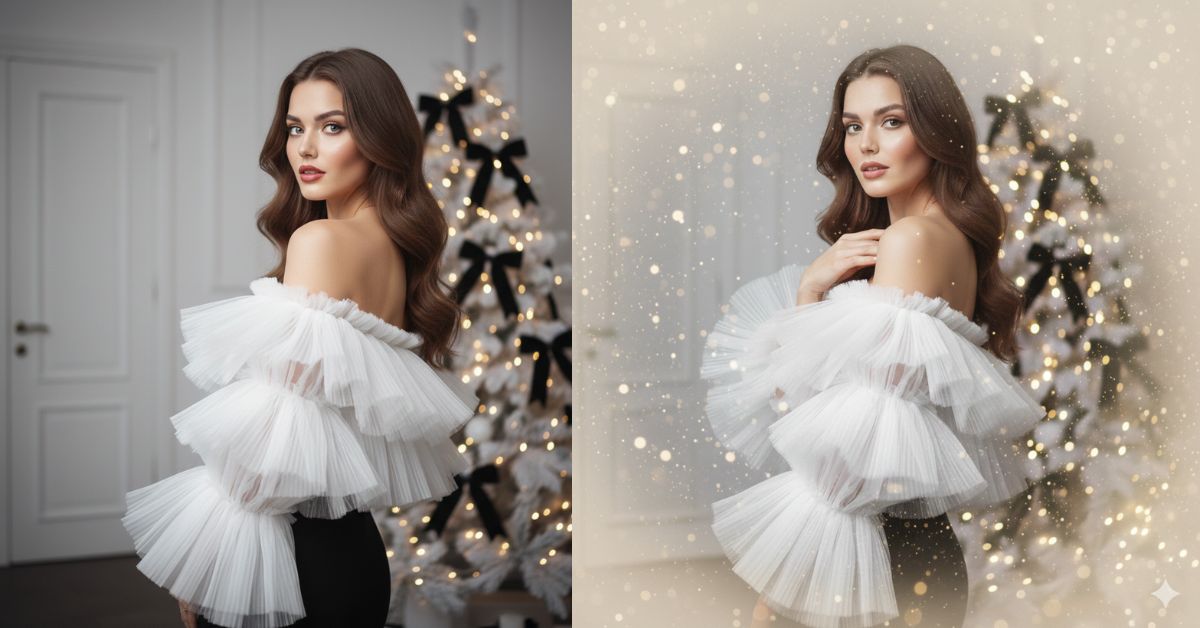
Create a high-quality, ultra-realistic cinematic fashion portrait of a young woman captured in a graceful over-the-shoulder pose. She is looking directly into the camera with a soft, serene expression, showing subtle natural facial micro-expressions that convey elegance and confidence.
Composition & Pose: Medium waist-up shot at eye level, slightly off-center for a dynamic editorial composition. Her posture is relaxed yet refined.
Outfit & Styling: She is wearing a striking off-the-shoulder blouse made of voluminous, tiered white pleated tulle with rich ruffled layers, paired with a sleek black garment below. Her hair is styled in loose, textured, non-glossy waves draping naturally over one shoulder.
Makeup & Details: Soft, sophisticated makeup with a radiant complexion, subtle smoky eyes, and glowy pink lips.
Background & Environment: Behind her stands a flocked white Christmas tree decorated with warm golden fairy lights and large matte black decorative bows. The setting is a minimalist white interior with classic wall moldings and a white door, creating a clean, high-end atmosphere.
Lighting & Camera: Soft, diffused front lighting to highlight the delicate tulle texture and hair details. Cinematic lighting style. Professional DSLR look, ultra-sharp focus.
Quality & Style: High quality, ultra-realistic skin texture, realistic fabric details, cinematic depth, 8K resolution, luxury fashion editorial aesthetic.
IMPORTANT: Create the image in 9:16 aspect ratio (Instagram Reel size).
Negative Prompt:
face change, identity change, cartoon, anime, illustration, painting, unrealistic skin, blur, noise, watermark, logo, text, extra fingers, bad anatomy, low quality, overexposed, underexposed
Pose Variant 1 – Soft Profile Turn Pose

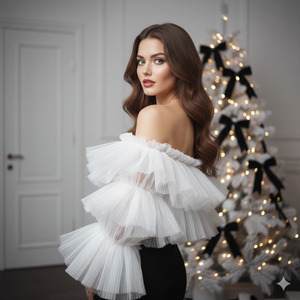
Pose & Composition: Medium waist-up shot at eye level. She is turned slightly more to the side, showing a soft profile while gently looking back over her shoulder toward the camera. Her posture is relaxed and elegant, with a calm, graceful expression.
Pose Variant 2 – Chin Lift Editorial Pose
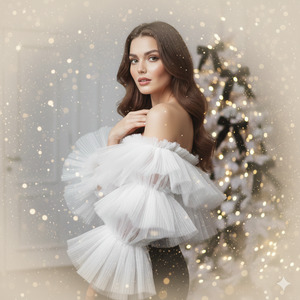
Pose & Composition: Medium waist-up shot at eye level. She is angled slightly away from the camera with her head lifted subtly, chin raised just a little. Her gaze meets the camera softly, creating a confident, editorial fashion look.
How to Customize This Prompt
You can personalize this image easily by changing a few words:
- Change tulle color (white → ivory or blush)
- Change bow color (black → gold)
- Change background mood (Christmas tree → soft decorative lights)
- Change lip color (pink → nude or rose)
Always keep “preserve her appearance” to protect face accuracy.
How to Create This Image Using Google Gemini
Follow these simple 4 steps:
- Open Google Gemini on mobile or desktop.
- Upload your reference image and paste the prompt above.
- Type clearly at the end:
“Create an image in 9:16 aspect ratio” - Generate the image and download it.
Conclusion
This Viral AI Elegant Portrait is perfect for Instagram Reels, fashion pages, and personal branding.
The mix of soft lighting, luxury tulle texture, and minimalist interior gives a premium editorial feel.
With Google Gemini, you can create high-fashion portraits without a studio or photographer.
Always use 9:16 ratio, keep lighting soft, and focus on realistic textures.
Once your image is ready, post it on Instagram with calm or classy music and let the visuals shine.
Keep creating premium AI visuals with Techy Gabru







