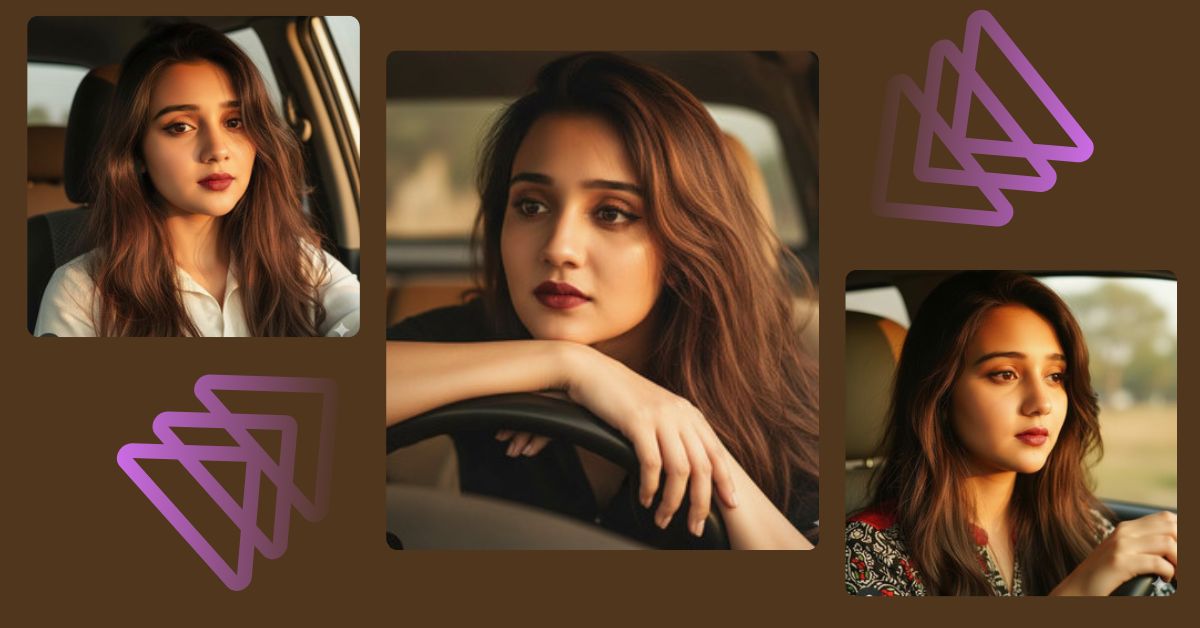
Golden hour car portraits are trending all over Instagram Reels right now.
Creators love this style because it looks cinematic, emotional, and very realistic.
The best part?
You can create this Viral AI Image for FREE using Google Gemini, without changing your facial features.
This style works perfectly for Reels, Shorts, and Profile Highlights.
The Viral Prompt (Google Gemini AI Image Prompt)
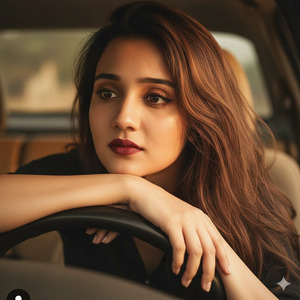
Without changing my facial features, transform this image into a realistic girl sitting in the driver’s seat of a car during golden hour. Close-up shot from the front-left angle. She has long, messy, flowy brown hair, slightly side-parted to the right, with natural strands falling across her forehead and cheek. She leans lightly forward, resting her arms on the steering wheel, giving a relaxed and contemplative gaze. Warm sunlight enters through the car window, creating soft highlights and shadows on her face. Makeup includes well-defined eyebrows, dark eyeliner, warm-toned eyeshadow, and rich dark red lipstick. High quality, ultra-realistic, 8K resolution, cinematic lighting, shallow depth of field, realistic skin texture, professional photography style.
Pose Variant 1 One Hand on Steering Wheel, Looking Outside
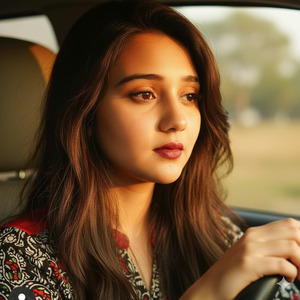
Without changing my facial features, transform this image into a realistic girl sitting in the driver’s seat of a car during golden hour. Close-up shot from the front-left angle. She has long, messy, flowy brown hair, slightly side-parted to the right, with natural strands falling across her forehead and cheek. One hand rests gently on the steering wheel while she turns her face slightly toward the window, gazing outside with a calm, thoughtful expression. Warm golden sunlight enters through the car window, creating soft highlights and shadows on her face. Makeup includes well-defined eyebrows, dark eyeliner, warm-toned eyeshadow, and rich dark red lipstick. High quality, ultra-realistic, 8K resolution, cinematic lighting, shallow depth of field, realistic skin texture, professional photography style. Create an image in 9:16 aspect ratio.
Pose Variant 2: Leaning Back, Soft Eye Contact with Camera

Without changing my facial features, transform this image into a realistic girl sitting in the driver’s seat of a car during golden hour. Close-up shot from the front-left angle. She has long, messy, flowy brown hair, slightly side-parted to the right, with natural strands falling across her forehead and cheek. She leans slightly back in the seat, shoulders relaxed, making soft eye contact with the camera, giving a confident yet calm expression. Warm golden sunlight fills the car interior, softly illuminating her face and hair. Makeup includes well-defined eyebrows, dark eyeliner, warm-toned eyeshadow, and rich dark red lipstick. High quality, ultra-realistic, 8K resolution, cinematic lighting, shallow depth of field, realistic skin texture, professional photography style. Create an image in 9:16 aspect ratio.
How to Customize This Prompt
You can easily personalize this Google Gemini prompt:
- Change hair color (brown → black, blonde, auburn)
- Adjust lipstick shade (dark red → nude, maroon, soft pink)
- Modify mood (relaxed → confident, mysterious, dreamy)
- Add accessories like:
- Sunglasses
- Earrings
- Leather jacket
Tip: Do not remove the line “Without changing my facial features” for best results.
How to Create This Image Using Google Gemini
Follow these simple 4 steps:
- Open Google Gemini on your phone or laptop.
- Paste the prompt given above.
- Type this line at the end:
“Create an image in 9:16 aspect ratio” - Generate and download your image.
Your Instagram Reel–ready AI image is now done.
Conclusion
This Trending Viral AI Image style is perfect for anyone who wants to stand out on social media.
Golden hour lighting, cinematic vibes, and realistic details make your image look professional and emotional.
Create your image using Google Gemini, post it as a Reel, and watch the engagement grow.
Don’t forget to tag your creation and inspire others to try this Google Gemini Prompt trend.







