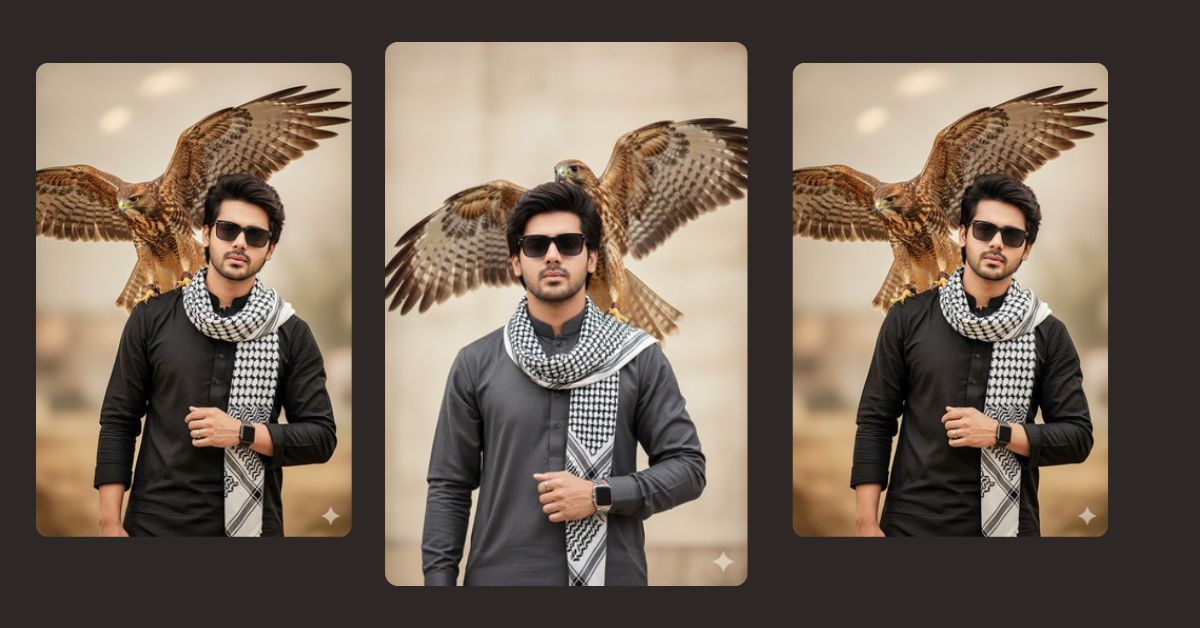
Right now, cinematic fashion portraits with powerful animals are going viral on Instagram and Pinterest. Images showing confidence, mystery, and strength—like a man with a hawk or falcon—are getting massive engagement.
This style looks premium and professional, but the good news is: you can create this Viral AI Image for free using Google Gemini. With the right prompt and correct image size, anyone can generate a reel-ready image in minutes.
The Viral Prompt (Google Gemini)
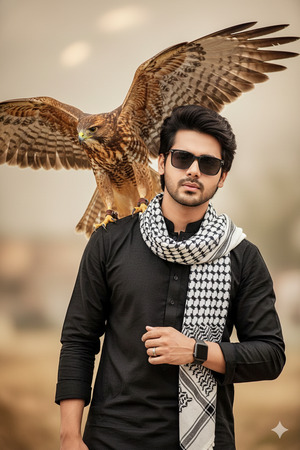
Create a hyper-realistic, high-quality 8K cinematic portrait of a stylish young man wearing a traditional kurta with a black-and-white keffiyeh scarf wrapped around his neck. He has voluminous, carefully styled hair and is wearing black sunglasses, giving a cool, confident expression.
On his left wrist is a sleek modern wristwatch, and he wears a ring on one finger. A large hawk with wings fully spread is perched on his shoulder in mid-motion, showing detailed brown feathers with intricate stripes and natural patterns.
The background is softly blurred with warm beige tones, creating a dramatic cinematic look. Use high-contrast professional fashion photography lighting, ultra-detailed textures, sharp focus, realistic skin tones, and a powerful editorial composition. Cinematic mood, realistic depth, premium fashion portrait style. Create the image in 9:16 aspect ratio.
Pose Variant 1: Strong Front-Facing Power Pose
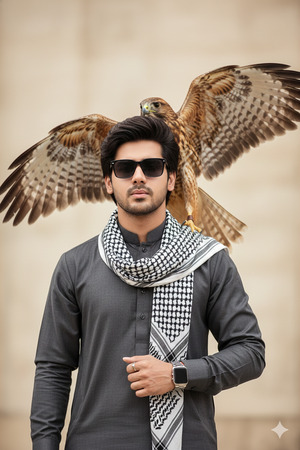
Create a hyper-realistic, high-quality 8K cinematic portrait of a stylish young man standing in a strong front-facing pose, shoulders squared and head slightly lifted, looking confidently toward the camera. He is wearing a traditional kurta with a black-and-white keffiyeh scarf wrapped around his neck.
He has voluminous, carefully styled hair and is wearing black sunglasses, giving a cool, confident expression. On his left wrist is a sleek modern wristwatch, and he wears a ring on one finger.
A large hawk with wings fully spread is perched powerfully on his shoulder in mid-motion, showing detailed brown feathers with intricate stripes and natural patterns.
The background is softly blurred with warm beige tones. Use high-contrast professional fashion photography lighting, ultra-detailed textures, sharp focus, realistic skin tones, cinematic depth, premium editorial composition. Create the image in 9:16 aspect ratio.
How to Customize This Prompt
You can easily personalize this Google Gemini Prompt by editing a few words:
- Change kurta color (black, white, beige, navy)
- Replace hawk with falcon or eagle
- Modify scarf style or color
- Adjust accessories like watch or ring style
Only change the descriptive words. Keep the prompt structure the same for best results.
How to Create This Image Using Google Gemini
Follow these simple 4 steps to create your viral AI image:
- Open Google Gemini on your phone or computer.
- Paste the viral AI prompt given above.
- Add this line at the end:
“Create an image in 9:16 aspect ratio (Instagram Reel size)” - Generate the image and download it.
Your cinematic AI portrait is now ready to post.
Conclusion
This Trending Viral AI Image style is perfect for Instagram Reels, profile photos, and aesthetic posts. The combination of fashion, confidence, and a powerful bird creates a strong visual impact that people love to share.
Once your image is ready, post it on Instagram with trending hashtags and a confident caption. Tag your page, stay consistent, and watch your engagement grow.
For more Google Gemini Prompts, Viral AI Image ideas, and trending content, keep visiting Techy Gabru and stay ahead of the trend







