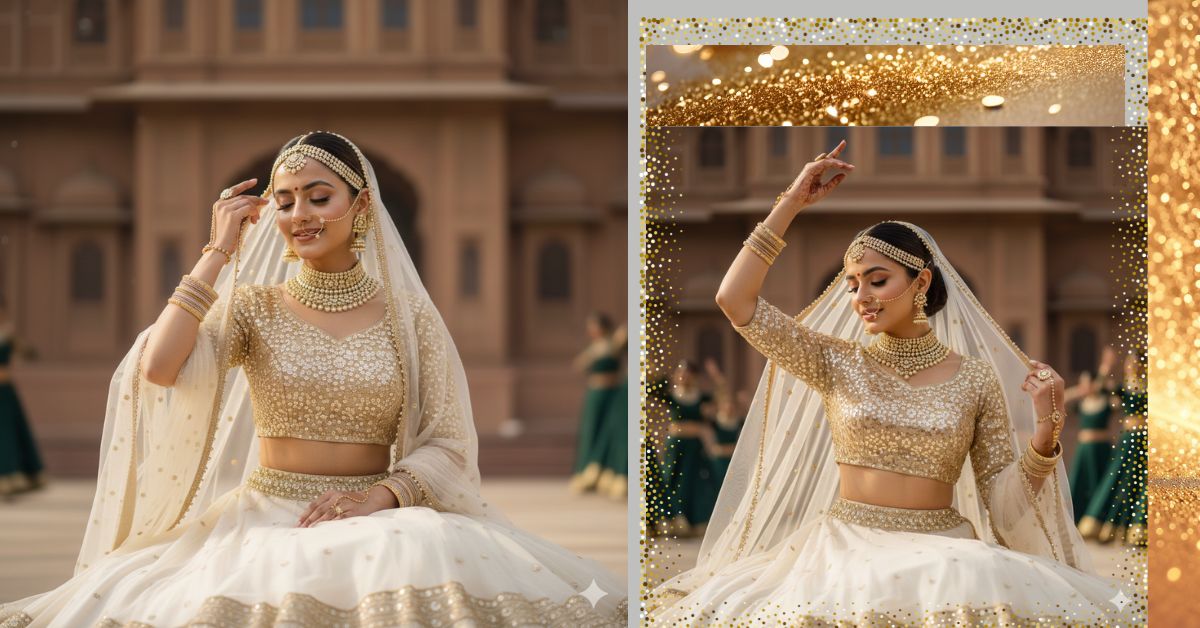
Traditional Indian bridal portraits with palace backgrounds are trending massively on Instagram and Reels.
People love this style because it shows royalty, elegance, culture, and cinematic beauty in one frame.
The best part is that you can create this Viral AI Image for free using Google Gemini, while keeping the face 100% unchanged.
Just use the right prompt and always select 9:16 aspect ratio for Instagram Reels.
The Viral Prompt (Google Gemini Prompt)
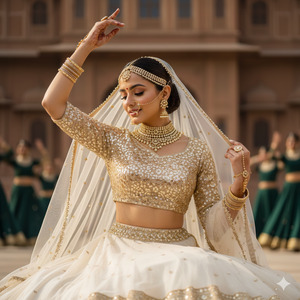
Use the provided reference image and keep the woman’s face exactly the same with 100% accuracy. Do not alter facial features, face shape, expression, or identity in any way.
Create an ultra-photorealistic medium close-up portrait of the woman sitting gracefully on the floor in a traditional Indian wedding setting. She is wearing a three-quarter sleeve fitted crop blouse in champagne (light gold) color, fully covered with intricate sequin work. Her skirt is voluminous and made of sheer off-white/cream fabric. The waistband is heavily embellished with gold beadwork, and a decorative gold border drapes slightly over her hip.
A sheer off-white/cream net dupatta is draped over her head, softly framing her face and shoulders. The dupatta has a subtle, delicate beaded border.
Jewelry & Accessories: She is wearing a heavy multi-layered choker and necklace set, matching earrings, a matha patti, a large traditional nose ring, and intricate gold Kundan haath phool covering the back of her hand and fingers. She wears two thick gold bangles with plain beige bangles in the center on both wrists.
Hair & Makeup: Her hair is styled in a neat bun. Makeup is soft, elegant, and bridal with natural glow.
Pose & Expression: She is sitting on the floor with her eyes closed, head gently tilted downward, and a soft peaceful smile. Her right hand is raised upward holding the dupatta, while her left hand is lifted above her head with the palm slightly open in a classical mudra pose
Background & Setting: A grand brown architectural palace backdrop with blurred dancers wearing dark green dresses in the background, creating depth and festive movement.
Lighting & Style: Bright, soft, slightly warm outdoor daylight, cinematic lighting, gentle shadows, high-end wedding photography look.
Quality: Ultra-realistic, high quality, 8K resolution, realistic skin texture, sharp focus, cinematic depth, no blur.
IMPORTANT: Create the image in 9:16 aspect ratio (Instagram Reel size).
Negative Prompt:
face change, identity change, cartoon, anime, illustration, painting, unrealistic skin, blur, noise, watermark, logo, text, extra fingers, bad anatomy, low quality, overexposed, underexposed
Pose Variant 1 – Prayer Hands Pose
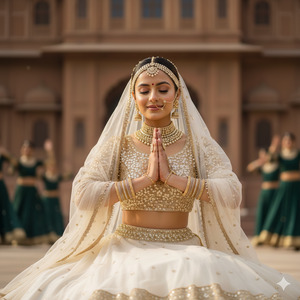
Pose & Expression: She is sitting gracefully on the floor with her eyes closed and a soft peaceful smile. Her head is gently tilted downward. Both hands are raised near her chest in a calm prayer (namaste) pose, fingers aligned elegantly, creating a serene bridal moment.
Pose Variant 2 – Side-Face Veil Pose
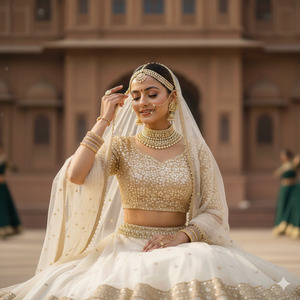
Pose & Expression: She is sitting on the floor with her eyes softly closed, head slightly turned to the side and tilted downward with a gentle smile. Her right hand is raised holding the edge of the dupatta near her temple, while her left hand rests lightly on her knee, showing elegance and calm bridal grace.
How to Customize This Prompt
You can personalize this bridal image easily:
- Change blouse or skirt color (champagne → blush pink, ivory, pastel gold)
- Change jewelry style (Kundan → polki or diamond)
- Change background dancers color (dark green → maroon or royal blue)
- Change dupattā drape style (over head → side drape)
Always keep the line “keep the face exactly the same” to protect identity.
How to Create This Image Using Google Gemini
Follow these simple 4 steps:
Step 1
Open Google Gemini on your mobile or desktop.
Step 2
Upload the reference image and paste the Viral Prompt above.
Step 3
Type clearly at the end:
“Create an image in 9:16 aspect ratio”
Step 4
Generate the image and download it for Instagram Reels.
That’s it—your royal bridal AI portrait is ready.
Conclusion
This Viral AI Bridal Palace Image is perfect for Instagram Reels, wedding inspiration pages, and personal bridal previews.
The combination of royal jewelry, palace architecture, classical pose, and cinematic lighting makes it highly engaging.
With Google Gemini, you can create luxury wedding portraits without a real photoshoot.
Always use 9:16 ratio, keep lighting soft, and focus on realistic textures.
Once your image is ready, share it on Instagram with soft classical or wedding music and inspire others.
Keep creating stunning visuals with Techy Gabru







