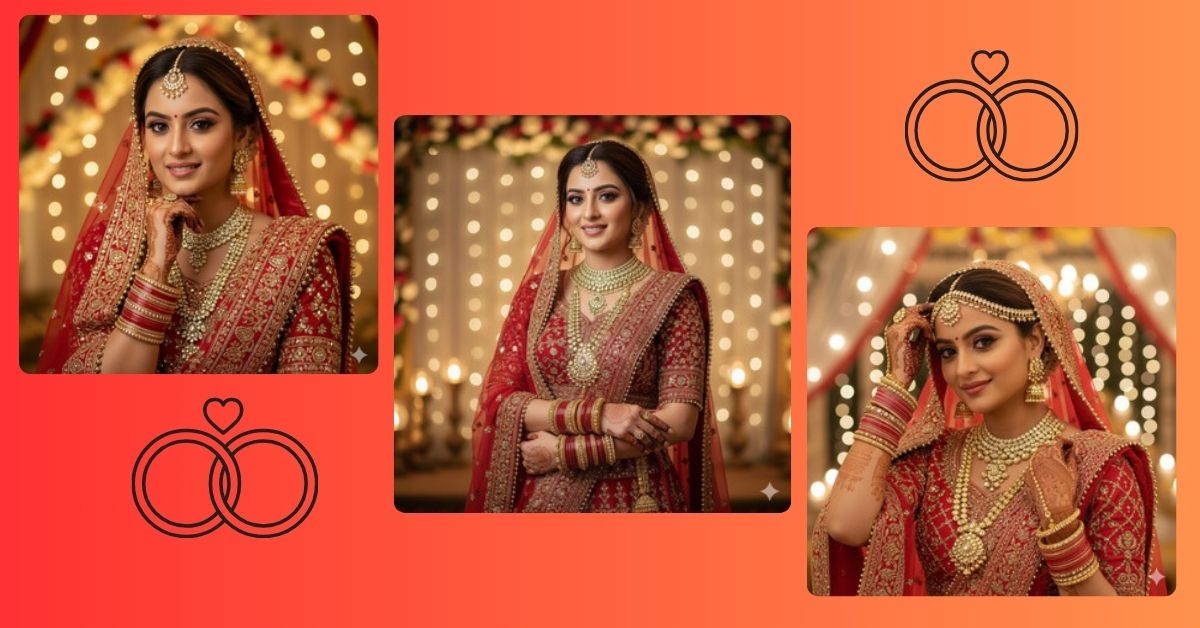
Indian bridal portraits are trending on Instagram and social media because of their elegance, cultural richness, and emotional depth.
People love high-quality close-up portraits that capture the bride’s grace, makeup, jewelry, and festive vibes.
You can create this Viral AI Image for free using Google Gemini, perfectly suited for Instagram Reels or story posts, using one detailed prompt.
The Viral Prompt (Google Gemini Prompt)
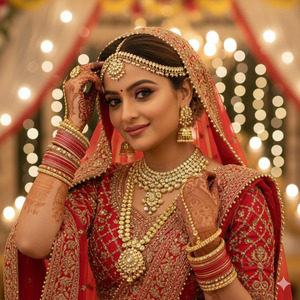
Create an ultra photorealistic close-up portrait of a bride using the uploaded reference image with 100% facial accuracy, no alterations, keeping her natural features intact. She is wearing a traditional red bridal lehenga with heavy embroidery, and a matching dupatta gracefully draped over her head. Her makeup is elegant and professional, complementing her serene, confident smile. One hand is extended upwards resting her wrist at her forehead, while the other hand is placed near her shoulder. She wears elaborate bridal jewelry, including earrings, necklace, bangles, and maang tikka.
The background is a warm, festive Indian wedding venue with subtle bokeh effects and soft, blurred details, enhancing the bride’s presence. Professional studio lighting highlights her face, jewelry, and outfit with soft, cinematic illumination. Maintain realistic textures, high-quality skin detail, natural color tones, and ultra-realistic depth. Soft shadows and smooth light transitions add richness and elegance. Ultra-realistic, high quality, masterpiece, 8K resolution. Create an image in 9:16 aspect ratio.
Pose Variant 1: Hands Gracefully Crossed
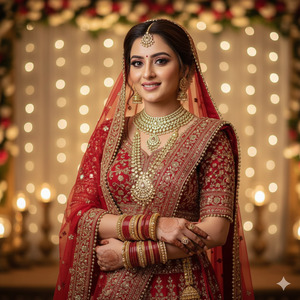
Create an ultra photorealistic close-up portrait of a bride using the uploaded reference image with 100% facial accuracy, no alterations, keeping her natural features intact. She is wearing a traditional red bridal lehenga with heavy embroidery, and a matching dupatta gracefully draped over her head. Her makeup is elegant and professional, complementing her serene, confident smile. Both hands are gently crossed at her chest, displaying her bangles and jewelry elegantly. She wears elaborate bridal jewelry, including earrings, necklace, bangles, and maang tikka.
The background is a warm, festive Indian wedding venue with subtle bokeh effects and soft, blurred details, enhancing the bride’s presence. Professional studio lighting highlights her face, jewelry, and outfit with soft, cinematic illumination. Maintain realistic textures, high-quality skin detail, natural color tones, and ultra-realistic depth. Soft shadows and smooth light transitions add richness and elegance. Ultra-realistic, high quality, masterpiece, 8K resolution. Create an image in 9:16 aspect ratio.
Pose Variant 2 : One Hand on Chin, Thoughtful Look
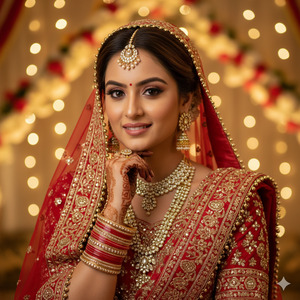
Create an ultra photorealistic close-up portrait of a bride using the uploaded reference image with 100% facial accuracy, no alterations, keeping her natural features intact. She is wearing a traditional red bridal lehenga with heavy embroidery, and a matching dupatta gracefully draped over her head. Her makeup is elegant and professional, complementing her serene, confident smile. One hand rests gently on her chin while the other hand stays near her shoulder, creating a thoughtful and graceful pose. She wears elaborate bridal jewelry, including earrings, necklace, bangles, and maang tikka.
The background is a warm, festive Indian wedding venue with subtle bokeh effects and soft, blurred details, enhancing the bride’s presence. Professional studio lighting highlights her face, jewelry, and outfit with soft, cinematic illumination. Maintain realistic textures, high-quality skin detail, natural color tones, and ultra-realistic depth. Soft shadows and smooth light transitions add richness and elegance. Ultra-realistic, high quality, masterpiece, 8K resolution. Create an image in 9:16 aspect ratio.
How to Customize This Prompt
You can personalize this prompt easily:
- Outfit color → change the lehenga to maroon, pink, or gold
- Jewelry style → replace with minimalist or heavy traditional jewelry
- Hand pose → adjust hand placement or gesture
- Background type → indoor wedding hall, outdoor mandap, or garden setting
Just replace these words in the prompt before generating the image.
How to Create This Image Using Google Gemini
Follow these simple 4 steps:
- Open Google Gemini on your desktop or phone
- Upload your reference image and paste the prompt above
- Add the line: “Create an image in 9:16 aspect ratio”
- Generate the image and download it
Your Instagram-ready bride portrait is now complete.
Conclusion
This Trending Indian Bride Portrait AI Image is perfect for Instagram Reels, wedding photography portfolios, or cultural content.
With high-quality cinematic lighting, photorealistic detail, and festive aesthetics, your creation will stand out and draw attention.
Generate your image using Google Gemini, share it proudly on Instagram, and inspire others with your artistic AI creation.
For more Viral AI Image prompts and trending Google Gemini ideas, stay tuned to Techy Gabru.







