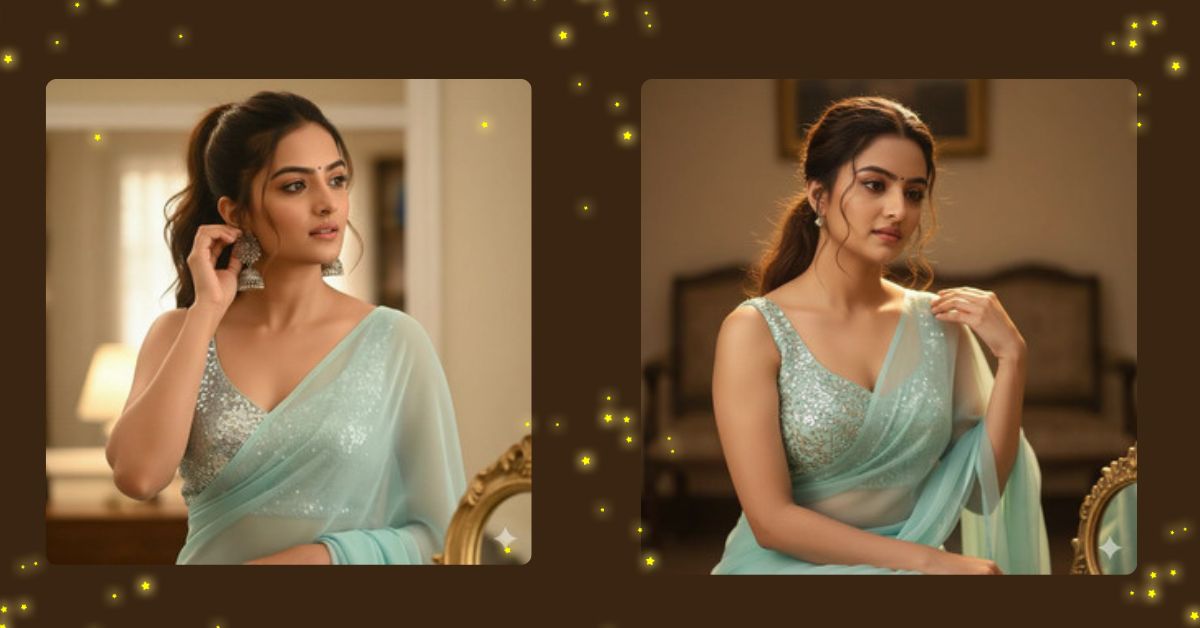
Soft indoor cinematic saree portraits are trending on Instagram Reels right now.
Pastel colors, candid poses, and warm lighting create a luxury fashion feel that looks like a real photoshoot.
The good news is you can create this Viral AI Image for free using Google Gemini.
With the right prompt and a 9:16 aspect ratio, your image will be perfect for Instagram Reels and Shorts.
The Viral Prompt (Google Gemini Prompt)

Create a hyper-realistic, cinematic 8K medium shot of a beautiful young Indian woman using the uploaded reference image with 100% facial accuracy and no alterations. She is wearing a plain pastel mint sky blue chiffon saree paired with a sleeveless silver sequin blouse.
Her hair is styled in a high ponytail with soft wispy strands framing her face. She is looking slightly away toward the front, candidly adjusting her silver earring with one hand, creating a natural and elegant moment.
The scene features soft warm indoor lighting with a cinematic glow, realistic skin texture, and fine fabric details. The background is softly blurred with shallow depth of field, and a golden mirror frame is partially visible at the bottom of the frame. High contrast with smooth highlights, professional fashion photography style, ultra-realistic, masterpiece, 8K resolution. Create an image in 9:16 aspect ratio.
Pose Variant 1: Looking Down, Adjusting Saree Pallu
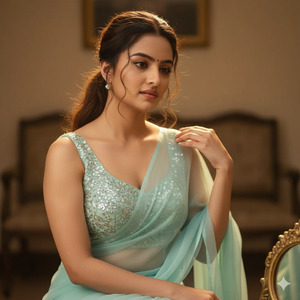
Create a hyper-realistic, cinematic 8K medium shot of a beautiful young Indian woman using the uploaded reference image with 100% facial accuracy and no alterations. She is wearing a plain pastel mint sky blue chiffon saree paired with a sleeveless silver sequin blouse.
Her hair is styled in a high ponytail with soft wispy strands framing her face. She is looking slightly downward with a calm, elegant expression while gently adjusting the saree pallu near her shoulder with one hand, creating a natural candid moment.
Soft warm indoor lighting, realistic skin texture, fine fabric details, shallow depth of field. Background softly blurred with a golden mirror frame partially visible at the bottom. Cinematic photography, professional fashion shoot look, ultra-realistic, masterpiece, 8K resolution. Create an image in 9:16 aspect ratio.
How to Customize This Prompt
You can easily personalize this prompt by changing small details:
- Saree color → mint, peach, ivory, lavender
- Blouse style → sleeveless, halter neck, or full sleeves
- Jewellery → silver earrings, pearl studs, or minimal gold
- Lighting → warmer glow or soft neutral studio light
- Background → mirror, curtain, hotel room, or studio wall
Just replace the words you want before generating the image.
How to Create This Image Using Google Gemini
Follow these 4 simple steps:
- Open Google Gemini on your mobile or desktop
- Paste the prompt given above
- Type “Create an image in 9:16 ratio” at the end
- Generate and download your image
Your Instagram-ready cinematic portrait is now complete.
Conclusion
This mint saree cinematic AI portrait is perfect for fashion creators, aesthetic Reels, and elegant Instagram feeds.
The candid pose, warm lighting, and realistic details make it look like a high-end indoor photoshoot.
Use Google Gemini to create your own viral AI image and share it on Instagram to impress your audience.
Keep following Techy Gabru for more Trending Google Gemini prompts and Viral AI Image ideas.







