Introduction
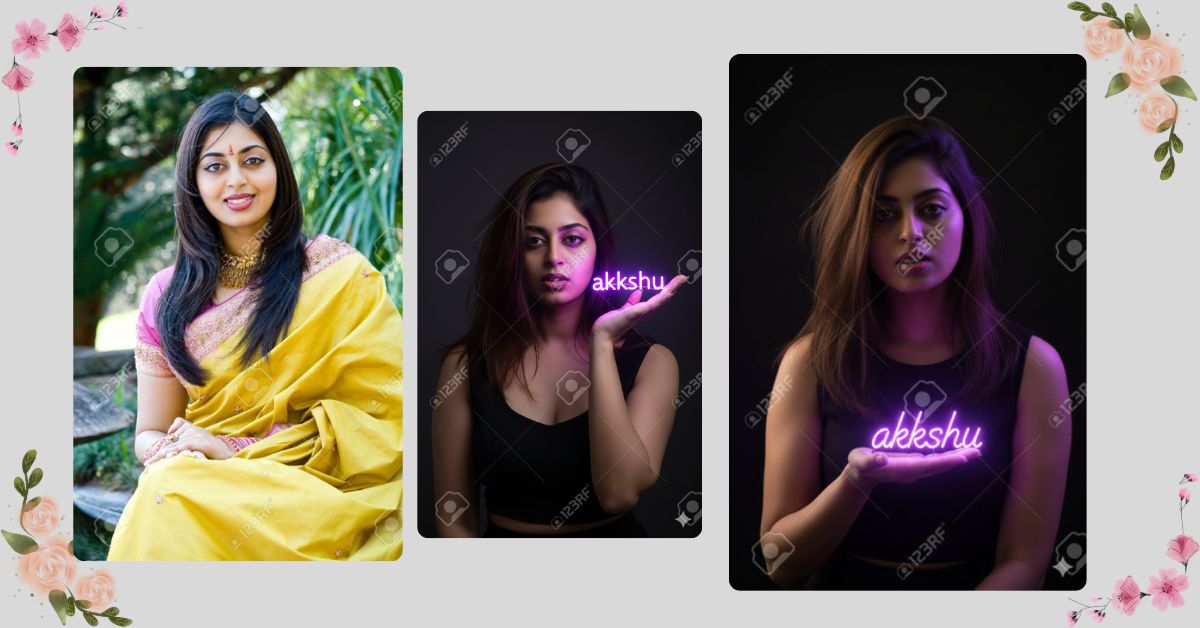
Right now, neon glow portrait AI images are trending heavily on Instagram Reels and social media. Dark backgrounds with glowing neon text create a moody, cinematic, and futuristic look that instantly grabs attention.
This style is popular because it looks artistic, emotional, and premium. The best part is that you can create this Viral AI Image for free using Google Gemini, without any editing skills or paid tools.
The Viral Prompt
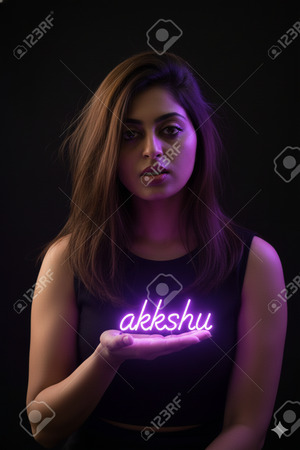
Edit the uploaded photo in an ultra realistic cinematic style without changing the original face at all, keeping facial features 100% identical. Create a portrait of a young woman with messy straight brown hair falling naturally over her shoulders, wearing a plain black blouse, standing against a dark background. She is holding glowing purple neon text that reads “akkshu” in the palm of her right hand. The neon text is the only light source in the scene, casting a soft purple glow onto her face, hair, and clothing. Create strong contrast between light and shadow for a dramatic and moody atmosphere. Maintain realistic skin texture, natural facial expression, and accurate lighting reflections. High quality image, ultra realistic textures, cinematic lighting, HDR effect, realistic depth of field, sharp focus, professional photography look, vibrant yet controlled purple glow, 8k resolution. Create image in 9:16 aspect ratio.
Pose Variant 1 – Palm Forward (Text Floating Above Hand)
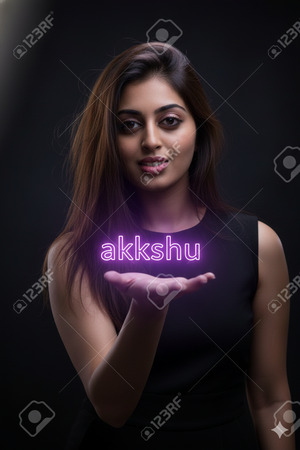
Edit the uploaded photo in an ultra realistic cinematic style without changing the original face at all, keeping facial features 100% identical. Create a portrait of a young woman with messy straight brown hair falling naturally over her shoulders, wearing a plain black blouse, standing against a dark background. Pose: she is facing the camera, shoulders relaxed, holding her right hand forward with the palm open toward the camera, as if presenting something. Place glowing purple neon text that reads “akkshu” hovering just above the center of her right palm. The neon text is the only light source in the scene, casting a soft purple glow onto her face, hair, and clothing. Create strong contrast between light and shadow for a dramatic and moody atmosphere. Maintain realistic skin texture, natural facial expression, and accurate lighting reflections. High quality image, ultra realistic textures, cinematic lighting, HDR effect, realistic depth of field, sharp focus, professional photography look, vibrant yet controlled purple glow, 8k resolution. Create image in 9:16 aspect ratio.
Pose Variant 2 – Side Angle (Looking at the Neon Text)
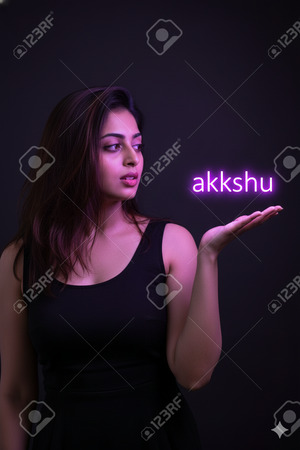
Edit the uploaded photo in an ultra realistic cinematic style without changing the original face at all, keeping facial features 100% identical. Create a portrait of a young woman with messy straight brown hair falling naturally over her shoulders, wearing a plain black blouse, standing against a dark background. Pose: she is standing at a slight 45-degree angle, turning her head gently to look at her right hand. Her right hand is raised near chest level with the palm open upward. Place glowing purple neon text that reads “akkshu” resting above her palm. The neon text is the only light source in the scene, casting a soft purple glow onto her face, hair, and clothing. Create strong contrast between light and shadow for a dramatic and moody atmosphere. Maintain realistic skin texture, natural facial expression, and accurate lighting reflections. High quality image, ultra realistic textures, cinematic lighting, HDR effect, realistic depth of field, sharp focus, professional photography look, vibrant yet controlled purple glow, 8k resolution. Create image in 9:16 aspect ratio.
Pose Variant 3 – Hand Near Face (Glow Highlighting Cheekbones)
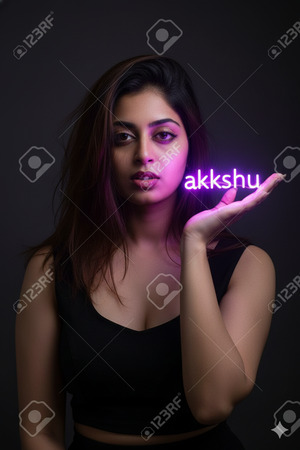
Edit the uploaded photo in an ultra realistic cinematic style without changing the original face at all, keeping facial features 100% identical. Create a portrait of a young woman with messy straight brown hair falling naturally over her shoulders, wearing a plain black blouse, standing against a dark background. Pose: she is facing the camera, bringing her right hand up near her cheek, palm open slightly angled upward, as if the neon light is close to her face. Place glowing purple neon text that reads “akkshu” sitting above her palm near her face. The neon text is the only light source in the scene, casting a stronger purple glow onto her cheekbones, lips, hair strands, and the front of her blouse. Create strong contrast between light and shadow for a dramatic and moody atmosphere. Maintain realistic skin texture, natural facial expression, and accurate lighting reflections. High quality image, ultra realistic textures, cinematic lighting, HDR effect, realistic depth of field, sharp focus, professional photography look, vibrant yet controlled purple glow, 8k resolution. Create image in 9:16 aspect ratio.
How to Customize This Prompt
You can easily personalize this Google Gemini Prompt:
- Replace “akkshu” with your name or brand name
- Change neon color (purple, blue, red, pink)
- Use your own photo to keep your face 100% original
- Adjust text size by adding words like “small” or “bold”
Keep the lighting and realism lines unchanged for best viral quality.
How to Create This Image Using Google Gemini
Follow these simple 4 steps:
- Open Google Gemini on your mobile or desktop
- Upload your photo and paste the prompt above
- Type “Create an image in 9:16 ratio” with the prompt
- Generate and download the image
Conclusion
This Trending Neon Glow AI Image style is perfect for Instagram Reels, profile photos, and aesthetic posts. The dark background with glowing neon text creates a powerful and emotional visual that people love to engage with.
Create your image using Google Gemini, post it on Instagram, and enjoy the attention. Don’t forget to share your creation with friends and follow Techy Gabru for more viral AI image prompts.
Start creating today and stand out from the crowd







