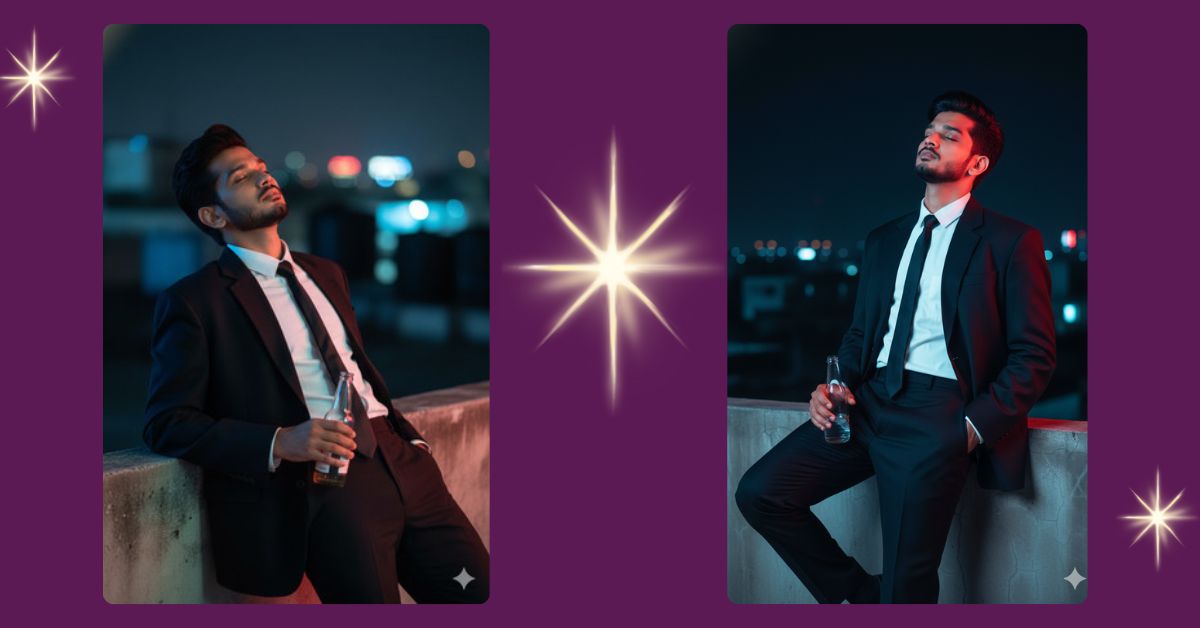
Neon-lit rooftop portraits are trending on Instagram Reels because they mix fashion, mood, and cinematic drama in one frame.
The blue-and-red lighting gives a vintage, movie-style look that grabs attention instantly.
Creators love this style for profile photos, reels, and aesthetic posts.
The good news?
You can create this Viral AI Image for free using Google Gemini, with a simple prompt and the right settings.
The Viral Prompt (Google Gemini Prompt)
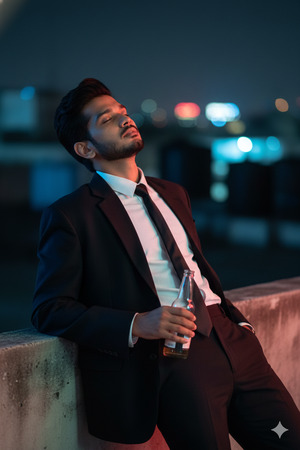
Create a high-quality, ultra-realistic cinematic night-time portrait in 9:16 aspect ratio.
A young man is leaning back casually on a rooftop ledge at night, dressed in an oversized black suit paired with a crisp white shirt and a neatly hanging slim tie.
His posture is relaxed and confident, eyes closed, expressing calm and introspection.
His hands rest casually while holding a simple glass drink bottle (non-alcoholic), adding a stylish editorial vibe.
Face and facial features must match the uploaded reference image 100% with identical skin texture, expression, lighting, and proportions. Do not change the face.
Lighting: dramatic blue and red neon lights washing over the scene, creating a vintage cinematic atmosphere with strong contrast and soft glow.
Background: blurred city rooftop elements with subtle night bokeh.
Quality: ultra-detailed, 8K resolution look, realistic textures, cinematic lighting, shallow depth of field, professional fashion photography style.
No text, no watermark, no logos.
Pose Variant 1 – One Knee Bent (Editorial Confidence)
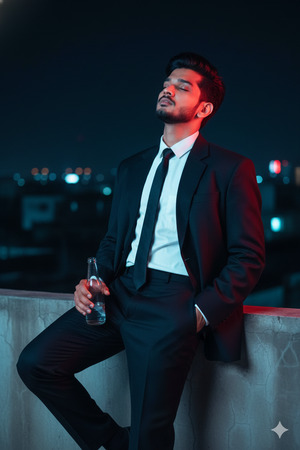
Pose: He leans against the rooftop ledge with one knee slightly bent and foot resting on the ledge edge. One hand holds the bottle casually near his thigh, while the other slips into his trouser pocket. His eyes remain closed, maintaining a relaxed yet powerful fashion-editorial pose.
How to Customize This Prompt
You can personalize this image easily by changing a few details:
- Change suit color (black → charcoal gray or navy)
- Modify lighting colors (blue-red → purple-cyan)
- Adjust expression (eyes closed → looking sideways)
- Change background (rooftop → balcony or terrace)
Keep the face reference line unchanged to maintain 100% face accuracy.
How to Create This Image Using Google Gemini
Follow these simple steps:
- Open Google Gemini on your mobile or desktop
- Paste the full prompt given above
- Add this line at the end:
“Create an image in 9:16 aspect ratio (Instagram Reel size)” - Generate and download your image
That’s it—your cinematic AI image is ready to post.
Conclusion
This neon rooftop portrait style is perfect for anyone who wants a moody, stylish, and cinematic Instagram look.
The mix of oversized fashion, neon lighting, and relaxed confidence makes it ideal for reels and profile pictures.
Create your image using Google Gemini, share it on Instagram, and stand out with a premium AI-generated aesthetic.
Don’t forget to tag and inspire others with your creation.







