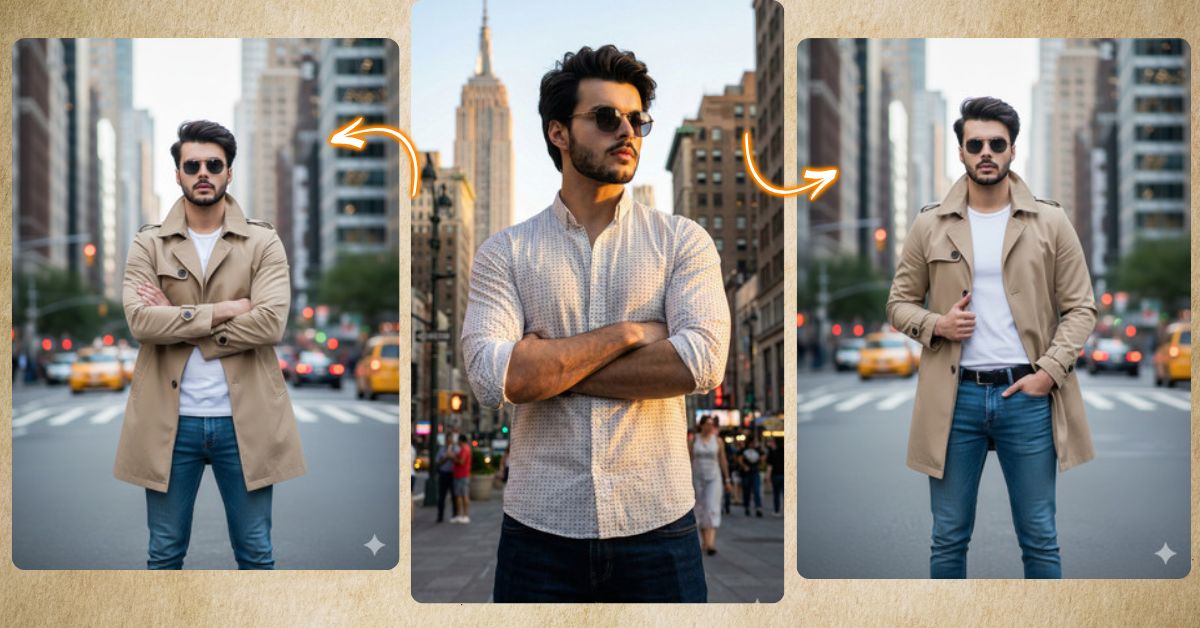
Right now, urban cinematic portraits set in New York City are trending massively on Instagram.
People love this style because it mixes confidence, fashion, and iconic city vibes into one powerful image. Skyscrapers, soft city lights, and a calm confident pose make the image look premium and editorial.
The good news is that you can create this Viral AI Image for free using Google Gemini.
In this Techy Gabru guide, I will share one perfect Google Gemini prompt to create a stunning 9:16 Instagram Reel–ready image.
⚠️ Important Instructions
- Upload your reference image in Google Gemini
- Face and hairstyle must remain 100% exactly the same
- Always ask for 9:16 Aspect Ratio (Instagram Reel Size)
The Viral Prompt (Google Gemini)
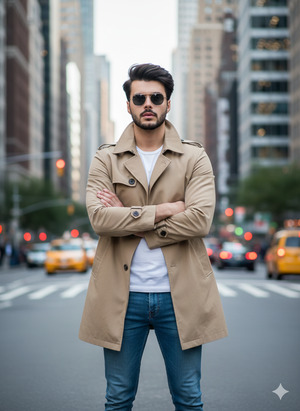
Create an ultra-realistic, cinematic full-body portrait using the uploaded reference image.
Keep the exact same face, facial features, skin tone, beard, expressions, and hairstyle from the uploaded image.
Do not alter the face or hair in any way.
Scene: A confident young man standing in front of a beautiful New York City urban background,
featuring iconic skyscrapers, soft city lights, bustling streets, and subtle greenery elements.
Pose: He faces the camera directly with his arms naturally crossed over his chest.
His shoulders are slightly relaxed, projecting calm confidence and effortless style.
Outfit: a classic beige trench coat layered over a crisp white T-shirt,
slim-fit slightly faded blue jeans,
and polished brown leather boots.
Lighting: soft natural daylight with cinematic tones,
highlighting realistic skin texture, fabric details,
and the vibrant city environment.
Style & Quality: ultra-realistic cinematic portrait,
high quality, 8K resolution,
realistic textures, dynamic depth of field,
high-fashion editorial magazine aesthetic.
Create the image in 9:16 aspect ratio, vertical Instagram Reel size.
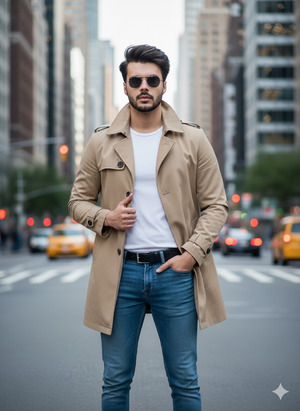
Pose Variant 1: One-Hand Pocket, One-Hand Coat Lapel (Elegant & Editorial)
<!– wp:code –>
<pre class=”wp-block-code”><code>Create an ultra-realistic, cinematic full-body portrait using the uploaded reference image.
Keep the exact same face, facial features, skin tone, beard, expressions, and hairstyle from the uploaded image.
Do not alter the face or hair in any way.
Pose: He faces the camera directly.
One hand is placed casually inside his jeans pocket,
while the other hand lightly holds the trench coat lapel.
His shoulders are relaxed, giving a calm, confident high-fashion look.
All NYC background, daylight cinematic tones, outfit, and 8K editorial realism remain unchanged.
Create the image in 9:16 aspect ratio, vertical Instagram Reel size.
</code></pre>
<!– /wp:code –>
Pose Variant 2: Arms Crossed with Slight Head Turn (Powerful & Stylish)

Create an ultra-realistic, cinematic full-body portrait using the uploaded reference image.
Keep the exact same face, facial features, skin tone, beard, expressions, and hairstyle from the uploaded image.
Do not alter the face or hair in any way.
Pose: He stands with arms crossed over his chest,
but his head is turned slightly to one side as if looking past the camera.
His posture feels powerful, confident, and modern.
All lighting, NYC skyline, street energy, outfit, and 8K cinematic quality remain unchanged.
Create the image in 9:16 aspect ratio, vertical Instagram Reel size.
How to Customize This Prompt
You can personalize this prompt very easily.
You may change:
- City → New York to London, Paris, or Dubai
- Outfit color → beige trench coat to black or grey
- Mood → calm confident to bold or serious
⚠️ Important Tip:
Always keep the line “Keep the exact same face” if you want your identity unchanged.
How to Create This Image Using Google Gemini
Follow these 4 simple steps:
- Open Google Gemini
Open Google Gemini on your mobile or desktop browser. - Upload Your Reference Image
Upload the photo whose face and hairstyle you want to keep exactly the same. - Paste the Prompt
Paste the prompt above and type:
“Create an image in 9:16 ratio” - Download the Image
Once the image is generated, download it and upload it on Instagram.
Conclusion
This Trending Viral AI Image style is perfect for:
- Instagram Reels and Stories
- Personal branding and lifestyle content
- Fashion creators and urban photography lovers
- Creating a powerful, confident online presence
With this Google Gemini Prompt, you can turn your photo into a cinematic New York City portrait that looks modern, stylish, and magazine-worthy.
Try it today and don’t forget to share your creation on Instagram.







