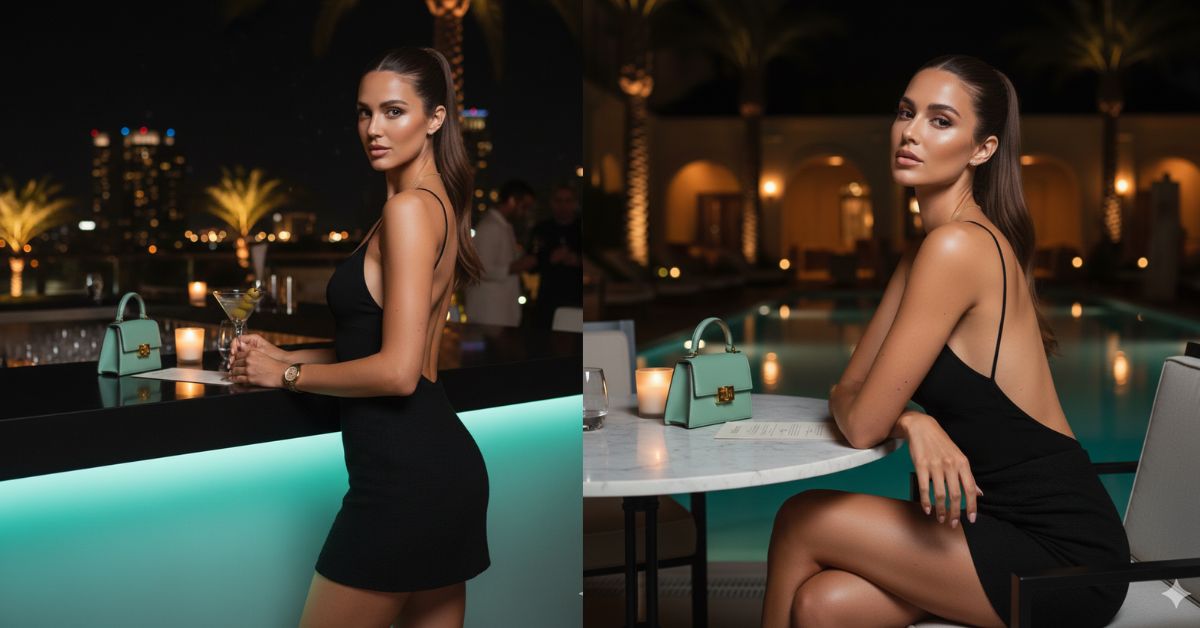
Nighttime fashion editorial images are trending heavily on Instagram right now.
Luxury lounges, flash photography, and confident poses give a celebrity nightlife vibe that people love to share on Reels and Stories.
The best part?
You can now create this high-end editorial AI image for free using Google Gemini, without changing your face or identity.
In this blog, I will give you one powerful Google Gemini prompt that creates a realistic, luxury night fashion portrait in 9:16 Instagram Reel size.
The Viral Prompt (Google Gemini Prompt)
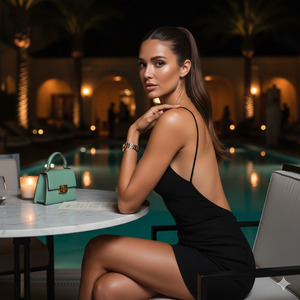
Use the uploaded reference image as the base.
Do NOT change the face, identity, facial features, skin tone, or proportions.
Keep the same woman exactly as in the reference image with natural realism.
Create a high-quality, ultra-realistic 8K fashion editorial night portrait in vertical 9:16 ratio.
The woman has long illuminated brunette hair tied in a sleek high ponytail with a polished finish and a few soft loose strands on top.
She has an athletic, slim body with natural proportions and an elegant silhouette
Scene: A luxury nighttime fashion editorial at an upscale outdoor lounge of a resort or boutique hotel.
She is seated at a marble table in a sophisticated lounge setting.
Her body is slightly turned toward the camera in a three-quarter profile.
Framing is from mid-thigh to head, eye-level camera with a subtle handheld feel for authentic nightlife energy
Both elbows rest gently on the marble table, shoulders relaxed, back slightly arched.
One knee angles softly inward, creating an elegant seated feminine posture.
Chin slightly lowered, eyes looking directly into the camera with a confident, composed, sensual expression.
Outfit:
A black open-back evening top with thin delicate straps, paired with a textured black mini skirt with a subtle tweed-like fabric.
Accessories:
Minimal luxury jewelry – thin gold watch, delicate chain necklace, small earrings.
Short to medium nails in soft neutral or pale pink tone.
On the table:
A small structured designer mini bag in teal / aqua green as a visual highlight, a lit candle, and a menu to enhance upscale dinner ambiance.
Background:
A softly lit pool reflecting warm lights, palm trees, warm wall sconces, and ambient golden lighting.
Other guests appear softly blurred for depth and realism.
Lighting:
Direct on-camera flash combined with warm ambient light.
Flash creates elegant skin glow and sharp subject separation while the background remains softly golden.
Photography style:
Luxury nighttime paparazzi-style editorial photography.
Shot with a 35mm–50mm lens, aperture f/2–f/2.8, cinematic depth of field.
Natural skin texture preserved, no plastic skin, slight editorial grain.
Color palette:
Bronze and golden skin tones, deep blacks, warm shadows, teal bag as accent color.
High realism, cinematic lighting, professional fashion editorial quality.
Create the image in 9:16 aspect ratio.
Pose Variant 1 – Confident Lean-In Pose
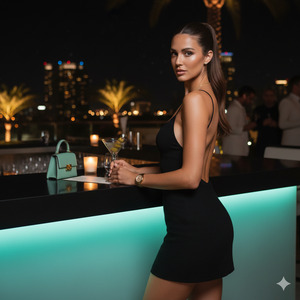
Same prompt as above, but change the pose to:
The woman is seated at the marble table, leaning slightly forward with one elbow resting on the table and the other hand softly touching her jawline. Her shoulders remain relaxed, chin slightly lowered, and her gaze is direct and confident toward the camera, creating an intimate nightlife editorial feel.
Create the image in 9:16 aspect ratio.
Pose Variant 2 – Crossed Arms Editorial Pose
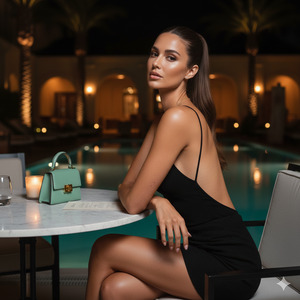
Same prompt as above, but change the pose to:
The woman is seated upright with her back gently arched, arms crossed loosely on the marble table. Her head is tilted subtly to one side, eyes locked with the camera, conveying calm confidence and luxury editorial elegance.
Create the image in 9:16 aspect ratio.
How to Customize This Prompt
You can easily personalize this prompt without breaking realism:
- Change outfit color (black → ivory, chocolate brown, emerald)
- Replace mini bag color (teal → beige, gold, white)
- Adjust jewelry style (silver instead of gold)
- Modify expression (soft smile, serious editorial look)
- Do not remove the lines about keeping the same face and identity.
How to Create This Image Using Google Gemini
Follow these simple steps:
- Open Google Gemini
- Upload your reference image
- Paste the prompt above and add:
“Create an image in 9:16 aspect ratio” - Generate and download your image
That’s it! Your luxury editorial image is ready.
Conclusion
This night fashion editorial style is perfect for Instagram Reels, luxury aesthetic pages, and personal branding.
With the right prompt and Google Gemini, you can create high-end editorial images that look like celebrity paparazzi shots—without editing skills or paid tools.
Create your image, post it confidently, and let people ask:
“Where was this shoot done?”
Don’t forget to share your creation on Instagram and tag your aesthetic page







