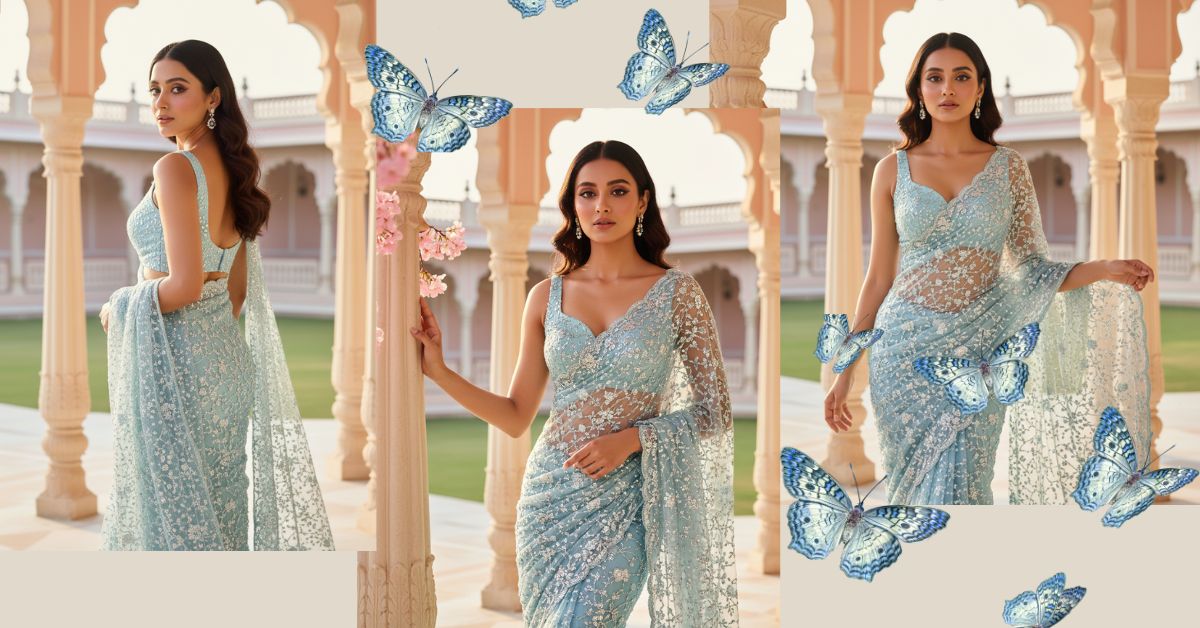
Luxury saree portraits with a royal palace vibe are trending heavily on Instagram Reels right now.
Soft pastel architecture, golden-hour lighting, and ultra-detailed sarees give a high-fashion, Vogue-style look that people love to share.
The best part?
You can create this viral AI image for free using Google Gemini, without any editing skills. Just one perfect prompt is enough.
The Viral Prompt (Google Gemini Prompt)
<!– wp:code –>
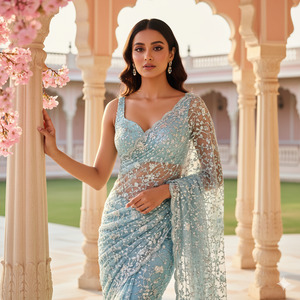
<pre class=”wp-block-code”><code>Ultra-realistic 8K cinematic full-body portrait of a beautiful Indian woman wearing a shimmering ice-blue net saree covered with dense sequins, crystal beadwork, and delicate floral embroidery. The saree is semi-transparent with intricate patterns and is draped elegantly over her shoulder.
She wears a matching ice-blue embroidered sleeveless blouse with a deep neckline. Her face must match the uploaded reference image exactly, with no alteration.
Pose & Expression: She stands gracefully between two pastel architectural pillars. One hand is lightly resting on the pillar, while the other hand gently holds the saree pleats near her thigh. Her posture is elegant and calm, with a soft, dreamy expression. Hair is open and styled neatly.
Jewelry & Styling: She wears delicate blue gemstone earrings and a minimal bracelet. Makeup is soft glam with glowing skin, natural blush, defined eyes, and nude pink lips.
Lighting & Scene: Golden-hour sunlight creates a warm glow on her skin, highlighting the sparkle of the saree. Soft shadows fall naturally across the ground
Background: A luxurious palace-style courtyard with pastel pink walls, white columns, and a manicured green lawn. The ambience feels royal, serene, and high-fashion
Camera Details: Shot on 85mm portrait lens, f/1.4, shallow depth of field, creamy bokeh, ultra-detailed fabric textures, realistic skin texture, cinematic lighting, editorial fashion photography style, Vogue-quality finish.
Create in 9:16 aspect ratio.
</code></pre>
<!– /wp:code –>
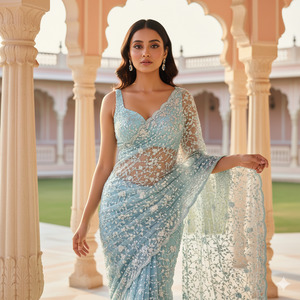
Pose Variant 1 – Elegant Walk Pose
<!– wp:code –>
<pre class=”wp-block-code”><code>Pose & Expression: She is captured mid-step as if walking slowly through the palace courtyard. One hand softly holds the saree pallu flowing behind her, while the other arm rests naturally by her side. Her body is slightly angled forward, chin gently lifted, with a calm and confident expression.
</code></pre>
<!– /wp:code –>
Pose Variant 2 – Over-the-Shoulder Royal Pose
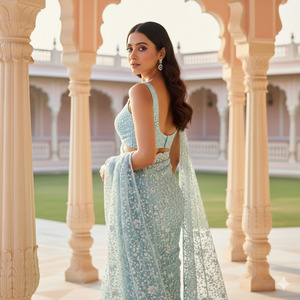
Pose & Expression: She stands with her back partially facing the camera, turning her head over her shoulder to look directly into the lens. One hand rests lightly on her waist while the other holds the saree pallu. Her posture highlights elegance and grace with a soft, serene expression.
How to Customize This Prompt
You can easily personalize this prompt by changing a few details:
- Replace saree color (ice-blue → lavender, champagne, emerald)
- Change jewelry type (blue gemstones → diamonds or pearls)
- Adjust expression (dreamy → confident or smiling)
- Swap background location (palace courtyard → luxury hotel or heritage haveli)
Do not change the face-matching line if you want the same face.
How to Create This Image Using Google Gemini
Follow these simple steps:
- Open Google Gemini
- Upload your reference face image
- Paste the prompt above and add:
“Create an image in 9:16 aspect ratio” - Generate and download your viral image
Conclusion
This ice-blue saree AI portrait style is perfect for Instagram Reels, fashion pages, and personal branding.
The royal background, golden lighting, and realistic textures make your image look like a professional magazine shoot.
Create your image using Google Gemini, post it on Instagram, and watch the engagement grow.
If you love viral AI trends, keep experimenting and don’t forget to share your creations proudly.







